Best SaaS Email API for Developers: Check DKIM2 and Mailbox Access


A customer replies to an email from your agent. Can your email API for developers retrieve that thread? We'd check before choosing a provider, especially if your team would otherwise assemble it. Compare mailbox access, authentication, integration work and pricing against the parts your product needs to test.
TL;DR:
- Test spam placement with real product content at Gmail, Outlook, and another provider, then trigger a dead address bounce to verify event reporting.
- Use idempotency keys to prevent duplicate sends after timeouts, and batch up to 100 messages per call when your workload permits.
- During the DKIM2 transition, sign with both DKIM1 and DKIM2 where supported, and retry or defer TEMPERROR results instead of rejecting them.
- Compare pricing against workload: 10,000 lightly used inboxes favour event billing, while 50 mailboxes sending hundreds of thousands of messages monthly pay mainly for volume.
Table of Contents
How to choose an email API: a developer-focused checklist
Suppose a support agent uses a sending provider, Gmail connection, parser and webhook relay. The parts might work separately. Your team still needs to connect incoming replies to their conversation, so we'd test that workflow before comparing prices.
Rank your criteria in this order:
- Deliverability and authentication: inspect SPF, DKIM and DMARC setup alongside bounce and complaint reporting.
- API reliability and semantics: test idempotency, batch limits and the result of retrying a request.
- Observability: check that delivery logs and event webhooks distinguish acceptance from delivery.
- Webhook design: inspect payload signing and event types, then test retries under load.
- Provider routing: find out whether you can connect your own sending accounts and how they're routed.
A receipt in spam still leaves the customer waiting. Start with SPF, DKIM and DMARC setup, then simulate a timeout and check whether repeating a request creates a duplicate. Idempotency governs that retry behaviour. Batch endpoints determine how much work fits in one call.
Before committing, run concrete tests rather than trusting marketing copy:
- Test spam placement by sending to Gmail, Outlook and a third, smaller provider.
- Use a deliberately invalid test address. Check that the webhook or log entry explains the failure clearly.
- Inspect Delivery Status Notification (DSN) handling. Does the API clearly report failed or rejected messages?
- Read the bounce handling guide, then compare providers' instructions for reconciling missing events.
A receipt-sending app may need outbound delivery alone. A multi-tenant SaaS platform needs controls limiting the effect of one customer's sends on others. Test retrieval for reply-reading agents. Can you fetch the right thread and content, and how much raw MIME processing would your application still own?
Test your product's subjects and content for spam placement. A generic "hello world" message doesn't exercise the same patterns as a password reset or invoice.
Feature checklist developers use to compare providers
Make each criterion a runnable test. A feature label won't show what happens when a request times out or your webhook endpoint goes down.
Check HTTP and SMTP availability in the sending interface. For Idempotency-Key, read the retention window and the result of reusing a key with a different payload, then test a timeout retry. Inspect batching separately. A hypothetical 100-message endpoint could save round trips, but its rate-limit counting still needs checking.
Trace inbound mail from notification to usable reply. Does the webhook include content? Check any extra fetch, along with retrieval of threads, folders and filtered messages. If an agent reads unread replies, identify the state held by the provider and the state your application must maintain.
Routing and provider controls separate transactional-only tools from platforms built for scale:
- Bring-your-own providers: check connections for Gmail, Microsoft 365 and your own SMTP host, including required authentication for each.
- Quotas per provider: inspect per-second, per-minute and per-day limits. Test a job reaching them.
- Delivery groups and weighting: find out whether groups allocate routes by percentage or another method.
- Health checks: check automatic skipping of failing accounts, failure detection and the conditions for eligibility again.
Look for a published OpenAPI 3.1 specification to generate a client. For TypeScript, Python, Go, PHP, Ruby and Rust, check required SDK coverage, including authentication and pagination. Script the CLI's --json output. A sandbox can avoid real mail during tests, but inspect which production behaviours it reproduces.
Make your webhook endpoint return an error. Check retry backoff and access to attempts, status codes, latency and payloads afterward. That history helps investigate an event missing after a deploy.
Try filtering delivery logs by status, sender, recipient and provider, then alert on bounce and complaint rates. Compare mailbox-scoped and account-wide keys. Explicit send, receive, read and update permissions limit what a leaked credential exposes.
Deliverability and authentication in 2026: what engineers must know
Start SPF, DKIM and DMARC work with today's provider support. The DKIM2 draft addresses DKIM changes, including issues with DKIM1 replay and forwarding. Track and evaluate draft guidance before planning production migration.
The DKIM2 best current practice draft recommends dual DKIM1 and DKIM2 signatures during transition, applied on exit at the last hop before mail leaves your infrastructure. Signing earlier risks invalidation by later changes. For participating forwarders, the DKIM2 specification also asks them to verify existing signatures and add their own when relaying, preserving a chain of custody DKIM1 lacked.
Verifiers under DKIM2 report one of four outcome states, and mapping them correctly to SMTP responses changes how your receiving infrastructure behaves:
| Verifier state | Meaning | Recommended SMTP handling |
|---|---|---|
| PASS | Signature verified successfully | Accept and proceed with normal policy |
| FAIL | Signature present but invalid | Reject during the SMTP conversation where local policy dictates |
| PERMERROR | Permanent error in signature or key lookup | Treat as a signing failure, apply local policy |
| TEMPERROR | Temporary failure, often a DNS lookup issue | Retry or defer, do not treat as a hard failure |
Treating TEMPERROR as FAIL can bounce legitimate mail over a transient DNS hiccup. Treating a genuine FAIL as PASS defeats signing. This mapping comes directly from the DKIM2 BCP.
Keep SPF and DMARC alongside DKIM2. The draft presents it as an additional transition signal, so in 2026 the defensive approach is SPF, DKIM with both versions where possible, and DMARC together.
A practical verification and monitoring checklist for engineering teams:
- Ensure SPF covers every sending source, including routed third-party providers.
- Before enabling dual DKIM signing, check DKIM1 and DKIM2 support and where signatures are applied.
- Collect DMARC reports with
p=nonebefore moving to enforcement. Plan multi-tenant checks with the staged DMARC rollout guide.
- Track TEMPERROR and FAIL rates during authentication changes and after go-live.
- Regularly compare bounce and complaint rates against provider thresholds.
Pro Tip: Stage a DKIM2 migration. Sign with DKIM1 and DKIM2 in parallel, watching TEMPERROR and FAIL across major receiving domains for at least a few sending cycles. Consider DKIM2 the primary signature only once those rates stabilise.
Integration notes and patterns for engineering teams
Test failures alongside successful sends. Simulate DNS delays, repeated webhooks and unavailable sending accounts to see the operational work your team would face.
- Verify domains in stages. Check SPF, DKIM and DMARC before production sending, including separate receiving requirements. Start DMARC monitoring, review reports and then consider quarantine and reject. Investigate DNS setup with the domain verification walkthrough.
- Verify webhooks before processing them. Follow the provider's signing scheme, such as shared-secret HMAC-SHA256, and reject invalid signatures. Make processing idempotent. Repeated events should avoid duplicate database writes. Subscribe to the events your application uses and inspect the provider's meanings for delivered, bounced, complained, received, rejected and delayed.
- Test the reply-reading path. Check cleaned-text support and any quoted-history stripping your application must do on raw MIME. Treat incoming content as untrusted agent input. Check reply composition with
in_reply_toandreferences, then compare base64 attachment uploads with uploaded references while keeping file bytes out of model prompts.
- Test batching and account failures. Compare a hypothetical 100-message batch request with 100 individual requests under provider limits. With several sending accounts, inspect automatic health checks and failure behaviour. Check whether logs and metrics can feed your observability tools.
Choosing SMTP or an API determines the operational work your team owns. Read the side-by-side comparison before deciding how much infrastructure to maintain.
Pricing shape and how to estimate costs for your product
Price the tested workflow. Count mailboxes, message volume and retained data, including any separate sending-provider charges.
- Per-event pricing bills counted events. Check the unit: recipient, delivery or another operation.
- Per-mailbox pricing bills inboxes. Inspect included volume and extra charges before modelling a mailbox for each customer, agent or workspace.
- Tiered monthly plans have a base fee and allowances or usage charges. Include both in the bill.
Include account subscriptions and limits when comparing costs for connected Gmail or Microsoft 365. Managed sending may carry different charges. Check storage too, particularly for retained attachments or long mailbox histories.
Compare two hypothetical workloads: 10,000 mailboxes with a handful of monthly messages each, and 50 mailboxes sending hundreds of thousands monthly. Mailbox fees matter in the first. Volume charges matter in the second, so price actual rates and allowances before choosing the cheaper model.
A quoted rate, dedicated IP or service level agreement may justify an enterprise contract if it meets a measured requirement. Estimate a realistic workload first. Compare the contract against published plans.
Security and compliance features developers should check
Inspect security alongside delivery. Ask about API key storage, encryption at rest for provider credentials and OAuth tokens, and required TLS. Compare the answers with the provider's security documentation.
Compare GDPR and HIPAA claims against documentation and your requirements. Recipient location and message content also affect obligations. For Australian recipients, include local anti-spam obligations in your sending setup.
Test mailbox, domain, sending-account and API key boundaries in a multi-tenant product. Try accessing another tenant's messages. Inspect restrictable permissions and team roles alongside application credentials.
Publisher perspective: mailbox-first design and agent use cases
Having worked through enough integrations to see the pattern repeat, the sending-first model shows its age the moment a product needs mail to go both ways. A sending API alone handles the outbound half well, but the inbound half gets bolted on: a webhook here, a separate fetch call there, a parser you maintain yourself.
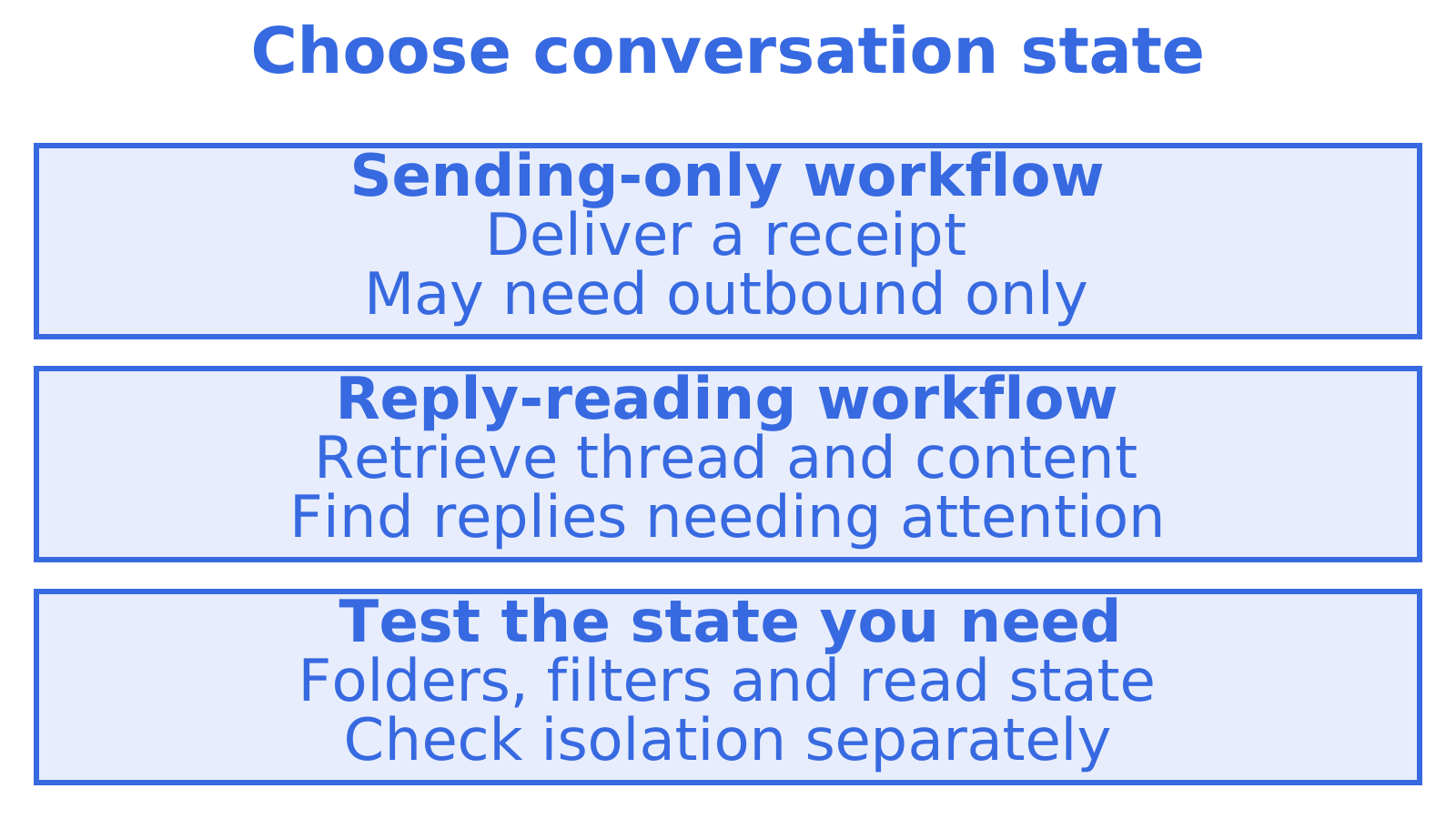
A mailbox-oriented API can provide an address and retrievable conversation state for that workflow. Test threads and folders, filtering and read status separately. Then check observability and tenant isolation, since mailbox access alone establishes neither.
Include reply retrieval in an agent or multi-tenant product's first prototype. We'd fetch a conversation and compose a reply, then check the state left for our application to maintain.
How Sendmux maps to the checklist above
Sendmux supports provisioning mailboxes on @myagent.mx or a verified custom domain, with mailbox retrieval for threads, folders and filtered message lists. You can connect Gmail, Outlook or custom SMTP sending accounts and configure delivery groups.
A short test plan to run on our Free plan:
- Create a mailbox on @myagent.mx or a verified custom domain. Include SPF, DKIM and DMARC requirements in the evaluation.
- Fetch threads, folders and filtered message lists. Compare the results against application requirements.
- Connect a sending account, then configure a delivery group to test the provider setup.
Free costs $0 per team, and Pro costs $7 per team per month plus usage. Compare mailbox retrieval and connected sending accounts with your needs through our Mailbox API. Read the overview on Sendmux.
Recommended
Frequently Asked Questions
What is the best SaaS email API for developers in 2026?
We'd test the reply workflow first. A receipt-sending app may only need outbound delivery, while an agent answering customers needs message and thread retrieval too. Sendmux provides mailbox provisioning and retrieval for threads, folders and filtered message lists. Compare these against application requirements before choosing.
How do I test email API deliverability before committing?
Send your actual product content to Gmail, Outlook and another provider. Inspect inbox and spam placement, then send to a deliberately invalid test address and check failure status in webhooks or logs. Repeat for a few sending cycles. Review bounce and complaint rates.
What is DKIM2 and do I need to implement it now?
The IETF is developing DKIM2 to address DKIM issues, including replay and forwarding. Check current drafts and provider support before planning a rollout. Where supported, we'd stage a test with DKIM1 and DKIM2 together, including signing on exit at the last outbound hop.
What does Sendmux cost for a small team starting out?
Free costs $0 per team, and Pro costs $7 per team per month plus usage. Add expected usage to the team fee when comparing costs.
How do multi-tenant SaaS platforms handle per-customer email?
A mailbox or sending identity for each customer, workspace or agent can help organise tenant email. Separate reputations need checking. We'd test mailbox and credential access boundaries, sending-domain reputation and shared-provider limits before relying on the setup for tenant isolation.
