10 Email Deliverability Tools for Programmatic Mailboxes


The best email deliverability tools depend on the job: checking inbox placement, monitoring sender signals, validating addresses, or giving an application control over mailboxes and sending. Sendmux fits programmatic mailboxes and routing through your own providers. GlockApps offers seed-based placement tests, while Validity Engage combines capabilities previously sold as Everest and Litmus.
Start with the failure you can observe. A message accepted by a sending provider can still reach spam. A clean DNS check doesn't tell you where the message landed, and a successful seed test doesn't predict every subscriber's inbox.
What are the best email deliverability tools right now?
Compare email deliverability software by capability before comparing plans. Several products cover more than one category, and their testing, sending and monitoring packages may have separate limits. You may need complementary tools, but there is no universal requirement to buy a particular number of them.
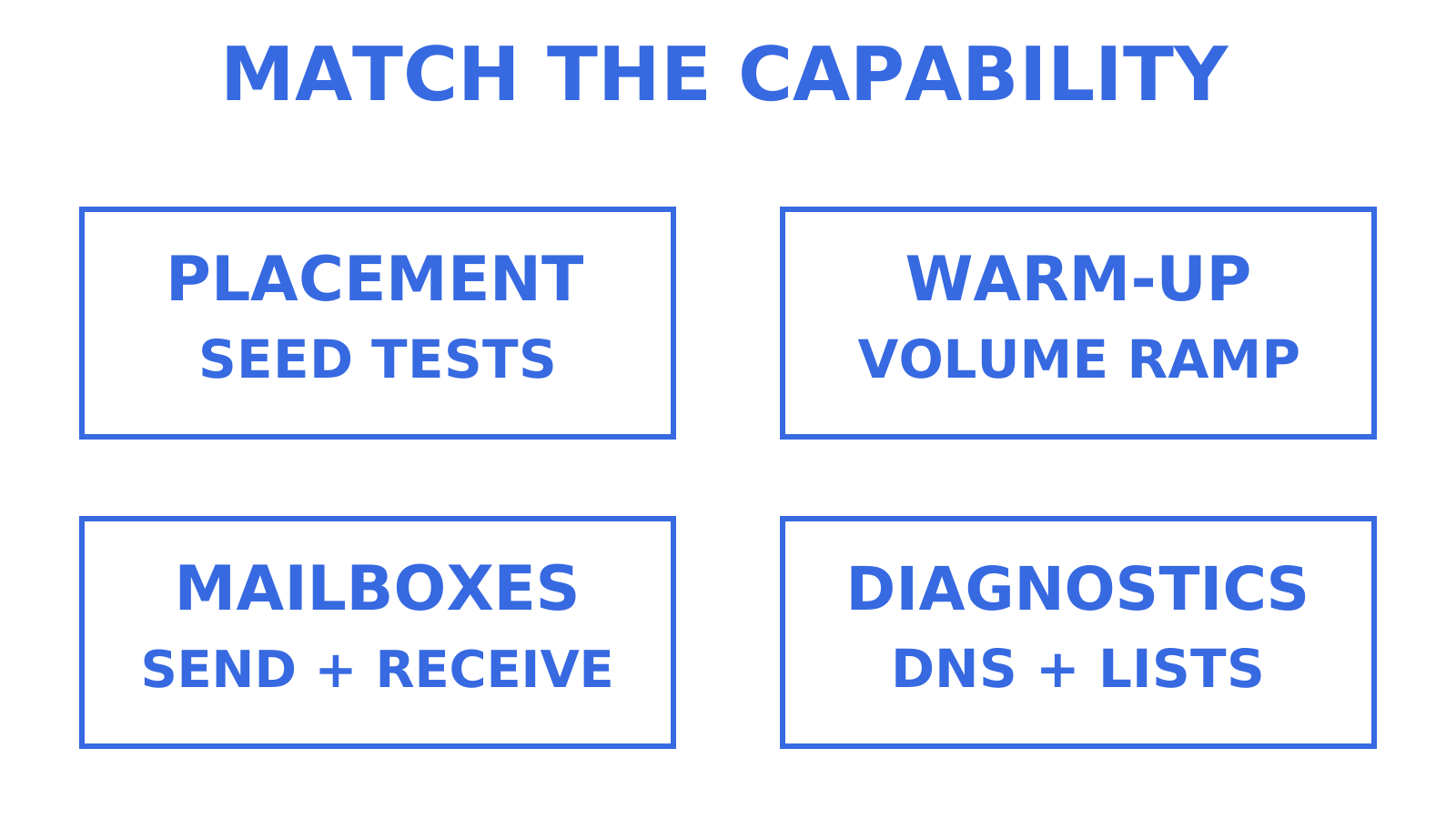
| Tool | Evaluate it for | Check during a trial |
|---|---|---|
| Sendmux | Persistent agent mailboxes and outbound provider routing | Mailbox scope, provider quotas and usage charges |
| Mailtrap | Email Sandbox and production API/SMTP sending | Separate testing and sending products |
| GlockApps | Seed-based inbox placement and diagnostics | Provider panel, test conditions and credit limits |
| Mailgun | API/SMTP sending plus Optimize deliverability tools | Sending and Optimize subscriptions |
| Warmup Inbox | Automated warm-up and related sending tools | What the warm-up results actually measure |
| Validity Engage, formerly Everest | Placement, reputation and deliverability monitoring | Required capabilities and contract terms |
| MxToolbox | DNS lookups and Delivery Center monitoring | Free diagnostics versus paid placement tests |
| Folderly | Deliverability maintenance, Inbox Insights and Pulse | Which product supplies each check |
| ZeroBounce | Address validation and additional deliverability tools | Catch-all results and tool allowances |
| Postmark | Transactional and broadcast application email | Message streams and delivery-event integration |
These are different parts of an email stack. Mailgun and Postmark can supply outbound sending for an application using Sendmux; a placement tester can check messages sent through that stack. Treat the comparison as a capability shortlist, not a measured ranking.
How do these deliverability tools actually differ under the hood?
Seed tests report where a particular message landed in controlled mailboxes. Check which providers are represented, whether they match your audience, and whether repeated tests use comparable sending conditions. GlockApps' own method notes explain that unengaged seed accounts cannot reproduce the history of your subscribers.
EmailToolTester's current methodology has changed: it no longer relies on its traditional testing approach. Its tool guide can help identify products, but it isn't evidence that this shortlist passed a current independent, multi-round benchmark.
Placement tests and reputation monitoring answer different questions. Placement observes sampled inboxes; monitoring tracks signals such as authentication, complaints or blocklist status. A provider's acceptance event, a spam-filter score and an inbox-placement result should remain separate in your reports.
Google's Postmaster Tools dashboard documentation explains Gmail-specific spam and authentication data. Low traffic can leave dashboards empty, and updates can be delayed. User-reported spam rate isn't the percentage of all messages placed in spam.
Google is changing the product: legacy Domain and IP Reputation dashboards are due to retire, while the old web-interface retirement has been postponed. Those reputation ratings aren't part of v2/API v2. Check Google's transition notice before depending on a particular dashboard or API field.
Warm-up products also need closer inspection. Warmup Inbox, Warmy, Mailwarm and Warmbox advertise automated sending and engagement. InboxAlly and MailReach describe automated or AI-operated engagement too. Accounts described as real inboxes do not establish that people manually open every message, or prove a slower, more effective method.
Instantly, Smartlead, lemlist and Amplemarket include warm-up or deliverability features within broader outreach products. Folderly offers several deliverability products and consulting, while TrulyInbox offers standalone automated warm-up. Check the actual product and subscription instead of assuming these names identify distinct human versus synthetic techniques.
Ask what a warm-up score measures. Instantly's documentation says its health score describes placement within the warm-up pool, not campaign placement. None of the evidence reviewed here establishes a universal speed, price or effectiveness advantage for one engagement method.
For a technical integration, inspect the documented REST API, SMTP or IMAP access where relevant, webhook authentication and retry behaviour, and delivery-log exports. Confirm which events exist and which plan exposes them. An API is useful only if it gives your application the signal and access it needs.
Using Amazon SES directly gives your team responsibility for its sending configuration and operations; an application platform may provide routing and logs around your chosen providers. Either way, send to subscribed recipients, increase volume gradually and monitor feedback. Switching infrastructure doesn't remove the need to manage authentication and complaints.
Detailed reviews of every shortlisted deliverability tool
Sendmux
Sendmux is an email API for AI agents and SaaS platforms. You can provision persistent mailboxes with messages, threads and folders, then send through connected Gmail, Outlook or SMTP accounts, or managed Amazon SES for transactional mail. Resource availability depends on the plan and account settings.
It fits products that need mailbox state and control over outbound routing. Delivery groups, routing weights and quotas help choose eligible sending accounts. After a definitive provider authentication rejection, Sendmux can select another eligible provider. Failover does not mean resending every error: an uncertain submission outcome is handled separately to avoid duplicate mail.
Delivery logs expose sending events, while dashboard warnings and managed Amazon SES provider signals, when available, provide additional information. These should not be described as seed-based inbox-placement results. Budget for a separate placement or validation service when those capabilities are required.
Current Sendmux billing terms combine plan and usage charges. Free has no monthly fee, two mailboxes, a limit of 50 provider-accepted recipients per UTC day and $1 starting credit. Usage consumes that credit; a depleted Free team must upgrade to buy more.
Pro costs $7 per team per month plus usage. Outbound through a connected provider costs $0.000500 per provider-accepted recipient occurrence, including each accepted To, CC or BCC occurrence. Managed Amazon SES costs $0.000750 per provider-accepted recipient occurrence. Inbound costs $0.000500 per distinct mailbox delivery, and storage costs $0.02 per decimal GB-month. Enterprise terms are contractual. Check the billing page for legacy-team transition terms.
There is no separate flat mailbox or seat subscription fee in these published terms, but more mailbox traffic and storage can increase the bill. Pro also remains subject to provider quotas, safety controls and account restrictions.
Mailtrap
Mailtrap offers both testing and production sending. Its Email Sandbox captures mail that your development or staging environment is configured to send to it. Developers can inspect headers, HTML/CSS and content checks, and use its API in automated tests.
That is useful for catching template or configuration defects before sending to real recipients. A sandbox result does not establish production inbox placement. Evaluate Mailtrap's API/SMTP sending and Email Marketing separately if you need those products, and compare their product-specific free and paid limits.
GlockApps
GlockApps offers inbox-placement tests alongside authentication, spam-filter, blocklist and DMARC checks. It is a candidate for teams that want to send a representative message to a provider panel before releasing a campaign or changing their sending setup.
Its reports can show differences between tested environments. They cannot guarantee placement for your actual audience, and a single result should not stand in for a trend. Keep the sending domain, IP and message conditions comparable across repeat tests. Plans allocate test credits and monitoring capacity, so check the allowance for your intended testing frequency.
Mailgun
Mailgun provides API/SMTP sending and developer controls for domains, routes and logs. It can be an outbound provider in an application stack rather than a replacement for every mailbox or deliverability component.
Mailgun Optimize adds inbox-placement testing, email validation and reputation monitoring, with features and allowances that depend on the plan. Optimize can also be used with other sending providers. Send Time Optimization is a separate sending feature based on engagement timing; it should not be presented as evidence of better inbox placement.
Check the sending and Optimize subscriptions together. Review the APIs, domain configuration and event handling against your requirements instead of assuming the monitoring product is included in a sending plan.
Warmup Inbox
Warmup Inbox advertises automated warm-up using message exchanges and engagement, alongside related diagnostics, API access and sending tools. It may be worth evaluating when a team wants to manage a warm-up workflow without performing those interactions manually.
Treat intended reputation improvement as a vendor claim to test, not a guarantee that a new address is ready for a particular campaign volume. Confirm the connected-account permissions, activity limits and meaning of each health or placement report. The available evidence does not support ranking automated engagement against supposedly human-operated alternatives.
Validity Engage, formerly Everest
Validity now presents Everest's placement and deliverability capabilities within Validity Engage. Litmus email building, testing and previews are part of that product family too. The current offering covers placement, reputation monitoring and related diagnostics.
Evaluate it when your team wants these checks in a shared workflow. Ask which capabilities, provider integrations and alerts the proposed contract includes. Product breadth alone does not establish a particular support SLA, compliance suitability or setup time, and this review does not claim to have measured those outcomes.
MxToolbox
MxToolbox's SuperTool provides individual DNS, mail-server and blocklist lookups. Those checks are useful when investigating records such as MX, SPF, DKIM or DMARC, but they are separate lookups rather than one universal test of every setting.
MxToolbox also sells Delivery Center monitoring and inbox-placement testing. Distinguish those products from free diagnostic lookups when comparing cost and capability. A successful DNS result does not tell you whether a real message reached an inbox; a placement test supplies a different observation.
Folderly
Folderly separates deliverability maintenance, Inbox Insights and Pulse. Inbox Insights checks placement, IPs and DNS, while Pulse monitors spam placement and alerts. Consulting is also available, so check whether the proposal includes software, consulting or both.
This can suit a team that wants assistance identifying and monitoring delivery problems. Verify the specific integrations, reports and plan limits during the trial. The evidence here does not establish that the service requires hands-on coaching, lacks developer access or has less capability than another enterprise product.
ZeroBounce
ZeroBounce provides bulk and API address validation, including result categories such as invalid, disposable and catch-all. It can support checks during list import or signup. A validation result does not establish recipient consent, and a role-based address is not automatically invalid.
Catch-all domains remain a limitation: a domain accepting mail for arbitrary addresses makes individual mailbox validation harder. Decide how your application handles uncertain results rather than treating them as confirmed deliverable addresses.
ZeroBounce also offers inbox-placement and server tests, monitoring and warm-up tools. Compare validation credits or subscription allowances with those additional products. Buying validation alone does not mean you have enabled every deliverability check.
Postmark
Postmark supports application email through API or SMTP, with Transactional and Broadcast Message Streams. Separate broadcast infrastructure helps distinguish one-to-many sending from transactional messages, but does not guarantee that a password reset will always reach the inbox.
It is a candidate when you want application-based transactional or broadcast sending and can integrate the appropriate streams. Marketing messages are supported; confirm which campaign-management features your application must supply. Postmark publishes time-to-inbox telemetry, which describes its observed service results rather than a guarantee for your traffic. Plans include a free developer tier and paid volume-based options.
The rest of the field, briefly
Warmy, also known as Warmy.io, Mailwarm, Warmbox, Warmforge, MailReach, InboxAlly and Emailwarmup.com offer warm-up or related deliverability services. Their documentation describes different controls and bundles, but does not justify saying that price and ramp speed are their only differences.
Unspam.email provides spam, authentication, rendering and placement checks. Inbox Radar by Saleshandy is a standalone placement-testing subscription. TrulyInbox offers standalone automated warm-up. These should not all be grouped as warm-up embedded in a sales sequencer.
Mailshake, Smartlead, Instantly, lemlist and Amplemarket are broader outreach or sales-engagement products with deliverability features. VitaMail's official FAQ describes validation, automated warm-up and campaign sending among its services. Check the selected plan rather than assuming every feature belongs to a single bundle.
PowerDMARC focuses on authentication management and DMARC reporting. Sender Score provides third-party reputation assessments, while Barracuda's lookup reports IP or domain reputation used by its own filtering. Neither is a universal measurement of inbox placement.
SendForensics offers content analysis, previews, seed tests and deliverability analytics. Postmark's SpamCheck API reports SpamAssassin analysis of a raw message. A spam-filter score can help diagnose content, but does not reproduce every mailbox provider's filtering or measure actual placement.
Bouncer, MailerCheck and NeverBounce provide address validation through bulk or API workflows. Some also sell additional deliverability tools; MailerCheck explicitly includes content and placement checks. MailerSend supplies application email through API/SMTP. There is no measured accuracy or feature-depth ranking among these services in this review.
Litmus's rendering and email-testing capabilities are now part of Validity Engage. Distinguish MailTester.com, which offers address verification, from mail-tester.com, which accepts a test email and reports on the message and sending configuration. The latter explicitly warns that a good score can still accompany spam placement elsewhere.
How to test and what to measure
Use a documented trial to assess a product against your own traffic. This article reviews published capabilities; it does not report an author-run benchmark, measured winner or firsthand testing of the shortlist.
- Choose a relevant provider panel. Include Gmail, Outlook, Yahoo and regional providers when they matter to your audience. EmailToolTester's explanation of its changed approach is a reminder to check a comparison's method and date before adopting its conclusions.
- Keep repeated tests comparable. Record the message, sender, domain, IP, provider mix and timing so a changed result can be investigated. A wider panel gives more observations, but does not automatically make its percentage representative of your audience.
- Track distinct outcomes. Record sampled inbox or spam placement separately from soft bounces, hard bounces and SPF, DKIM or DMARC authentication results. Check whether the product exposes the relevant event or measurement.
- Compare independent signals. Use Google's documented Postmaster signals alongside sending-provider events and placement tests. Check the current interface and data availability before expecting a reputation rating.
If time permits, run several comparable tests across a week and investigate variation. This is a suggested trial approach, not a tested three-round rule or a claim that a recent DNS change necessarily produces artificially clean results.
Seed panels have limits. Subscriber engagement history, provider mix and regional coverage can differ from the test accounts. Treat the panel's percentage as a result for that sample, then compare it with real delivery events and recipient feedback.
How to choose a deliverability tool without wasting a trial
Write down the capabilities you need before booking a demo. That gives the trial a concrete pass condition and helps distinguish a missing feature from a product aimed at a different job.
- Placement coverage: ask for the named seed providers and the test method.
- Webhooks: inspect available events, authentication, retries and what happens during an endpoint outage.
- Authentication: check how the product helps configure and verify SPF, DKIM and DMARC.
- Logs: confirm export formats, access limits, retention and what remains available after cancellation.
- API limits: record the applicable request limits and how they vary with the selected plan.
- Data handling: ask where message data is stored and how content, attachments and logs are retained or deleted.
Exercise those requirements in the trial. Send a representative message, inspect the response and event trail, and compare an export with the application's own record. Ask support about an actual ambiguity in the documentation instead of judging only a sales response.
Opaque test methods, undocumented retention or missing APIs are reasons to investigate when they affect your requirements. Model pricing against your expected contacts, sending and test volume; a per-contact plan is not inherently wrong, but it may have a different cost pattern.
Opportify's authentication and domain-risk checker can add a domain-level diagnostic. Its risk score should not be treated as proof that an individual mailbox exists, that a recipient consented, or that a list is clean.
A 30 to 90 day trial can provide time to observe operations if the vendor's terms permit it. In weeks one and two, verify authentication and record a baseline. In weeks three through six, monitor your permitted transactional or campaign traffic. Use the remaining time, up to week twelve, to test support and reconcile exports. Adjust this suggested schedule to the actual trial length and traffic; it is not a requirement to wait before making a decision.
What does good customer support look like from a deliverability vendor?
Ask for the response target that applies to your plan and a production-impacting incident. Confirm the escalation route, support hours and whether the commitment is contractual. Do not infer a tighter SLA merely because a product is marketed to enterprises.
Read the API reference, webhook examples, SDK documentation and changelog during integration. Mailgun and Sendmux publish developer documentation and SDKs; test the specific language and operation you need. Good examples may reduce avoidable support questions, but they do not establish incident response quality.
Check the public status history and any published incident explanations. A status page is one source of evidence, not proof that every interruption was recorded. Use a real trial support question to assess how clearly the vendor explains the issue and the next step.
How should you evaluate a vendor's security and privacy posture?
Ask how the service protects recipient addresses, message bodies, attachments and connected-provider credentials. Confirm transport encryption, storage protection, access controls, credential rotation and revocation. Your application must be able to restrict a credential to the work it is allowed to do.
Clarify how issued API keys are verified and how credentials used to connect to other providers are stored. These serve different purposes: a service may need to retrieve an outbound provider credential to use it. Do not treat one blanket hashing rule as a complete secrets-management design.
Ask for the retention and deletion policy for content and logs, including whether the periods are configurable. If the vendor presents SOC 2 or ISO 27001 evidence, inspect its scope and currency rather than assuming a badge covers every service or your own requirements. This review does not assert that any shortlisted vendor lacks a certification.
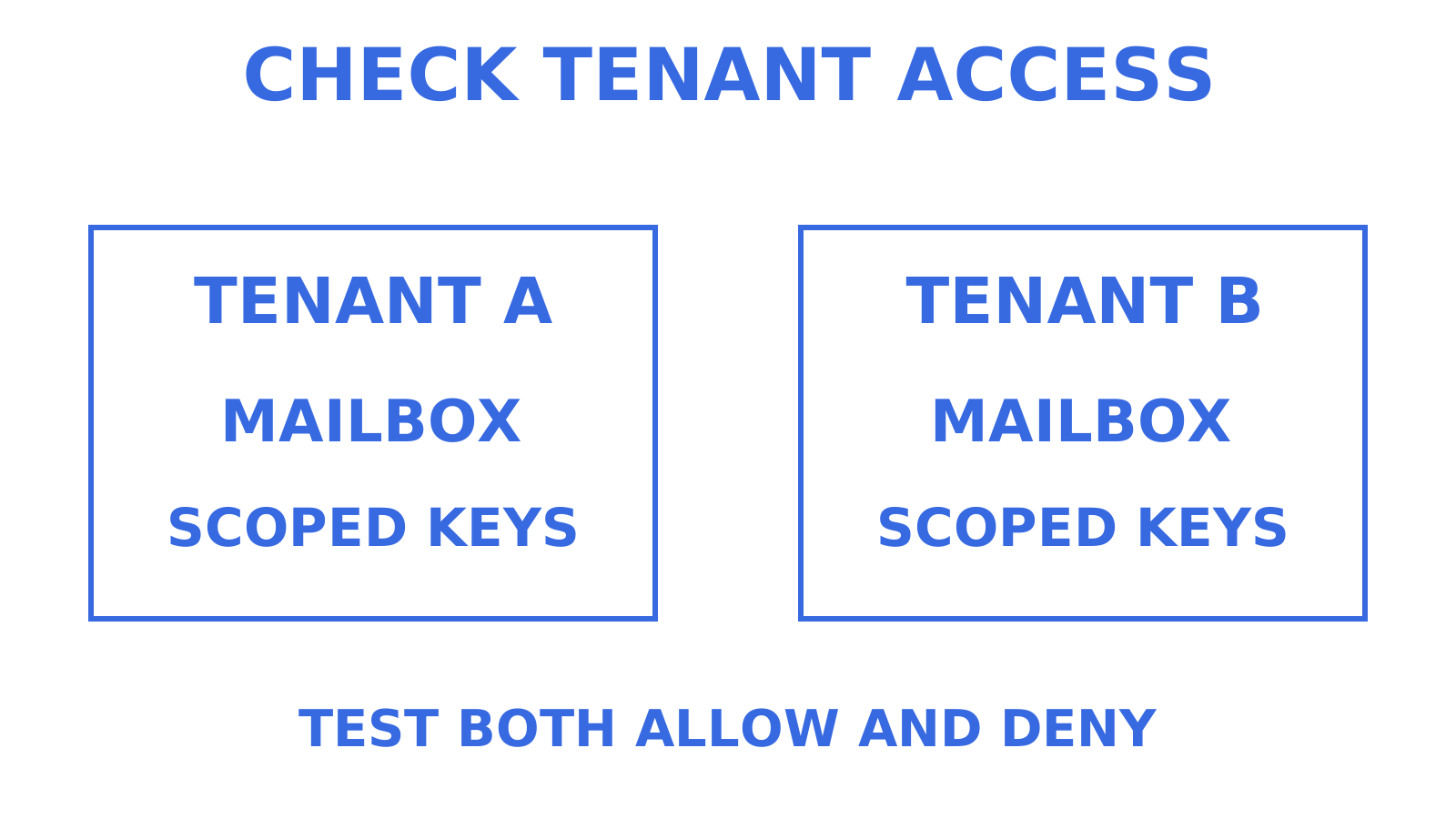
For a multi-customer or multi-agent application, test both permitted and forbidden access. Verify that one tenant's credential cannot read another tenant's messages or logs. Check team roles and mailbox scopes against the access your application actually grants.
When should you build versus buy your deliverability stack?
Consider using Amazon SES directly when your team can own sending configuration, authentication monitoring and bounce or complaint handling. Estimate the ongoing work as well as initial integration: configuration changes, recipient feedback and delivery failures continue after launch.
A routing platform can reduce the work of coordinating several provider accounts and centralising logs. Test how it handles quota exhaustion, definitive provider failure and uncertain send outcomes. Those are different cases, and changing an IP or domain should not be treated as a substitute for correcting unwanted sending.
For Sendmux, evaluate mailbox-scoped access, eligible-provider selection and the dashboard's delivery signals against the requirements above. A platform is useful when its documented behaviour removes work your team would otherwise need to maintain.
Where Sendmux fits if you're building rather than campaigning
Sendmux combines inbound mailbox state with outbound sending through connected providers. That can fit an AI platform or SaaS product that needs persistent conversations for agents, customers or workspaces, alongside routing weights, quotas and delivery logs.
Pair that mailbox capability with a dedicated placement tester or address validator when required. Keep those measurements separate from provider acceptance and from Sendmux's operational logs. Estimate plan, sending, inbound and storage charges using expected usage rather than assuming mailbox growth has no cost.
To evaluate provisioning and provider routing, explore Sendmux and its documentation. Start within the Free plan's limits and credit allowance, then confirm the actual mailbox and sending behaviour your application needs.
Where to verify deliverability signals yourself
Start with the source of each measurement. Google documents its Gmail dashboards and their transition; sending providers document acceptance and delivery events; seed-testing vendors explain their controlled panels. Check all three against the question you are trying to answer.
EmailToolTester's current guide helps identify tools, but its changed methodology should stay visible. Read the current Validity Engage product page for the capabilities previously associated with Everest and Litmus. For authentication fundamentals, use the sending provider's SPF, DKIM and DMARC instructions and verify the records on your own domain.
Sources
Frequently Asked Questions
What is the best email deliverability tool overall?
Choose by the work you need to do. Sendmux provides persistent mailboxes and outbound provider routing for applications. GlockApps offers seed-based placement testing, while other tools address validation, authentication or monitoring. This review does not establish a measured overall winner.
Do I need both a placement tester and a sending platform?
Use both when you need sending and independent placement observations. A sending platform handles the message submission and events it documents; a placement tester observes a controlled mailbox sample. Some vendors sell both capabilities, so compare the actual products and plan limits before buying separate subscriptions.
How accurate are inbox placement test results?
A seed-test result describes the tested message and controlled mailbox sample. Provider coverage, sending conditions and mailbox history affect how useful that observation is for your audience. Repeat comparable tests and inspect differences, but do not treat the panel percentage as a guaranteed result for every subscriber.
What does Google Postmaster Tools actually show?
Postmaster Tools provides Gmail-specific signals such as user-reported spam and authentication data. Low-volume traffic may produce no dashboard data, and updates can be delayed. Google is retiring legacy Domain and IP Reputation dashboards; those ratings are absent from v2/API v2, while retirement of the old web interface has been postponed.
Is warm-up software necessary for every new sending domain?
Paid warm-up software is not a universal requirement. Google recommends starting with low-volume mail to engaged subscribers, increasing gradually and monitoring feedback and server responses. Automated engagement products should be evaluated on what they measure; they do not establish recipient consent or guarantee campaign inbox placement.
Can Sendmux replace my email validation tool?
Use a dedicated address validator when list validation is required. Sendmux provides mailbox and sending capabilities, while products such as ZeroBounce and NeverBounce offer validation APIs. Keep uncertain results and catch-all limitations visible, and remember that validation does not prove recipient consent.
