4 Brevo alternatives for persistent AI agent mailboxes

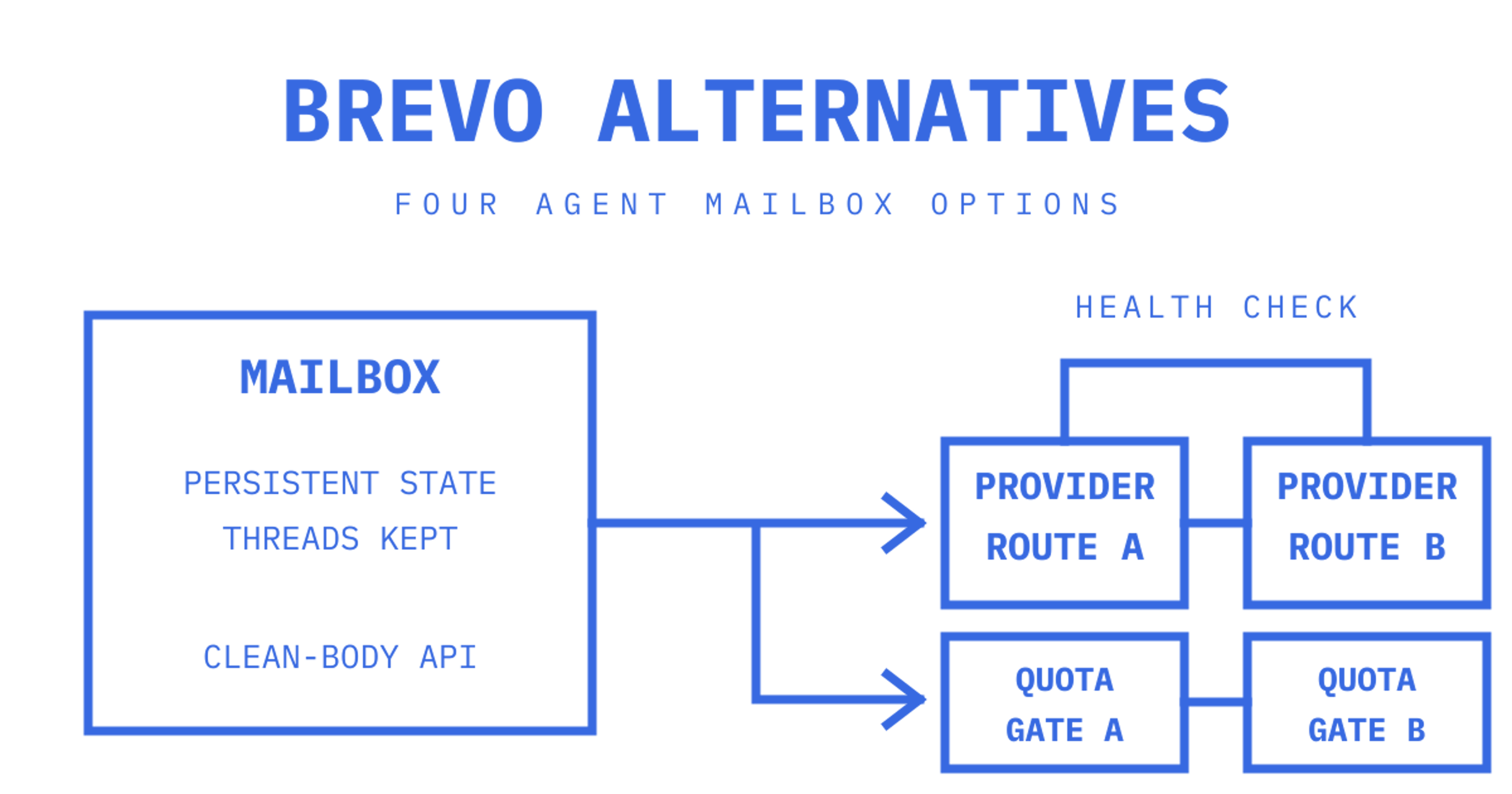
Brevo alternatives for AI agents differ in how they let an agent keep, read, thread and reply to email. Sendmux is worth considering when you need persistent mailboxes and bring-your-own outbound routing in one product. Other options to evaluate are Bird's Agent Mailboxes, Inkbox and Zoho AgentInbox, whose product page currently invites waitlist registrations. Alongside marketing features, check persistent mailbox state, programmable inbound events and control over outbound routing.
We're Sendmux, so this comparison explains our product alongside the other options. It compares documented capabilities and current plan limits rather than claiming a performance benchmark or a universal winner.
Best Brevo alternatives for agent mailboxes: the shortlist
Brevo offers marketing campaigns, automation and transactional sending. Its documented inbound parsing also delivers email bodies, attachments and reply headers through webhooks, with APIs for received-email logs and details. If every customer, workspace or agent needs a persistent mailbox, compare that workflow with the mailbox APIs below.
Sendmux keeps mailbox messages available through its API. Agents get addresses on the included @myagent.mx domain or a verified custom domain, and the clean-content endpoint can strip quoted history so an agent can read the new reply without parsing a raw MIME thread. Inbound events reach your backend through signed webhooks or a Server-Sent Events stream. Eligible custom-domain sending can use your Gmail OAuth, Microsoft 365 or custom SMTP accounts, or the managed Amazon SES account included with each team; shared-domain sending follows its managed route. Mailbox passwords also work for SMTP and IMAP clients. The Sendmux API has hosted MCP support, OpenAPI specs and SDKs in six languages.
- Best for: agent-native mailboxes plus BYO provider routing
- Standout: persistent mailbox API, SSE and signed webhooks, scoped mailbox keys, MCP and A2A support
- Test before committing: confirm your provider quotas and failover behaviour under real load, not just the docs
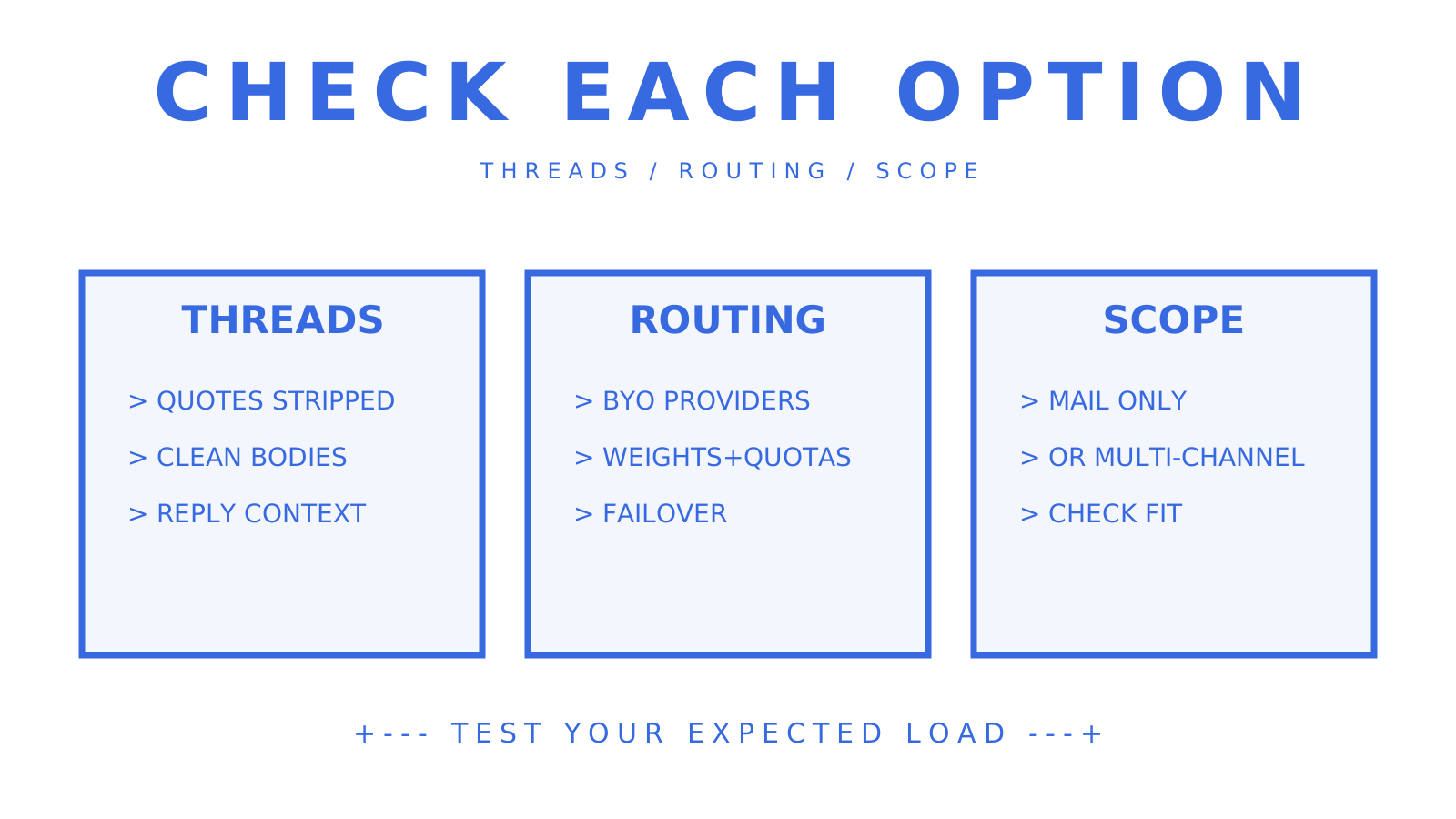
Bird (Agent Mailboxes) gives agents inboxes with threads and replies inside its broader communications platform. Inbound mail becomes a thread on the mailbox, and an extracted-text option returns the quote-stripped body. Its quickstart also documents an inbound-message webhook and an API reply that stays in the same thread.
- Best for: teams that want mailbox persistence and thread-level API semantics without building their own threading logic
- Standout: cleaned message bodies and inbound-message webhook events
- Test before committing: check whether outbound routing supports multiple provider accounts with quotas, or whether you're limited to a single sending path
Inkbox is an agent identity platform that spans email, phone, iMessage and Agent2Agent, with an API-first mail service underneath: mailboxes, messages, threads and webhook events. If your product needs an agent mailbox plus a webhook and you value one identity layer across channels, its Mail API covers those email operations without you running a mail server.
- Best for: developers who want mailbox provisioning, threads and webhook events alongside a multi-channel agent identity
- Standout: mailboxes, threads and search behind one identity API
- Test before committing: ask how outbound routing handles multiple providers and failover before you depend on it
Zoho AgentInbox widens the scope beyond email. It advertises email, contacts and calendar APIs in one platform with persistent storage, giving an agent access to more than a send/receive channel. The product page currently runs a waitlist, so check availability before you plan around it.
- Best for: products where agents need contacts and calendar context alongside email, not just messages
- Standout: unified identity and storage across three APIs
- Test before committing: weigh whether you actually need the contacts and calendar surface before planning that integration work
What actually matters when comparing these platforms
Alongside campaign features such as unsubscribe handling and template libraries, evaluate the mailbox state and reply workflow your agents need. Check these requirements before committing to an integration.
- Mailbox model. Persistent threads and quote-stripped bodies can reduce the parsing your agent needs to do. For an event-only integration, check whether the webhook includes the body, whether content remains retrievable, and who maintains threading. Brevo's inbound payload, for example, includes message content and reply headers.
- Inbound event surface. Signed webhooks, Server-Sent Events and MCP tools serve different integration needs. Webhooks need a reachable endpoint and a handler designed for the provider's retry behaviour; SSE can suit clients that can't host one. MCP exposes tools an agent framework can call. Test the available route's latency and recovery behaviour.
- Outbound routing. BYO provider routing lets you choose the sending accounts and configure quotas and health checks. Account ownership alone doesn't guarantee inbox placement or a dedicated IP. Compare it with the setup and controls available on the platform's managed sending path.
- Credentials and security. Check API permissions and SMTP/IMAP access separately, even when a platform accepts one mailbox credential across them. Ask whether each key is scoped to a mailbox, an agent or the whole team, and test revocation. A leaked key exposes whatever that key is authorised to access.
- Developer surfaces. OpenAPI specs, SDKs in your language, a CLI and MCP support can reduce adapter work. Confirm that the maintained SDK or hosted MCP endpoint covers the operations your agent needs.
Don't evaluate mailbox platforms from documentation alone. Spin up a real mailbox, send yourself a threaded reply, and check whether the quoted history disappears from the clean body. That test checks a specific behaviour your agent will depend on.
How to test a Brevo alternative before you commit
Run a proof of concept before you wire any alternative into production. Set aside a week as an initial evaluation window, and extend it if you haven't exercised the traffic patterns that matter to your workload.
- Provision a mailbox and confirm you get a real, addressable inbox, not just a webhook subscription
- Send a test message to that mailbox and check the webhook or SSE event; where a clean-content endpoint or option is available, fetch it and inspect the quote-stripped text
- Reply using the platform's documented method, then inspect the thread on both ends; Sendmux returns message fields such as
in_reply_toandreferencesfor that check
- Where BYO sending is supported, test a provider you own and confirm configured quotas and failover behave as documented
- Simulate a bounce and check whether the platform logs it with sender, recipient, and provider detail, or just tells you "it failed"
For an SSE-capable platform, one suggested test target is inbound latency under 250 milliseconds. Treat that as a target to measure in your environment, not a documented platform guarantee. Add a rate-limited batch send to exercise any supported provider quotas and failover. Inspect delivery logs and provider-health information during the test, including how much detail each attempt exposes.
Watch for three gaps during testing: no suitably scoped keys, no durable mailbox state to query later, and no exportable delivery logs. Work out whether each gap affects your workflow and what you would need to build around it.
Deliverability logs and provider health monitoring
Check deliverability visibility during the proof of concept. A bare "sent" or "failed" status can leave you without the details needed to investigate a production issue.
Look for delivery logs that record status per message, sender, recipient, provider and attempt count, with filtering and export where your operations require them. Check how bounce, complaint and delay outcomes are represented. For provider health monitoring, test whether the platform tracks outcomes per sending account and skips an account after repeated failures. That can reduce manual intervention; it doesn't guarantee sender reputation or delivery.
Sendmux's dashboard adds a reputation snapshot for its managed Amazon SES path, warning at a 5% bounce rate and 0.1% complaint rate. Read the industry guidance on protecting deliverability at scale alongside your provider's requirements. If you're routing outbound through several accounts, ask whether health information is available for each account or only in aggregate. An aggregate can conceal differences between accounts.
For anyone running agent-driven outbound at volume, our guide to safe batching and send queues covers batching and queue controls to consider when planning sends. Test those controls against your provider's limits and delivery outcomes.
Pricing model shape: usage-based versus per-mailbox
Compare mailbox or account fees, usage charges and any combination of the two against your ratio of mailboxes to messages.
A per-mailbox or per-account fee charges for each billable inbox or account under that plan's terms. For a SaaS product with many low-traffic mailboxes, calculate that fixed cost even when most inboxes sit quiet.
Sendmux's published standard usage rates are US$0.0005 per accepted recipient for sending through your own connected providers, US$0.0005 per distinct inbound mailbox delivery, US$0.00075 per accepted recipient for managed Amazon SES sending, and US$0.02 per decimal GB-month for storage. For outbound mail, each provider-accepted To, Cc and Bcc occurrence counts separately; addresses rejected before acceptance aren't charged. Free and Pro have no per-seat or per-mailbox fee. Budget your connected provider's own charges separately.
Sendmux's Free plan has fixed resource limits, US$1 of starting credit and a cap of 50 accepted recipients per UTC day across outbound routes. Pro removes plan-level resource-count limits, while configured provider quotas, safety controls and managed-sending limits still apply. For every alternative, check its actual allowances and model your mailbox-to-message ratio before signing up. Compare ten mailboxes with ten thousand using your expected traffic, storage and plan terms.
Comparative feature analysis: what separates these platforms in practice
Use the proof of concept to compare thread fidelity, outbound flexibility and the scope you actually need.
For thread fidelity, Sendmux's clean-content endpoint and Bird's extracted-text option can strip quoted history before you pass a body to an agent. Supplying only the required text can reduce repeated context in a model request. Inkbox documents threading and replies too; test its body-cleaning behaviour directly before relying on it.
For outbound flexibility, Sendmux supports delivery groups, routing weights and per-provider quotas across eligible sending accounts, with health monitoring that can skip failing accounts. Check each alternative's documented routing options and test the controls your workload needs.
For breadth, Zoho AgentInbox advertises contacts and calendar alongside email, while Inkbox documents several communication channels under one identity. List the surfaces your agent will actually use, and estimate the work needed to integrate each one.
Record the results beside each documented feature: what you tested, which plan you used and what happened under your expected load.
Migrating from Brevo: what actually changes
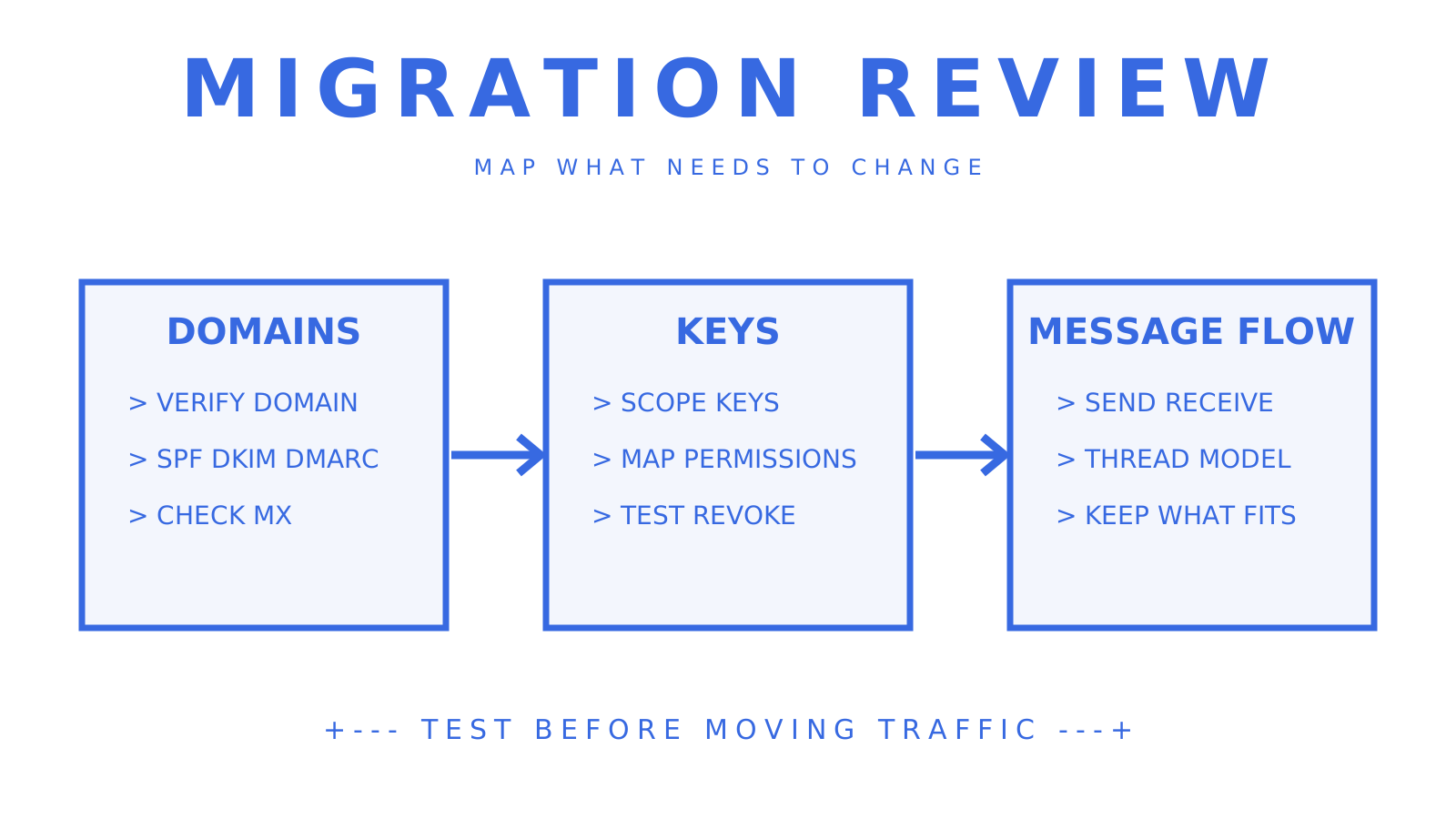
Map the Brevo features you use before migrating. Campaign sending, transactional sending and inbound parsing each have their own integration requirements. If you're adding persistent inboxes and event-driven replies, identify which existing logic can stay and which parts need adapting.
The practical migration review has three parts. First, domain setup: follow the chosen provider's SPF, DKIM and DMARC instructions, and its receiving-domain and MX requirements if you'll receive mail. Second, credentials: map each operation to the permissions the new platform offers instead of assuming every provider uses mailbox-scoped keys. Third, message flow: test how your existing sending and batch logic fits the new send, receive and thread APIs.
Check that any campaign features you still need have a supported destination or can remain in Brevo. Budget time for integration tests and DNS changes; propagation depends on your DNS records and caching, and may not be the longest part of the migration. Our rate limiting guide is worth a read before you move production traffic. Verify the new platform's queueing behaviour during the proof of concept.
Support and SLA differences you'll actually notice
Confirm the support terms for the exact product and plan you're considering. Ask which channels are staffed, when they're available and what response commitments are contractual. Don't infer AgentInbox terms from support sold elsewhere in Zoho's product range, or use company size as proof of support quality.
For engineering teams, inspect the public OpenAPI spec, SDK maintenance and documentation for the operations you need. Check whether a status page includes incident history, and whether webhook logs expose delivery attempts, status and latency for a documented retention period. These checks complement the support contract.
Ask separately about dedicated support, dedicated IPs and custom contractual terms. Obtain the applicable price and SLA, including exclusions and remedies, before treating any of them as included.
What developer reviews say about these platforms
Use developer reviews to find specific integration behaviours to test: webhook payloads, SDK coverage and how documentation issues were handled. Check the review's date, product and plan, and distinguish a reported experience from a measured result.
Bring those reports into your proof of concept. Exercise concurrent replies to check threading, and inspect event delivery under your expected load. Keep the results so you can compare your own experience with a reviewer's account. We recommend combining that evidence with current documentation instead of treating review counts as a reliability measure.
Total cost of ownership: what the sticker price doesn't show
Include storage, outbound recipients, inbound deliveries and any connected-provider charges in your estimate. Also allow for the engineering time needed to integrate or replace missing features.
For Sendmux, storage is charged per decimal GB-month. Outbound usage counts each provider-accepted To, Cc or Bcc occurrence; inbound usage counts each distinct mailbox delivery. An inbound message delivered to two mailboxes is two deliveries. Those are different billing units. Compare their combined cost at your expected volume with each alternative's mailbox fees, allowances and overages; high message volume doesn't automatically favour usage pricing.
If a required feature is absent, estimate the integration work before comparing prices. BYO routing or failover may need another service, permissions may need an application layer, and missing delivery visibility may need additional logging. Check whether the platform's API exposes enough information to build that missing capability at all. Record the work and ongoing maintenance alongside the subscription and usage charges.
Trial and demo access across these alternatives
Sendmux's Free plan runs at US$0 per month per team, with US$1 of starting credit, two mailboxes, one connected sending account and a cap of 50 accepted recipients per UTC day across outbound routes. Managed sending on Free also has a two-accepted-recipients-per-hour limit. No credit card is required to start. Bird and Inkbox document onboarding flows, while Zoho AgentInbox currently offers a waitlist. Confirm access and current plan limits before assuming you can run the same trial on all four.
Where direct API access is available, run comparable tests: provision a mailbox, send a threaded reply and inspect the webhook payload. Use a demo to resolve questions you couldn't test, and record any capability that remains unverified.
Choosing between mailbox-first and webhook-only approaches
Start with whether your workflow needs persistent mailbox state and who will maintain it.
Mailbox-first platforms are worth evaluating when your agent needs context across a thread, attachment handling or access to cleaned bodies. Ongoing customer conversations, support tickets and multi-step agent workflows are useful cases to test, though an existing mailbox integration may already cover them.
A metadata-only webhook can suit a narrow triage workflow where an agent learns that a message arrived and fetches it only when needed. Confirm where the message is stored and how long it remains retrievable. A simple forwarding rule may be enough for a workflow that doesn't need a mailbox API.
Our advice: try a mailbox-first platform within an available free allowance and measure whether the thread context helps your use case. Include your engineering time, provider charges and any usage beyond that allowance in the evaluation cost.
Try an agent-native mailbox
Sendmux combines provisioned mailboxes, sending, receiving, threading and eligible provider routing in one product. Credential access follows the granted resources and permissions. Free and Pro have no per-mailbox fees, with plan limits and usage charges as described above. Compare that combination against the specific operations your agents need.
Start by checking the inbound mailboxes product page to see mailbox limits and quotas, then look at the sending API with provider failover if BYO routing is your priority. Pricing, including the Free plan and Pro's US$7 per month per team rate, is laid out in full on the pricing page. If your stack runs on agent frameworks that speak MCP, the AI agent builders page covers the hosted MCP endpoint directly. Bring Your Own Inbox remains a roadmap item; the provisioned mailbox and routing capabilities described here are available subject to their documented scope and limits.
Frequently Asked Questions
What is the best Brevo alternative for AI agents?
If you need persistent mailboxes, signed webhooks and SSE, and bring-your-own outbound routing, Sendmux is worth testing. Bird's Agent Mailboxes and Inkbox also document mailbox APIs; Zoho AgentInbox advertises email, contacts and calendar APIs and currently has a waitlist. Compare each option's access, inbound events and routing with the operations your agents need.
Is there a free Brevo alternative for developers?
Yes. Sendmux's Free plan costs US$0 per month per team and includes two mailboxes, one connected sending account and US$1 of starting credit. Outbound sending is capped at 50 accepted recipients per UTC day across all routes; managed sending also has a two-accepted-recipients-per-hour limit. You can use that allowance for an initial proof of concept.
How is Sendmux different from Brevo?
Brevo offers marketing campaigns, automation, transactional sending and inbound email parsing through webhooks. Sendmux provisions persistent mailboxes for AI agents and SaaS tenants, with mailbox APIs, inbound event streaming and eligible outbound routing through providers you own. Migration work depends on your existing integration and feature requirements.
Can I migrate my email workflows from Brevo to an agent-native platform?
You can plan a migration by mapping the Brevo features you use to the destination's documented APIs. Check its SPF, DKIM and DMARC instructions, receiving-domain and MX requirements, credential scopes, and send, receive and thread behaviour. Keep or replace any campaign features you still need, and test the integration before moving production traffic.
Do these alternatives support webhooks and real-time events?
Sendmux, Bird and Inkbox document webhooks for inbound email events. Sendmux also offers a Server-Sent Events stream for clients that can't host a public webhook endpoint, plus MCP tools for agents. Check each product's event coverage and delivery behaviour, and confirm Zoho AgentInbox's event interface and access terms before planning an integration.
