Best SMTP API in 2026: How to Choose and Compare


The best SMTP API is the one that gives you both doors: a REST endpoint for new code and an SMTP relay for anything that only speaks SMTP, with delivery logs, failover and clear per-message pricing behind them. For plain transactional sending, Amazon SES, Postmark, SendGrid and Mailgun are all credible. If your product also needs to receive replies, keep threads and give each agent or tenant its own inbox, Sendmux is built for that job, and this guide shows where each option fits.
TL;DR
- "SMTP API" usually means one of two things: an SMTP relay you point existing software at, or a REST API that replaces SMTP in new code. Most good providers offer both.
- Start new applications with REST if the provider has the batch sending, idempotency and error handling you need. Legacy systems and tools with fixed mailer settings still need SMTP.
- Amazon SES starts at about US$0.10 per 1,000 emails. Your team takes on more setup. Postmark is often cited for transactional deliverability.
- Follow a reply through the system. An agent needs stored messages and threads to read and reply, so check whether the provider supplies that layer or leaves you to build it.
Table of Contents
What people mean by "SMTP API"
"SMTP API" blends two interfaces. Separate them before comparing providers, using the code you need to run as your guide.
SMTP relay. Your app or server connects to the provider's SMTP host, authenticates and hands over the message. Client-to-server mail submission normally uses port 587. Server-to-server relay uses port 25. Languages, frameworks, content management systems and printer firmware widely support SMTP.
HTTP (REST) API. Your code sends a request, often as JSON. A structured response comes back. Each provider defines its own interface, and the endpoint determines whether you get message IDs, validation errors or batch results.
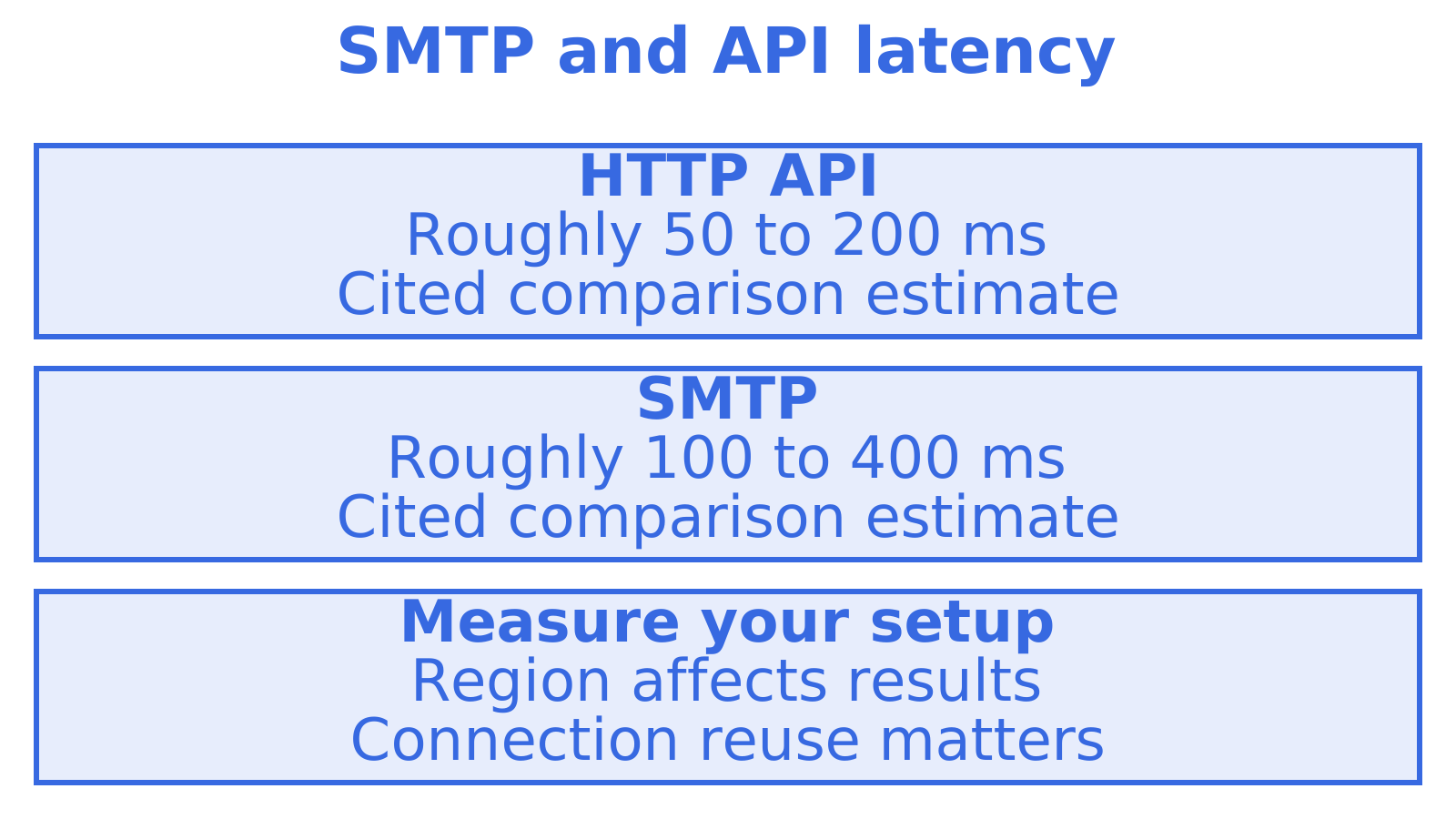
The smtp.io comparison weighs SMTP's standard interface against HTTP APIs' richer responses and batch support. It puts API latency at roughly 50 to 200 ms and SMTP at 100 to 400 ms, attributing the difference to lower authentication and handshake overhead. Measure your own setup. Connection reuse and region can change those figures.
Ask which provider gives you the mix of SMTP and API access your application needs.
When SMTP is still the right answer
Can't change the sender code? Use SMTP. Legacy applications, monitoring tools, off-the-shelf software with a mail settings screen and scripts you'd rather leave alone can use the relay's host, credentials and connection settings.
If you're writing the sending code, use a REST API, especially for batch calls, idempotent retries, templates or typed errors. That saves you parsing SMTP reply codes. Before migrating, work through our five checks before you migrate from SMTP to an email API.
Then there's inbound email. It gets overlooked. SMTP and most sending APIs are one-way, so reading supplier invoices, order confirmations or customer replies and turning them into structured data needs inbound processing. Ampwise, for example, extracts orders and invoices from Outlook and Gmail into ERP systems. Treating messages as data takes email handling well beyond delivery.
How to judge an SMTP API provider
Seven criteria separate the options in practice.
- Protocol coverage. Look for SMTP relay, REST and an SDK for your language. An agent may also need IMAP access or an MCP server.
- Deliverability foundations. How does the provider help you set up and verify SPF, DKIM and DMARC? Missing domain authentication still needs fixing, whichever API you choose.
- Quotas and warm-up. Find out your initial sending limits and warm-up requirements before choosing a launch date. Allow time to raise volume gradually.
- Isolation. Find out which credentials, limits and logs can be separated by tenant. Keys control access. Reputation also depends on the domains, accounts and infrastructure those tenants share.
- Failover. Ask what happens if a provider throttles or suspends sending. A second route helps only if its providers are eligible, configured and within their limits.
- Observability. You need delivery logs, visibility into bounces and suppressions, and webhooks the application can act on.
- Pricing model. Work out how per-message, per-seat, per-connected-account and per-inbox charges apply to your expected workload.
The main options compared
These are common reasons teams choose each provider. Before committing, check the vendor's current prices, limits and receiving features.
| Option | Best for | Strength | Watch out for |
|---|---|---|---|
| Amazon SES | Very high volume at the lowest unit cost | From about US$0.10 per 1,000 emails | Lowest-level developer experience; you manage deliverability and quotas yourself |
| Postmark | Transactional mail where inbox placement matters most | Often cited for transactional deliverability | Not designed around persistent agent mailboxes |
| SendGrid | Teams wanting a mature, widely documented platform | Long-established REST API and SMTP relay | You build threading and parsing logic yourself |
| Mailgun | Developers who want a strong API and inbound routes | Flexible API and inbound handling | Mailbox state is still left to you |
| Sendmux | Agents, multi-tenant SaaS and outbound across several providers | SMTP, REST, MCP and CLI, persistent mailboxes | Built for developer teams, not for individual end users |
The APIbenchmarks review points to a gap we recognise. Incumbents have strong reliability and developer-first REST APIs, yet often leave persistent mailbox state to you. That means writing parsing and threading code. The review also describes newer agent-native providers adding mailbox provisioning and automated onboarding, features traditional SMTP relay providers don't include as standard.
Our Postmark alternatives and Mailgun alternatives guides compare specific providers. For a broader comparison, read best email API for developers.
Where Sendmux fits
Sendmux is an email API for AI agents, but the sending half stands on its own as an SMTP-and-REST option for developers.
Sending across your own providers. You can connect Gmail, Outlook and custom SMTP accounts. Sendmux also includes a managed Amazon SES sending account. A sending key or mailbox can route through a named delivery group; availability depends on eligible member providers and their sending limits. Details are on the sending API page.
Real mailboxes. Every agent, customer or tenant can have a mailbox with a real address, either on the included @myagent.mx domain or a custom domain verified for receiving. Messages, threads, attachments and search sit behind one API. Agents read cleaned message text with quoted history stripped, so they act on the new reply instead of parsing a raw MIME thread. See agent inboxes for the full picture.
Multi-tenant controls. Team-scoped infrastructure keys manage providers, routing and logs. Sending keys can be restricted to selected providers or delivery groups, which matters for the isolation point above. The multi-tenant infrastructure page explains the model, and our transactional email API for SaaS platforms page covers the product-builder angle.
Several ways in. REST, SDK, MCP and CLI, plus webhooks, a Server-Sent Events mailbox stream and delivery logs.
For password resets from a single app that never handles replies, we'd compare focused transactional senders too. Sendmux fits teams needing persistent mailboxes, agent access or sending across several providers.
What it costs
Sendmux pricing is published on the pricing page.
At about US$0.10 per 1,000 emails, Amazon SES would cost US$10.00 for 100,000 emails before other charges. Receiving, storage, threading and routing need their own budget if your application uses them.
Our perspective: the mailbox is the missing piece
An agent emails a supplier about an invoice. Back comes a correction, with an attachment. The application needs to receive that reply, link it to the conversation and pass the new information to the agent. We'd test that path in the first prototype.
We see the SMTP API as table stakes. What happens after send deserves a closer look. Does a reply reach a persistent mailbox with its thread intact, and can the agent fetch a count or snippet without pulling whole bodies and burning tokens? Check tenant isolation too. One tenant's failing provider should leave everyone else running.
Define tenant access and delivery paths before customers arrive. Verify SPF, DKIM and DMARC before increasing volume. If email is business-critical, test an alternative provider using the same messages and domain setup. You'll know what switching takes.
Getting started without surprises
- Verify your sending domain. Before sending real volume, publish SPF and DKIM records and a DMARC policy.
- Start small and ramp. Check your initial quota and warm-up requirements, then increase volume.
- Use REST for new code, SMTP for the rest. Connect legacy tools to the relay. Before building a new integration, check which features the API supports.
- Turn on webhooks and logs early. Make bounces and complaints visible before delivery becomes something your application depends on.
- Plan for replies. Choose the inbound handling your application needs: a persistent mailbox, a webhook or no processing.
If agents or tenants are involved, you can start on the free plan with two active mailboxes. Try a test conversation and follow the replies through your application. The Mailbox API guide explains the model in more depth.
Sources
Recommended
Frequently Asked Questions
Is there an API for SMTP emails?
Yes. An SMTP relay and a REST API give you separate interfaces for sending email. Sendmux supports both. Keep SMTP for software with fixed mailer settings, and use REST for integrations you write yourself.
Which API is best for sending emails?
Choose for the whole workload, replies included. Compare Amazon SES for high-volume sending costs, and Postmark for transactional email. Sendmux fits developer teams needing persistent mailboxes for agents or tenants, or sending across several providers.
Should I use SMTP or a REST API?
Start new applications with REST. Check that the provider supports your batch sending, idempotency and structured-error needs. Software with a fixed mailer setting you can't change still needs SMTP. Our [SMTP vs email API checklist](https://sendmux.ai/blog/email-deliverability/smtp-vs-email-api) covers what to check before migrating.
What is replacing SMTP?
SMTP still carries email between servers. Your application can use HTTP APIs, SDKs or MCP tools for AI agents to submit mail. That changes how your code talks to email services. SMTP remains part of the delivery network.
