Best Email API for Node.js in 2026: Options Compared

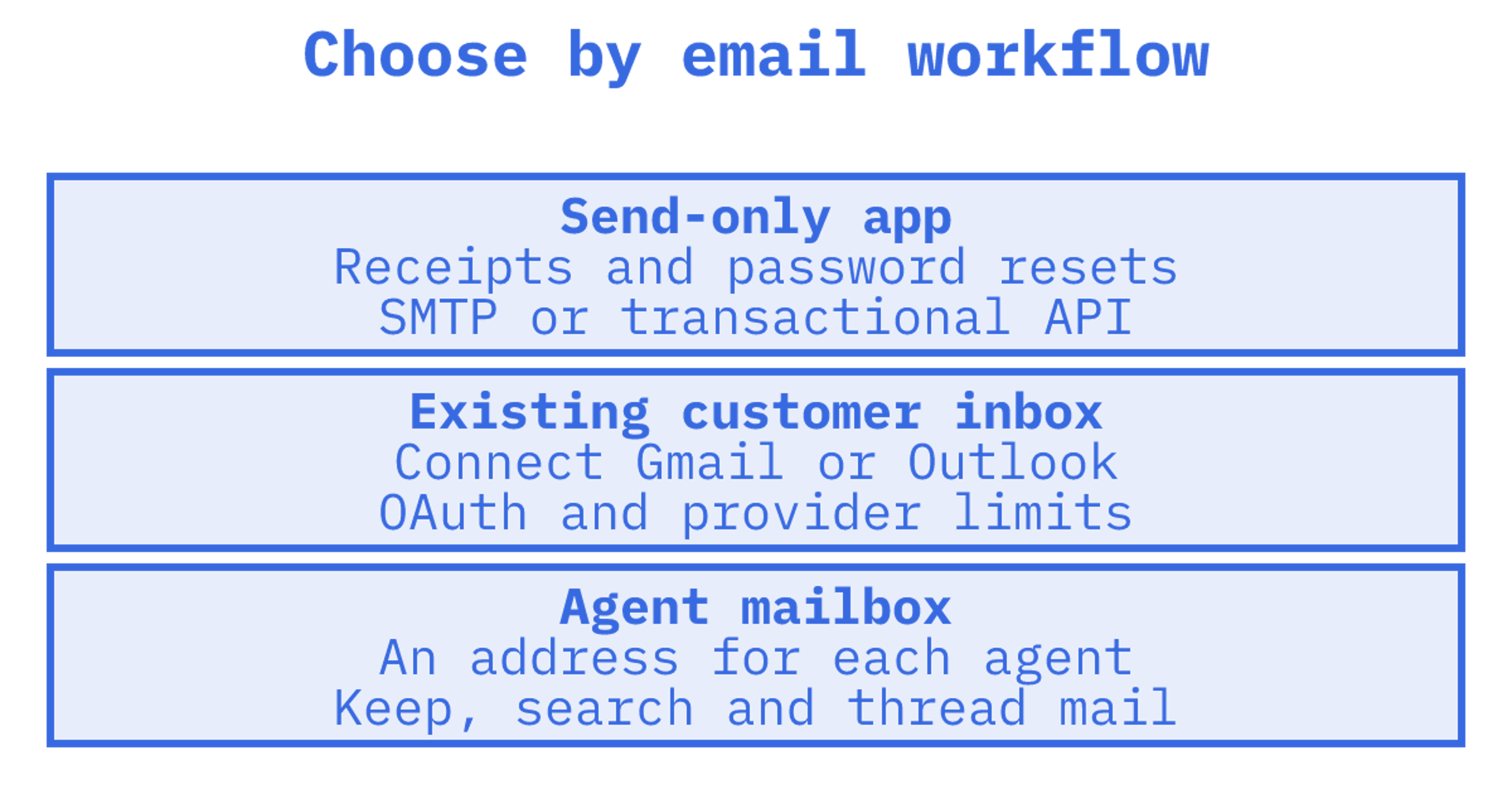
The best email API for Node.js depends on one question: does your app only send email, or does it also need to receive, thread and act on replies? If you only send receipts and password resets, a transactional sender or plain SMTP will do. If your code has to read replies, route them or give an AI agent its own inbox, you need an API that treats the mailbox as persistent state. We build Sendmux for that second case, and this guide shows where it fits and where it does not.
TL;DR
- Send-only apps: a transactional API or Nodemailer over SMTP is enough, and cheap.
- Replies matter: pick an API with real mailboxes, threading and inbound routing, not a webhook that drops raw MIME on your server.
- Deliverability is your job either way: SPF, DKIM and DMARC must pass, and large senders face stricter rules from Gmail and Yahoo.
- Check pricing shape: per-inbox and per-connected-account models get expensive once you give every tenant or agent an address.
Table of Contents
What "email API" means for a Node developer
The phrase covers four different jobs, and most comparison pages mix them up.
- SMTP libraries. Nodemailer is the usual choice. It is a library, not a service, so you bring your own SMTP server or provider. Its SMTP transport supports pooled connections and TLS from the start on port 465, which is why it remains a sensible default for small apps.
- Transactional sending APIs. You post JSON over HTTPS and the provider delivers. Good for receipts, alerts and password resets. Usually weak or absent on inbound.
- Inbox sync APIs. These connect to a user's existing Gmail or Outlook account through OAuth. Useful for products that read a customer's own mail, but tokens expire and providers rate-limit.
- Mailbox APIs for agents. Each agent, customer or tenant gets a real address and a persistent mailbox you can read, search and send from.
Most of the pages ranking for this query compare only the second category. That is fine for 2019 workloads. In 2026 many Node projects are agents or multi-tenant products, and the third and fourth categories matter far more.
How to judge an email API from Node
Before comparing vendors, write down what your Node service actually does. These are the criteria that separate options in practice.
Runtime fit
Node 18 and later ship a global fetch, and it has been stable without warnings since Node.js 21. That means any REST email API is usable with zero dependencies. An official SDK is a convenience, not a requirement. Be wary of APIs that only work well through a heavy client library, because it ties your upgrade path to theirs.
Inbound and threading
Sending is the easy half. Ask how the API handles a reply: do you get cleaned text with quoted history stripped, or a raw MIME blob you must parse? Does it keep in_reply_to and references headers so threads stay intact? Can you search by sender, subject, header or date without listing the whole inbox?
Delivery visibility
You need delivery logs, bounces, suppressions and webhooks. Our bounce handling guide covers how to wire these up so a hard bounce never gets retried.
Provider resilience
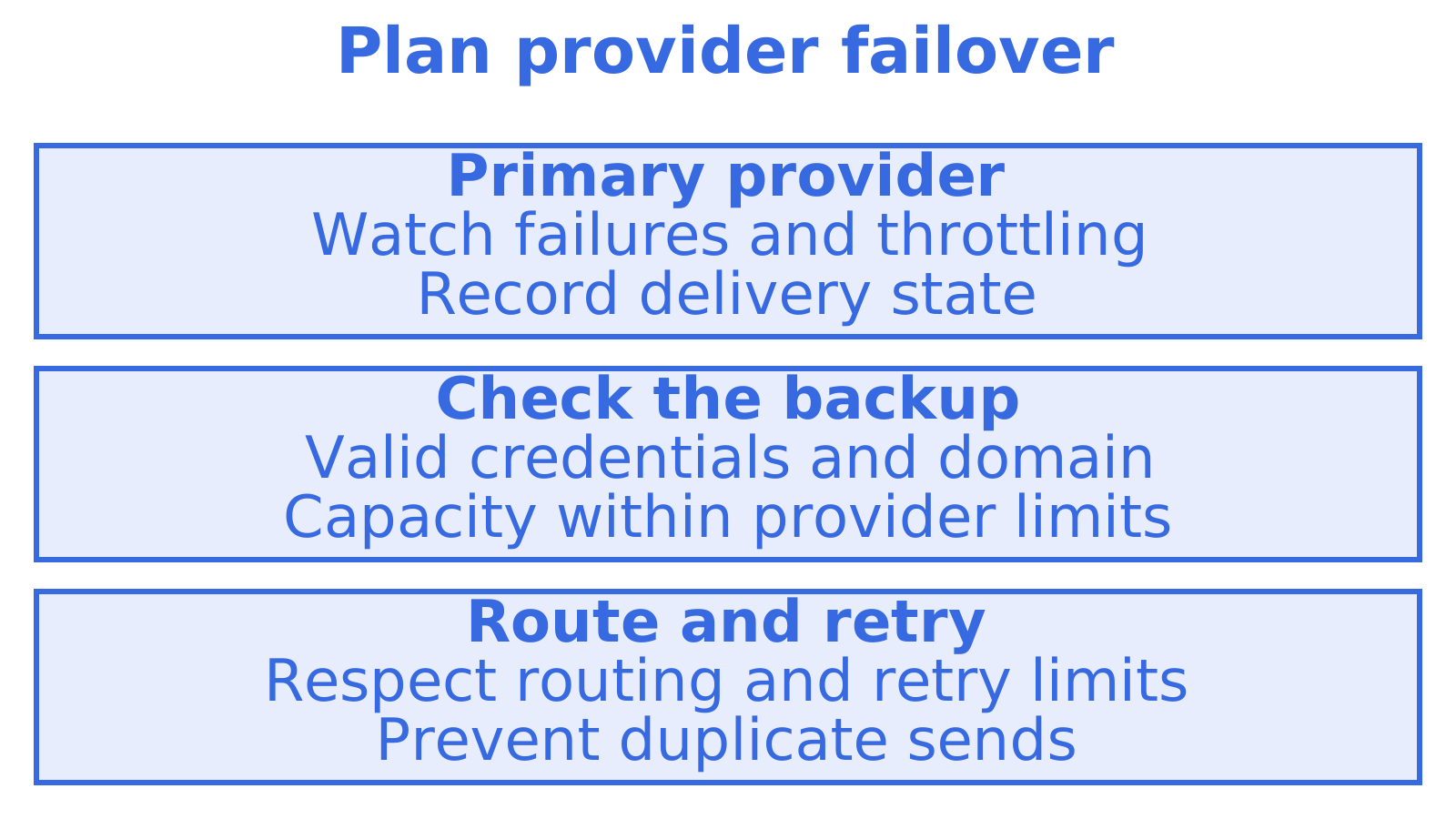
If one provider throttles you or suspends an account, does your mail stop? APIs that route across several providers with failover keep sending while you sort it out.
Pricing shape
Transactional senders charge per thousand messages. Inbox APIs often charge per connected account or per inbox. That second model is the one that surprises teams who give every agent or tenant an address. Always model your cost at ten times your current mailbox count.
The options compared
The table keeps to category-level facts. Vendor pricing and limits change often, so confirm current numbers on each vendor's own pricing page before you commit.
| Option | Best for | Inbound | Mailbox per tenant or agent | Watch out for |
|---|---|---|---|---|
| Nodemailer + your own SMTP | Small apps, contact forms | None built in | No | You own deliverability and scaling |
| Transactional senders (Mailgun, SendGrid, Postmark, Resend, Amazon SES) | Receipts, alerts, password resets | Varies, often routes or webhooks only | No | Inbound is usually an add-on, not a mailbox |
| Inbox sync APIs (Nylas and similar) | Reading a user's existing Gmail or Outlook | Yes, through connected accounts | Connects accounts you do not host | Per-account pricing, OAuth token upkeep |
| Agent mailbox APIs (Sendmux, AgentMail) | AI agents, multi-tenant SaaS, reply-driven workflows | Yes, persistent mailboxes | Yes, by design | Newer category, check maturity for your needs |
Nodemailer with your own SMTP
It is free, familiar and works with any SMTP server. For a portfolio site or an internal tool, it is the right answer. The cost appears later: you handle retries, connection pooling, bounce parsing and every deliverability problem yourself. There is no inbox, so replies land wherever your SMTP provider sends them.
Transactional sending APIs
Mailgun, SendGrid, Postmark, Resend and Amazon SES all let a Node service send over REST or SMTP and report delivery events. They are mature and their documentation is solid. The trade-off is that they are sender-first. Inbound exists in some of them, typically as a route that posts parsed content to your webhook, which is not the same as a mailbox you can search tomorrow. If you need a deeper walkthrough of this category, see our guide to sending email via API and our TypeScript email API comparison.
Inbox sync APIs
If your product reads mail from a customer's existing Gmail or Outlook, a sync API is built for it. It is a different job from giving your own agent an address. You depend on the customer's provider, their OAuth grant and their rate limits, and pricing generally follows connected accounts.
Agent mailbox APIs
This is the newest category, and it is where we sit. The mailbox is persistent, owned by you, and addressable by an agent, a customer or a tenant. AgentMail is the other name you will meet here, and it is worth including in your shortlist. The difference between vendors is in what sits around the mailbox: outbound routing, provider failover, quotas and billing.
Where Sendmux fits
Sendmux is an email API for AI agents and multi-tenant products. Every agent, customer, workspace or tenant gets a real mailbox, either on the included @myagent.mx domain or on a custom domain verified for sending and receiving. You send, receive, thread, route and log through one API, rather than combining a sending provider, a Gmail OAuth workaround, a parser and a webhook relay.
What that gives a Node developer in concrete terms:
- Cleaned message content. Agents read message text and HTML with quoted history stripped, so they act on the new reply. Raw body endpoints remain when you need the exact original.
- Precise retrieval.
GET /mailbox/messagesfilters on folder, thread, free-text query, sender, recipient, subject, body, arbitrary headers, size, keywords, date range, attachments and unread. A count endpoint answers "how many" without returning rows, and search snippets return previews without pulling bodies. That keeps payloads, and token costs, small.
- Change tracking. Sync endpoints return state tokens, so your service fetches typed changes rather than re-listing the inbox.
See the sending API with automatic failover.
- Interfaces beyond REST. SDK, MCP and CLI access, plus sending through SMTP alongside the REST API.
- Domain verification. SPF, DKIM and DMARC set up across many sender domains.
It is not the lightest choice for a contact form. If all you need is to send ten emails a day, Nodemailer is simpler and we would say so.
What it costs
A sensible Node architecture
Whatever vendor you pick, structure your code so the vendor is replaceable.
- Wrap the provider. Create one
sendEmailmodule and onelistMessagesmodule. The rest of your app never imports a vendor SDK.
- Use
fetchfirst. With Node 18 or later, call the REST API directly and add an SDK only when it saves real work.
- Process events idempotently. Webhooks are delivered at least once in most systems. Key your handlers on the message or event ID.
- Store state tokens. If the API offers sync tokens, persist them per mailbox so a restart resumes from where it stopped.
- Separate transactional from agent mail. Different domains, different reputations. A support agent's conversational replies should not share a sending domain with your password resets.
Deliverability checks that apply to any API
An API does not fix a badly configured domain. Gmail, Yahoo and Microsoft now enforce rules on bulk senders, which a summary of the 2026 requirements places at 5,000 or more emails a day per domain. The same source lists SPF, DKIM and DMARC, a spam rate under 0.3% and RFC 8058 one-click unsubscribe as the core expectations. Check each provider's own current guidance before you rely on those figures, because thresholds are revised.
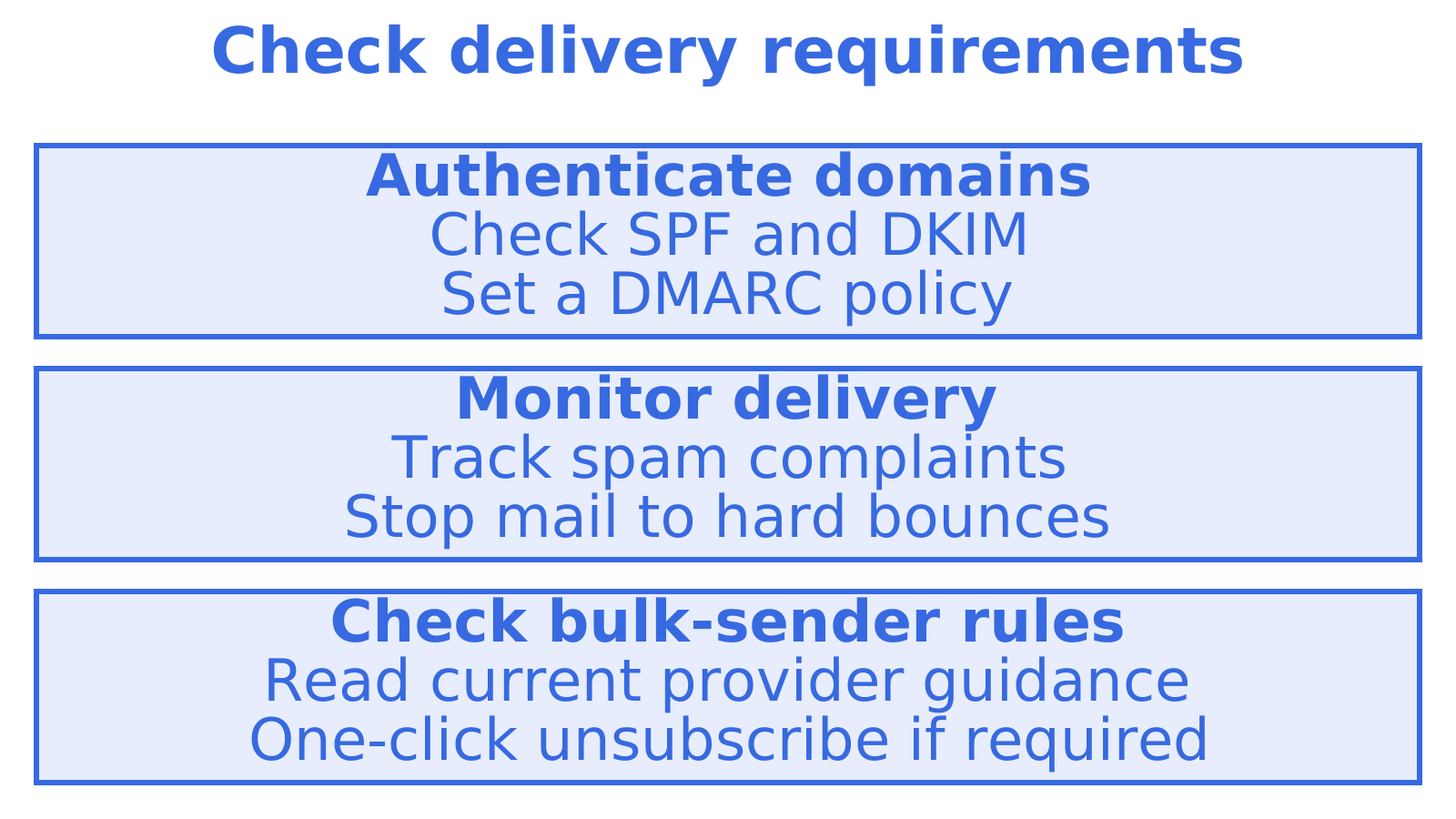
Even below the threshold, treat these as the baseline. Authenticate every sending domain, keep complaint rates low and remove hard bounces immediately. If you run many sender domains, automated domain verification saves hours of DNS work.
Perspective: why we think the mailbox is the unit that matters
We talk to a lot of teams who start with a transactional sender and end up with five tools. A sender for outbound, a Gmail OAuth hack so the agent can read replies, a parser for the messy MIME, a webhook relay to move it all, and a separate bill for each. It works in a demo. In production the OAuth tokens expire, a provider rate-limits the agent's account, and nobody can say which tenant sent what.
Our view is that an agent's email should be persistent state with an identity, not a pipe.
Try a mailbox
Read the product overview, look at the inbound mailboxes, or go straight to pricing. Building an agent in Claude, Cursor or another AI client? The MCP option lets it read and send mail directly.
How to choose: a short decision guide
- Only sending, low volume: Nodemailer plus an SMTP account.
- Only sending, high volume or strict SLAs: a mature transactional API, ideally with a second provider as backup.
- Reading a customer's own Gmail or Outlook: an inbox sync API.
- Agents, tenants or workspaces that need their own address, plus outbound routing: an agent mailbox API such as Sendmux.
- Cold outbound across many domains and providers: look for per-provider quotas, rotation and failover, and keep replies threaded to the right mailbox. Our sales outreach use case covers this setup.
For a broader view of the field, our best email API for developers article goes deeper on mailboxes and failover.
Sources
Recommended
Frequently Asked Questions
Do I need an SDK to use an email API from Node.js?
No. Node 18 and later include a global fetch, so any REST email API works without extra dependencies. An SDK helps with typed responses and retries, but it is optional. Keep your own thin wrapper so you can swap providers later.
Is Nodemailer an email API?
Not in the sense of a hosted service. Nodemailer is a library that sends over SMTP, so you still need an SMTP server or provider behind it. It is excellent for simple sending and gives you no inbox, logs or failover by itself.
Which option handles inbound email best?
APIs built around mailboxes handle it best, because you can search, thread and read replies later rather than catching a one-time webhook. Sendmux, AgentMail and inbox sync APIs all sit in this space, with different trade-offs on hosting, pricing and who owns the mailbox.
Can one Node app send through more than one provider?
Yes, but doing it yourself means building routing, quotas and failover. Sendmux delivery groups can route a sending key or mailbox through a named set of providers, within the credential's authorised scope.
