Best SMTP Failover for Developers: A 2-Minute Delay Can Expire OTPs

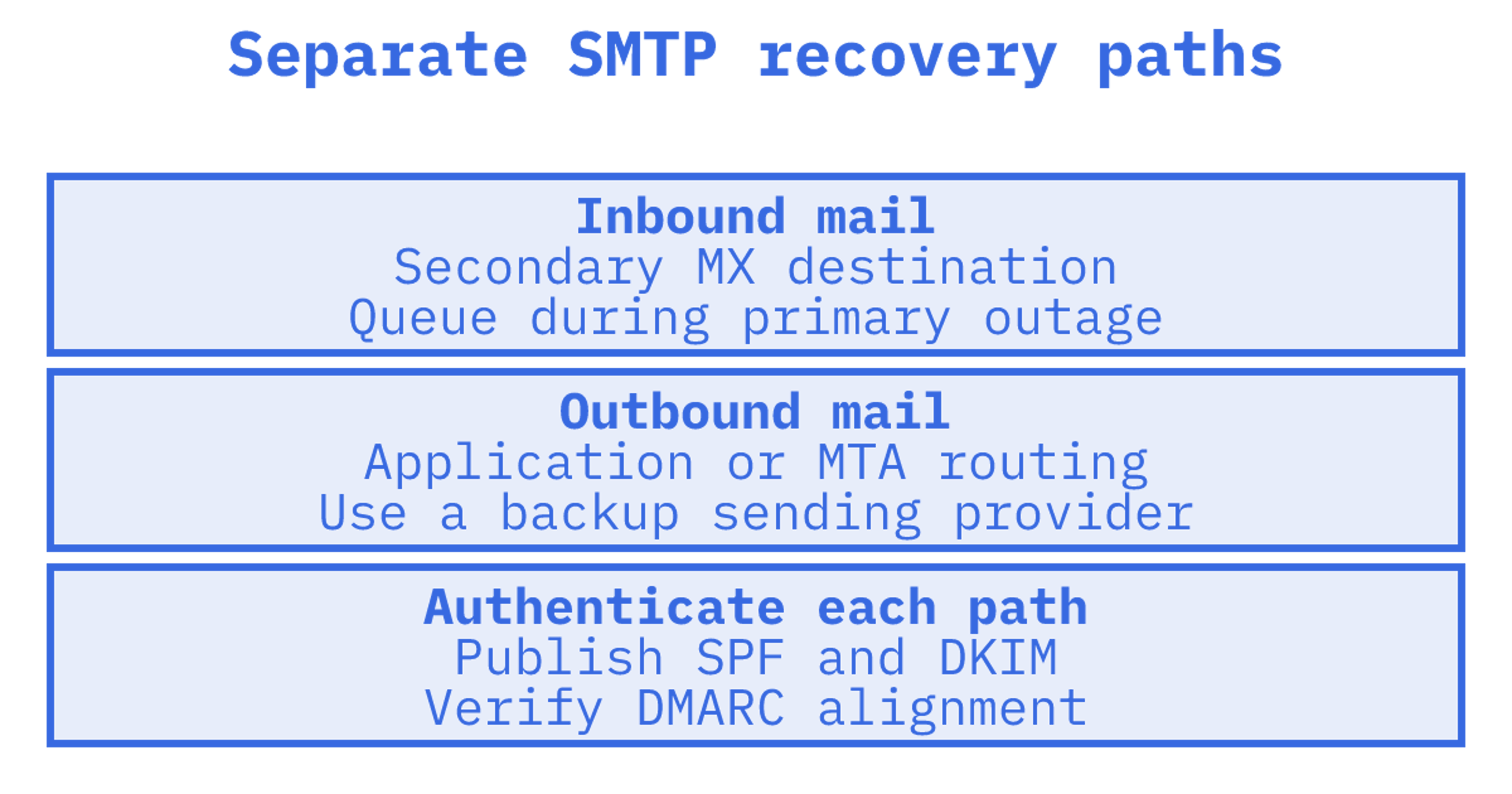
Password resets and OTPs still need to reach the user when the primary provider degrades or goes dark. The best SMTP failover setup combines durable inbound MX records with health-aware multi-provider outbound routing, keeps authentication aligned across every provider, and monitors the whole chain continuously. Done properly, that keeps transactional delivery moving with minimal user-visible impact.
TL;DR:
- Inbound protection needs a higher priority number on the secondary MX; outbound protection needs application or MTA routing to a backup relay.
- Publish every sending provider in SPF, give each one a DKIM selector, and verify DMARC alignment to prevent deliverability problems during failover.
- Store transactional messages in a durable queue, prioritise password resets and codes, retry temporary 4xx responses with backoff, and do not retry permanent 5xx errors.
- Keep a small, steady share of real transactional traffic on each backup provider, and respect its rate limits during failover to protect sender reputation.
- Run automated health checks every 1 to 5 minutes, and simulate primary provider outages in staging to verify that fallback routing works.
Table of Contents
What SMTP failover is and when you need it
Separate receiving from sending. A secondary MX record gives sending servers another destination if your primary inbound server is unreachable. Outbound recovery requires your application or MTA to route through a backup sending provider. Adding MX alone won't rescue an outgoing password reset.
Give each message type a recovery deadline. A newsletter might wait an hour in a queue, while a login code needs to arrive before the user can no longer use it.
Failover becomes essential rather than optional once you're sending:
- Set timely delivery targets for password reset and account recovery links so delays don't leave users locked out.
- Tie delivery deadlines for one-time passwords and two-factor codes to expiry. A two-minute delay can invalidate a short-lived code.
- Set account and billing notification recovery targets around the consequences of a missed message.
Core components to design and implement
Test inbound DNS and outbound relays, then provider routing, authentication alignment and durable queues. Check the whole path. Can the backup deliver a usable message before your recovery deadline?
- Inbound MX and rescue handling. Give a secondary MX record a higher priority number so sending servers try it after the primary is unreachable. Many secondary MX services have a "monitoring mode" that accepts and queues mail during an outage, then relays it when the primary recovers. That avoids a permanent second inbox to reconcile.
- Outbound relay chains. Put fallback in application code, with a try/catch that attempts a backup send, or configure fallback transports in an MTA such as Postfix or Exim. Application logic gives finer retry and idempotency control. MTA relay chains stay more transparent to your codebase and are easier to reason about during an incident.
- Provider routing and weighting. Send the backup a defined share of traffic and inspect the results before increasing it. At 100% primary traffic, you get little routine evidence about the backup. Set health thresholds and capacity limits before automating the split.
- Authentication alignment. Publish each provider's required SPF and DKIM records. Send a test message through every path and check that the SPF or DKIM authenticated domain aligns with the visible From domain for DMARC. Read multi-provider DKIM guidance, RFC 8616 and our SPF, DKIM, and DMARC setup guide for more detail.
- Durable queueing. Use disk-backed queues or an external broker such as RabbitMQ or SQS for anything transactional, so a node restart doesn't silently drop messages in flight. Prioritise queues by message class, so OTPs and password resets jump ahead of bulk notifications when capacity is constrained. Respect the difference between SMTP 4xx and 5xx responses: a 4xx is temporary and should be retried with backoff, while a 5xx is permanent and retrying it wastes a sending slot and can hurt your reputation. This distinction, and the backoff strategies built around it, is covered in detail in guidance on queue design and SMTP response handling, and we expand on retry mechanics in our email retry strategy guide.
Failover strategies and patterns
Choose a failover pattern where your stack can track delivery state and enforce message deadlines.
- Application-level fallback puts the backup decision in your code. Watch timeouts. The primary may accept a message even if confirmation never reaches the application, and an idempotency key prevents duplicates only where the receiving system honours it. Separate providers may not share that state. Alert the team when fallback starts.
- MTA-level relay chains put outbound routing in the mail transfer agent, which can suit services sharing a sending layer. For Postfix, read the fallback and connection options in Postfix's own SMTP client documentation. Test the configuration against your expected failures.
- Multi-provider routing splits traffic across sending providers. Set each provider's traffic share, capacity limit and rules for leaving and rejoining rotation. Test slow responses as well as complete outages.
- Inbound rescue gives arriving mail a secondary MX destination while the primary is down. Check how to inspect the queue and how messages are forwarded after recovery.
A WordPress plugin can be a practical place for SMTP fallback. Before choosing this SMTP failover plugin, check its retries, queue limits and duplicate handling against your requirements.
Pro Tip: Break the primary credential deliberately in staging and test fallback before you need it in production.
Implementation checklist: step-by-step playbook
Write down the recovery target. Use it to choose a backup, configure routing and define a passing drill.
- Inventory your critical flows. List message classes, including OTPs and weekly digests, with delivery deadlines and acceptable loss windows. A password reset might need zero loss and a 30-second recovery target. A digest can wait hours.
- Provision redundancy before you need it. Configure secondary MX for inbound mail and a separate outbound backup provider. Check shared credentials, networking and DNS dependencies that might take both paths down.
- Publish authentication for every provider. Follow each provider's SPF and DKIM requirements, then inspect test messages for DMARC alignment. Read our domain verification guide for more detail.
- Automate health checks and canaries. Schedule test messages through every provider and record arrival times and failures. Set a circuit breaker to pause failing paths. Test the conditions that return a provider to rotation.
- Define your detection and response thresholds. Specify errors that trigger switching, alert recipients and the volume your backup can accept. Keep some routine backup traffic to observe behaviour, then test capacity separately. Read practitioner guidance on warm backup routing for more detail.
Operational best practice: warming, monitoring and reputation
Give the backup a small, steady share of representative traffic to check authentication, latency and errors before an outage. An idle backup provides little delivery evidence. Routine traffic still doesn't establish full-volume capacity.
- Send a small share of suitable transactional traffic through the backup and check the results. Use message types with delivery deadlines you can monitor.
- During normal operation, track each provider's bounce and 4xx rates, complaints and delivery latency.
- Inspect SPF and DKIM authentication and DMARC alignment on backup messages. Check again after configuration changes.
- Stay within backup-provider rate limits during failover. Test queue drainage when the backup accepts messages more slowly than the primary.
Pro Tip: Set complaint-rate alerts as tightly as bounce-rate alerts. Complaints move slowly but damage reputation for longer.
Testing, drills and verification
We'd require a delivered test code that's still valid to accept transactional failover. Switching routes successfully doesn't establish that a user can finish signing in.
- Schedule canary messages through every provider. Check arrival times and authentication, then assess the backup with representative traffic under normal conditions.
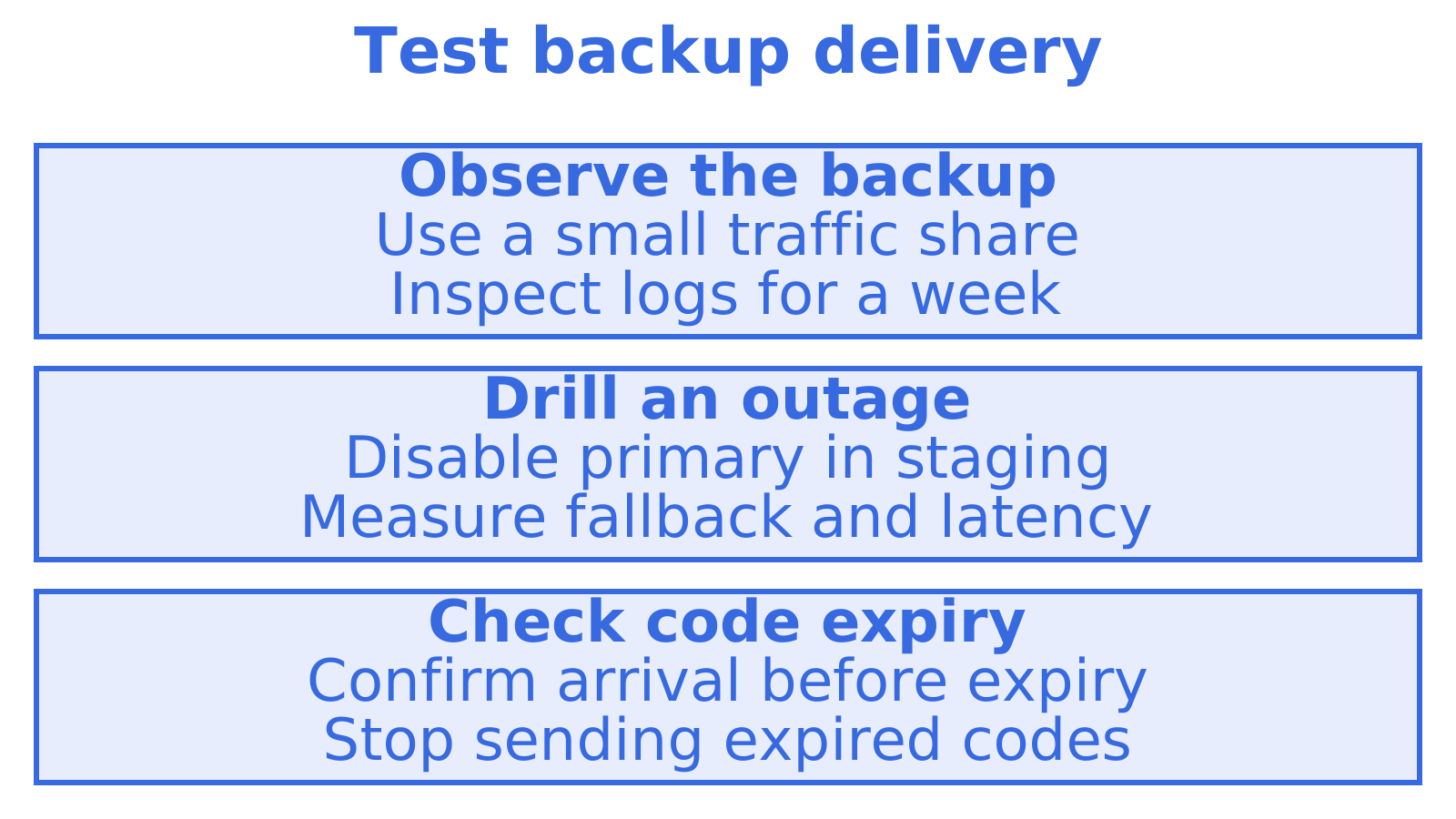
- Disable the primary in staging. Measure fallback delivery rate and latency, checking that test codes arrive before expiry. Define passing results and rollback conditions before the drill.
- Schedule EHLO response and TLS handshake checks alongside end-to-end delivery and authentication tests. Start with 1 to 5 minutes if that suits your system, then choose the interval against message deadlines and provider limits.
- Document each drill and real failover. Add observed delays, queue behaviour and recovery steps to the runbook.
How Sendmux approaches multi-provider failover
Delivery logs include status, provider, recipient and attempt count and can be exported to CSV. Webhook subscriptions support delivered, bounced, complained, rejected and delayed message events.
Before testing a separate Microsoft 365 relay, check authentication on the Microsoft side. Read this Microsoft 365 relay and OAuth2 setup guide for more detail.
If you're evaluating this for an existing stack, a reasonable first test is connecting one backup provider, setting a low distribution percentage, and watching the delivery logs for a week before trusting it with transactional volume.
An engineer's take on protecting transactional mail
We'd include code expiry in the failover runbook. During drills, compare fallback arrival time against the point when the application stops accepting the code.
Set detection and retry deadlines from that result. Stop sends for codes that expire in the queue, and make sure users can request a fresh code.
Getting started with failover-ready mailbox infrastructure
Evaluate sending tools against your delivery deadline and outage drill. Check our pricing page for Free, Pro and Enterprise tiers, or read the sending product page for further product information.
Sources
Recommended
Frequently Asked Questions
What's the difference between inbound and outbound SMTP failover?
Inbound SMTP failover gives arriving mail another destination through secondary MX when the primary server is unreachable. Outbound failover routes your application's sends through a backup relay or provider. A secondary MX record alone can't reroute an outgoing password reset.
How do I test secondary MX configuration?
Set the secondary MX priority number higher than the primary's. During a controlled test window, make the primary unreachable and send from an external system, then confirm the secondary queues the message and forwards it after recovery. Check monitoring mode separately. Know when the secondary accepts mail.
Should I build failover at the application level or the MTA level?
Use application-level fallback when code needs to track expiry, retries and uncertain send outcomes. MTA-level routing can centralise sending for several services, with Postfix as one option. We'd choose the layer with clear retry ownership. Test timeouts for duplicate sends afterward.
How do I keep a backup SMTP provider warm?
Keep a small, steady share of suitable transactional traffic on the backup. While the primary is healthy, inspect latency, authentication and errors. Routine traffic shows backup behaviour, but full-volume reliance still requires a capacity test.
How long does it take to set up and validate SMTP failover?
Validate after setup. Setup time depends on your application, providers and DNS changes, so we'd start with a backup provider, configure SPF and DKIM, verify alignment and observe a small traffic share for a week. Then drill an outage against the delivery deadline before trusting transactional volume to the backup.
