Email Import API: How to Get Inbound Email Into Your App

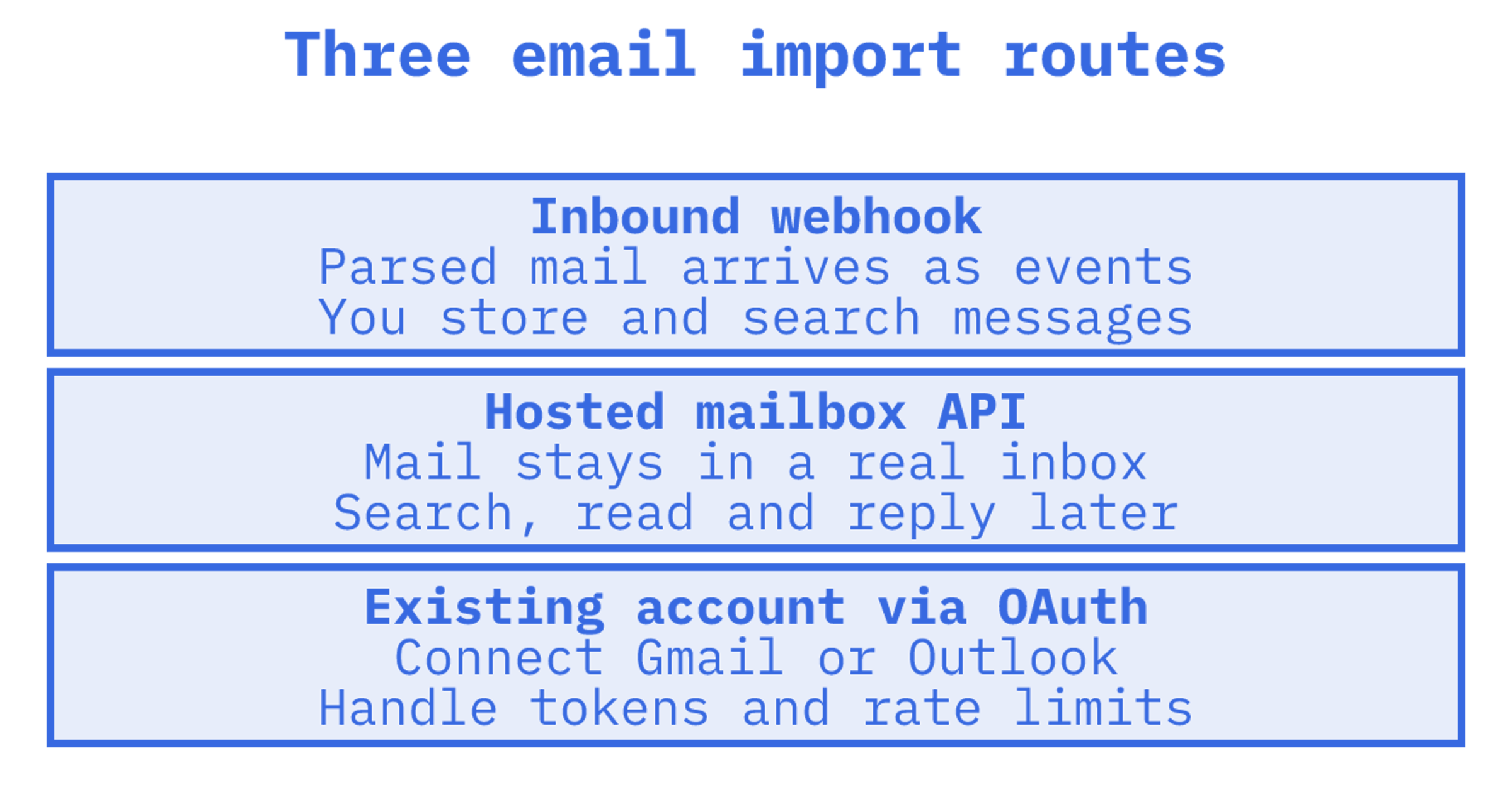
An email import API is any interface that moves email into your software so your code, or your AI agent, can act on it. In practice there are three routes: an inbound parsing webhook, a hosted mailbox API where each agent or tenant owns a real inbox, and a connection to an existing Gmail or Outlook account. For agent workloads we recommend the hosted mailbox route, and Sendmux is built around it.
Start with what your code needs after delivery. Will each message trigger a one-off action, or will your agent need to find the conversation tomorrow? We compare those routes here. Moving an old email archive needs a separate migration checklist.
TL;DR
- Inbound parsing webhooks deliver messages as events. You handle storage, search and conversation history.
- Hosted mailbox APIs keep mail available for agents that need to search, follow threads and reply over days or weeks.
- OAuth connections let your software read mail already in Gmail or Outlook. Plan for token expiry and provider rate limits.
Table of Contents
The three ways to import email into software
We'd choose the architecture first. An email-to-ticket pipeline and an agent returning to last Tuesday's conversation need different things from incoming mail.
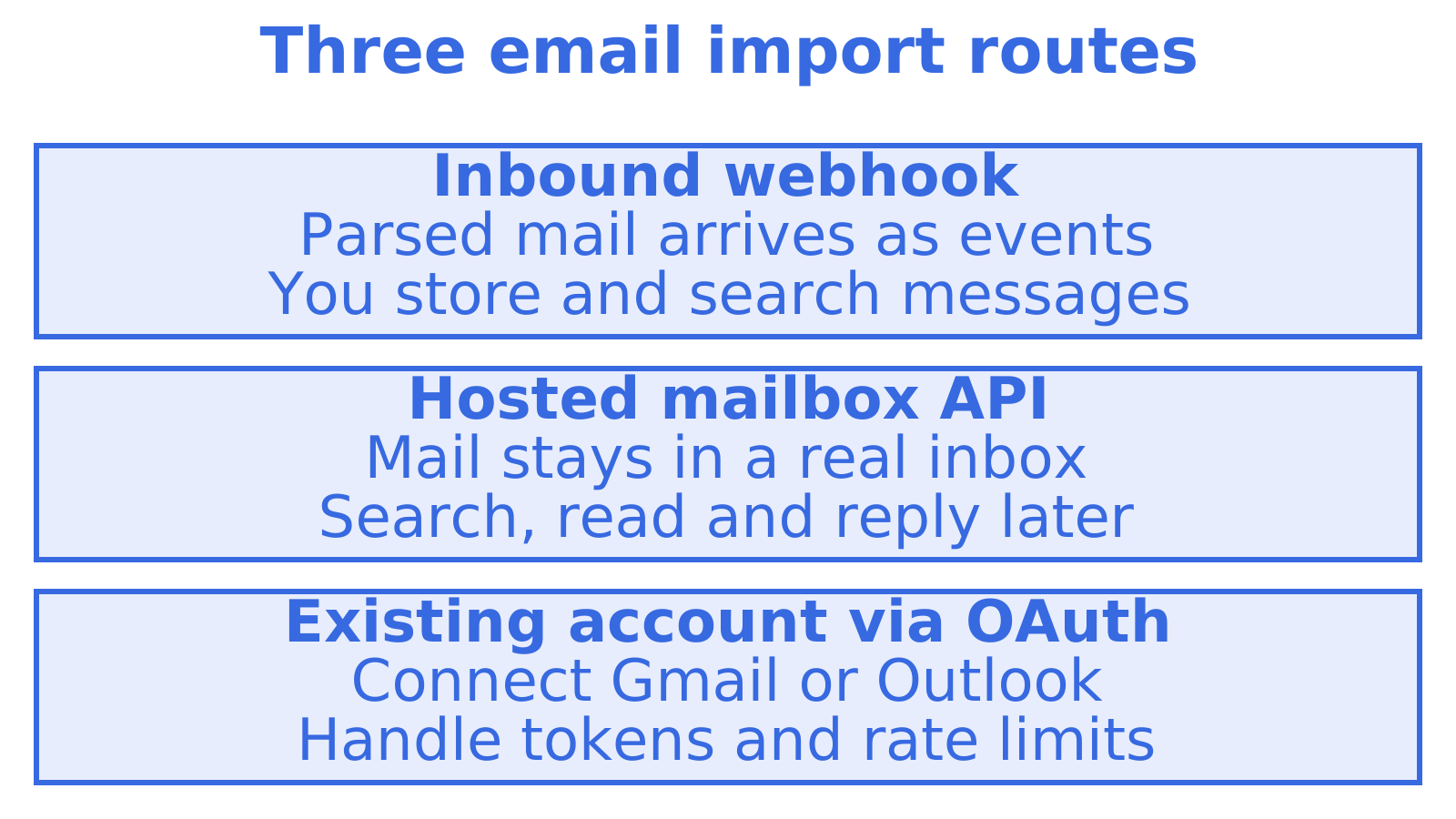
1. Inbound parsing webhook. A provider receives mail on an address or domain you control, parses it and POSTs JSON to your endpoint. Postmark, for example, sends webhook notifications when it receives and parses emails sent to your inbound addresses. This suits an "email in, ticket out" pipeline. Your application handles what happens after delivery, including storage and search when an agent needs last Tuesday's thread.
2. Hosted mailbox API. The provider keeps the mailbox. Your code lists, searches, reads, flags and replies through the API, and the mail persists. Nylas has moved this way with Agent Accounts, which provide hosted inboxes and calendars for software agents, with custom domains, policies, rules, storage and send limits. Sendmux is in the same category, with a different pricing and routing model, covered below.
3. Connecting an existing mailbox. You ask a user to authorise Gmail or Outlook, then read their mail through the provider's API. This suits software that needs access to a person's existing account. You'll need to handle consent, refresh tokens and provider limits. For an agent that needs its own address, we'd start by considering a hosted mailbox.
What to check before you pick one
Test what happens after the first message arrives. Can the agent find the thread tomorrow, fetch just the new reply and stay within its limits?
- Is the mailbox persistent? Can the agent come back tomorrow and find the thread, or only react to the delivery event?
- What does the agent actually read? Compare a raw MIME thread with cleaned text that removes quoted history. Check how much repeated text you'd otherwise send to the model.
- How precise is retrieval? Look for filters for sender, subject, headers, dates and unread state, plus counts and previews. Your agent shouldn't need the whole inbox to find one reply.
- How does it stay in sync? Check whether state tokens and change feeds let your agent fetch changes without listing the whole inbox again.
- Can it reply in-thread? Check how the API handles threading headers such as in_reply_to and references, then test whether replies appear in the intended conversation.
- Who owns identity and isolation? Check how you'll separate each tenant's mailbox, keys, quotas and logs before adding another customer.
- How is it priced as you scale? Compare per-seat, per-connected-account, per-inbox and usage-based pricing against the mailbox count you expect to run.
Comparison of the main approaches
Choose an architecture from the table, then check individual providers against your requirements.
| Criterion | Inbound parsing webhook | Hosted mailbox API | OAuth to Gmail or Outlook |
|---|---|---|---|
| Where mail lives | Your own database | Provider's mailbox | The user's existing account |
| Agent has its own address | Yes, on your domain | Yes | No, borrows a human's |
| Search and threads | You build them | Built in | Provider's native search |
| Failure mode | Missed events if your endpoint is down | Quota or plan limits | Expired tokens, provider rate limits |
| Best for | Email-to-ticket, email-to-API | Agents, per-tenant inboxes | Reading mail a person already owns |
| Example options | Postmark inbound | Sendmux, Nylas Agent Accounts | Direct Gmail or Outlook APIs |
How the named options compare
Postmark inbound
Postmark's inbound stream suits a pipeline that turns incoming mail into an action, such as creating a ticket. You receive structured JSON and decide what to store. For an agent to search older messages, your application also needs storage and retrieval.
Nylas Agent Accounts
Nylas offers hosted inboxes and calendars for agents. A review dated 31 August 2026 lists a Full Platform plan at US$15 per month including 20 Agent Accounts, and says Nylas advertises SOC 2 Type II, ISO 27001 and ISO 27701 audits and HIPAA support. Put it on your shortlist when calendars and compliance attestations matter. Check the vendor's current pricing and audit coverage before committing.
Sendmux
Sendmux is an email API for AI agents. Every agent, customer, workspace or tenant gets a real mailbox with a real address, either on the included @myagent.mx domain or on a custom domain verified for receiving. The Mailbox API covers messages, threads, folders, keywords, attachments, sender identities, quotas, usage and submissions.
Three design choices matter for import:
- Cleaned reads. Agents read message text and HTML with quoted history stripped, so they act on the new reply without parsing a raw MIME thread. Raw body endpoints remain when you need the exact original. Structured parsing is how we aim to reduce token costs.
- Precise retrieval. GET /mailbox/messages filters on folder, thread, free-text query, sender and recipient, subject, body, arbitrary headers, size range, keywords, date range, attachments and unread state. A count endpoint answers "how many" without returning rows, and search-snippets returns previews without pulling bodies.
- Sync instead of re-listing. Sync endpoints return state tokens so an agent polls for typed mailbox, folder and query changes rather than re-reading the inbox. Batch get, update and delete move many messages in one call.
For the setup steps, see our inbound email API setup guide.
Mailbox API versus sending-only API
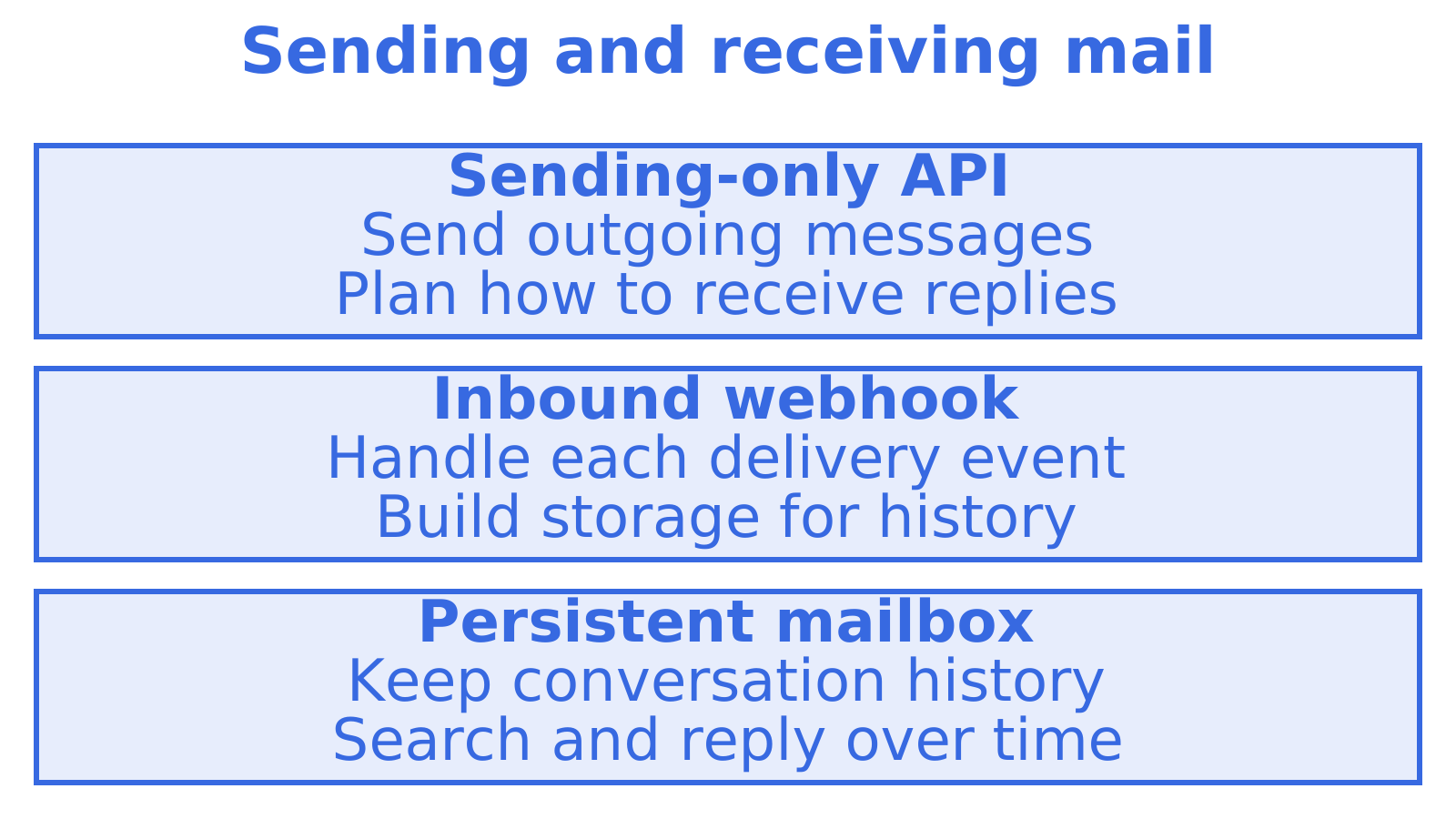
A sending-only API handles outgoing messages. Once replies arrive, you need to decide what your code does with them. A team might add a parsing webhook for replies, then a Gmail connection for a customer who wants to use an existing account. That leaves separate credentials and failure modes to manage.
We'd use a webhook for a transactional app that handles each reply once. For an agent that returns to a conversation over several days, we'd choose a persistent mailbox so the thread stays available. You can also read our SMTP and email API trade-offs comparison.
Importing mail into business systems
An imported invoice might need to become a validated record in an ERP or CRM. Start by defining the fields your system needs and what happens when extraction fails. The Outlook to ERP integration options walkthrough explores that workflow. For separate customer workflows, consider a dedicated mailbox per tenant to keep incoming mail apart from personal inboxes.
Setup, security and isolation
Whichever route you take, work through this list:
- Domain verification. Receiving on a custom domain requires DNS changes. SPF, DKIM and DMARC records protect the sending side, and you need them on every sender domain. Sendmux supports domain verification. Automated agent onboarding on @myagent.mx needs no human DNS setup; a custom domain requires DNS records.
- Webhook hygiene. Whatever you use, verify webhook authenticity and make handlers idempotent, so retries do not create duplicates. The Hookdeck guide linked above recommends authentication, idempotent processing and reliable error handling for production.
- Tenant isolation. Give each tenant its own mailbox, keys, quotas and logs, so one customer's volume or mistake cannot touch another's.
- Quotas. Set per-mailbox and per-provider limits before launch, not after the first throttling incident.
- Auditability. Keep delivery logs and suppressions queryable, so you can explain what happened to any message.
Cost: what importing mail costs at Sendmux
Check the pricing page for current rates and plan inclusions.
Model your expected usage at 10, 100 and 1,000 mailboxes. Compare the total under per-connected-account, per-seat and usage-based pricing before choosing a plan. You can also read our AgentMail alternatives guide.
Our perspective
Most teams reach for an import API when a reply arrives that their sending provider cannot see. They add a parser, then a webhook relay, then a Gmail connection for the one customer who wants their own address. Six months later they run four email systems, four invoices and a token-refresh job that pages someone at night.
We built Sendmux on the opposite premise: an agent's email should be persistent state, not a drop point. When a mailbox holds the thread, the agent can read only the new reply, filter to exactly the messages it needs and answer in the right conversation. That is also how you keep token costs sane, because the agent never ingests a whole raw thread to find three new lines.
Our longer-term direction is a context layer that turns a company's mail into accurate, permissioned context for agents. Getting the mailbox layer right comes first.
Try it on the Free plan
If you are building an agent, a multi-tenant product or an email-to-API pipeline, start with a single mailbox and see how cleaned reads and filtered search behave on your own mail. Sendmux inbound mailboxes can be provisioned on @myagent.mx straight away. See the Free plan and agent tooling pages for more information.
Sources
Recommended
Frequently Asked Questions
What is an email import API?
It's an interface that brings email into your software so code can read and act on it. The main routes are an inbound webhook that posts parsed messages, a hosted mailbox API, or a connection to an existing Gmail or Outlook account. Choose based on whether your code needs to handle each delivery once or return to the conversation later.
Do I need a mailbox API, or is an inbound webhook enough?
We'd use a webhook when each incoming message triggers one action, such as creating a ticket. We'd choose a mailbox API when an agent needs to search history, follow threads and reply later. Check what happens when your handler goes offline, including retries and where messages are stored.
Can Sendmux import an existing Gmail or Outlook archive?
Choose a migration tool that supports your existing Gmail or Outlook account and the target format. After migration, check message counts, attachments and timestamps.
How does an agent avoid reading a whole raw thread?
Use an API that returns cleaned text with quoted history removed, and filter before you fetch. In Sendmux, the message list filters on sender, subject, headers, dates and unread state, while count and search-snippets endpoints avoid returning full bodies. Raw bodies stay available when you need the original.
What does it cost to receive email with Sendmux?
Check the Sendmux pricing page for current rates and plan inclusions before you estimate receiving costs.
