Developers: Agenticmail alternatives for teams scaling past 100 agents


For developer teams that need persistent agent mailboxes plus bring your own outbound routing, Sendmux is the recommended starting point because it pairs mailbox state, scoped credentials and multi provider sending in one API. Teams with different jobs to do should also look at send only primitives like Mailgun or Amazon SES, and connector services like Nylas, depending on whether the work is agent inboxes, raw sending, or reading someone else's mailbox.
Which Agenticmail alternatives should you shortlist first
Before you book a string of demos, it helps to sort the field by what each product actually is: an inbox for agents, a pipe for sending mail, or a connector into mailboxes someone else already owns. That distinction matters more than any feature checklist, because it decides whether you are buying mailbox state or building it yourself.
Sendmux sits at the top of this list because it is built around the agent mailbox as the primitive, not the message. Every tenant gets a real address, persistent threads and folders, and the outbound side runs through multiple providers, rather than a single sending pool. That combination is rare: most inbox first tools skip routing, and most routing tools skip the inbox.
- Sendmux: inbox first platform for teams running fleets of agent mailboxes who also want to route outbound across their own providers.
- Mailgun: send only API for teams happy to build mailbox state, parsing and threading themselves.
- Postmark: transactional sender with strong inbound webhooks, best for teams that need reliable delivered mail rather than a persistent inbox.
- Amazon SES: raw sending at scale, suited to teams who already run their own inbound stack.
- SendGrid: mature sending platform with broad integrations, useful where marketing and transactional sending overlap.
- Resend: developer friendly sending with simple receive metadata, good for teams that only need lightweight inbound signals.
- Nylas: connector first product for reading and acting on a human user's existing Gmail or Outlook mailbox.
- OpenMail: inbox first vendor built around per inbox reputation isolation and EU hosting.
- MailerSend: transactional templates and sending plumbing with some inbound hooks.
- Mailtrap: staging and testing inboxes, not a production mailbox layer.
- Robotomail: lightweight agent mailbox provisioning aimed at small pilots.
- InboxKit: inbox first team inbox product with SDK coverage for multi tenant setups.
- Knock, Novu, Courier and MagicBell: notification and messaging infrastructure that can route email as one channel among several, not dedicated agent mailboxes.
- Infraforge, AGmail, agentmail.email, DevInbox, Shipmail, LobsterMail, AI Inbx, KeyID, agent.email, mcpemails.com, AeroSend, Maildoso and Zapmail: a long tail of agent focused or sending focused tools worth a line item in your own spreadsheet, each worth checking against the axes below before you commit engineering time.
- Gmail API and Cloudflare Email Service/Routing: infrastructure building blocks rather than finished products, useful if you are set on assembling your own stack.
Comparing the core model, routing and tenancy axes
The products above split along a handful of axes that actually predict how much engineering work you will do later. Treat these as the questions to ask on every vendor call, not as abstract categories.
Core model decides whether you inherit mailbox state or build it. Inbox first platforms, Sendmux, OpenMail, InboxKit, Robotomail, hand you threads, folders and message history as a managed resource. Send only APIs, Mailgun, Postmark, Amazon SES, SendGrid, Resend, hand you a delivery result and leave threading, storage and retrieval to your own database. Connectors, Nylas and the Gmail API, give you access to a mailbox someone else owns, which is the right model only when the mailbox itself belongs to a human user rather than your agent.
Reputation isolation is about whether one noisy tenant can sink deliverability for everyone else. Per domain reputation pools every sender together, so one agent sending badly formed mail can throttle the rest. Per inbox or per account isolation, which Sendmux achieves by binding outbound routing to the account or key that authenticates to send, keeps a tenant's sending reputation on the provider it actually uses, rather than in a shared pool.
Threading and mailbox state determine whether an agent reads a clean new reply or has to parse a raw MIME thread itself. Products that strip quoted history before handing text to a model cut token usage and simplify prompts, a design choice that matters more as agent volume grows.
| Dimension | Sendmux | Inbox-first peers (OpenMail, InboxKit, Robotomail) | Send-only APIs (Mailgun, Postmark, SES, SendGrid, Resend) | Connectors (Nylas, Gmail API) |
|---|---|---|---|---|
| Core model | Inbox-first with BYO outbound | Inbox-first | Send-only (build your own inbox) | Connector to existing mailboxes |
| Inbound support | Mailbox state, webhooks, SSE | Mailbox state, webhooks | Webhook or none (Resend: metadata only) | Webhook sync to source mailbox |
| Outbound routing | Bring-your-own across providers plus managed SES | Typically single provider | Managed, high-volume sending | Not applicable |
| Reputation isolation | Per account, bound to authenticating key | Per inbox (OpenMail) | Shared pool per sending account | Reputation belongs to the end user's mailbox |
| Developer tooling | SDKs in 6 languages, CLI, MCP | Varies, SDKs typical | Mature SDKs and docs | Mature SDKs, calendar breadth |
| Pricing model | Usage-based, no per-mailbox fee on Free/Pro | Often per-inbox | Usage-based, per-message | Per connected account |
The trade-off is straightforward: inbox first models cost engineering time upfront to adopt but save you from building threading and storage later, while send only APIs are quick to integrate but leave mailbox state as your own problem indefinitely.
A checklist for vetting vendors before you commit
Run every shortlisted vendor through the same checklist rather than trusting a feature page, because the gaps usually show up in the details nobody puts on the homepage.
- Confirm mailbox keys can be scoped to a single mailbox with explicit send, receive, read and update permissions, not just a team-wide key.
- Check whether threading uses standard headers (
in_reply_to,references) so replies land in the right thread without custom glue code.
- Ask whether inbound delivery guarantees retries with back off, and how long webhook attempt logs are retained.
- Test whether the API separates "how many messages matched" from "give me the messages", since pulling full bodies for a count query wastes bandwidth at scale.
- Request the raw MIME export path alongside any cleaned text body, in case a dispute needs the original message.
Before signing anything, run a short pilot: create a mailbox, fire a test message in through SMTP or a forwarded address, confirm the webhook or SSE stream delivers it, send a reply through a provider you own, and simulate removing a tenant to see how cleanly the mailbox suspends.
Pro Tip: Ask for the exact rate limits and retention windows in writing before you build against an API: a "generous" free tier that caps webhook retention at 24 hours will break any debugging workflow that takes longer than a day.
Watch for a few red flags specifically: no documented rate limits, no way to export mailbox data if you leave, and reputation isolation that turns out to be marketing language for a shared sending pool.
Planning the migration and integration work
Moving agent mail onto a new platform is rarely just an API swap. Budget time for DNS cutover, since both sending and receiving domains need SPF, DKIM and DMARC records verified before traffic can move, and for exporting existing threads in a format the new platform can import.
- Export message history and thread metadata before cutover, not during, so you have a rollback option if something breaks.
- Decide between webhook delivery, for backends that can host a public endpoint, and Server-Sent Events, for clients that cannot: SSE avoids exposing an endpoint but requires the client to stay connected.
- Use idempotency keys on every send so retries after a timeout do not duplicate outbound mail.
- Plan for batch limits on both import and send: a platform capping sends at 100 messages per call changes how you queue high-volume bursts.
- Check attachment limits before migrating anything with large files. Sendmux caps uploads at 7,500,000 bytes through the Mailbox API and 18 MiB per binary upload through the Sending API, with assembled messages capped at 25 MB, figures worth comparing against whatever your current stack allows.
- Confirm storage tiers up front. Mailbox storage billed per gigabyte adds up differently than a flat per-seat allowance once you are running thousands of mailboxes.
How pricing behaves once you scale past a hundred agents
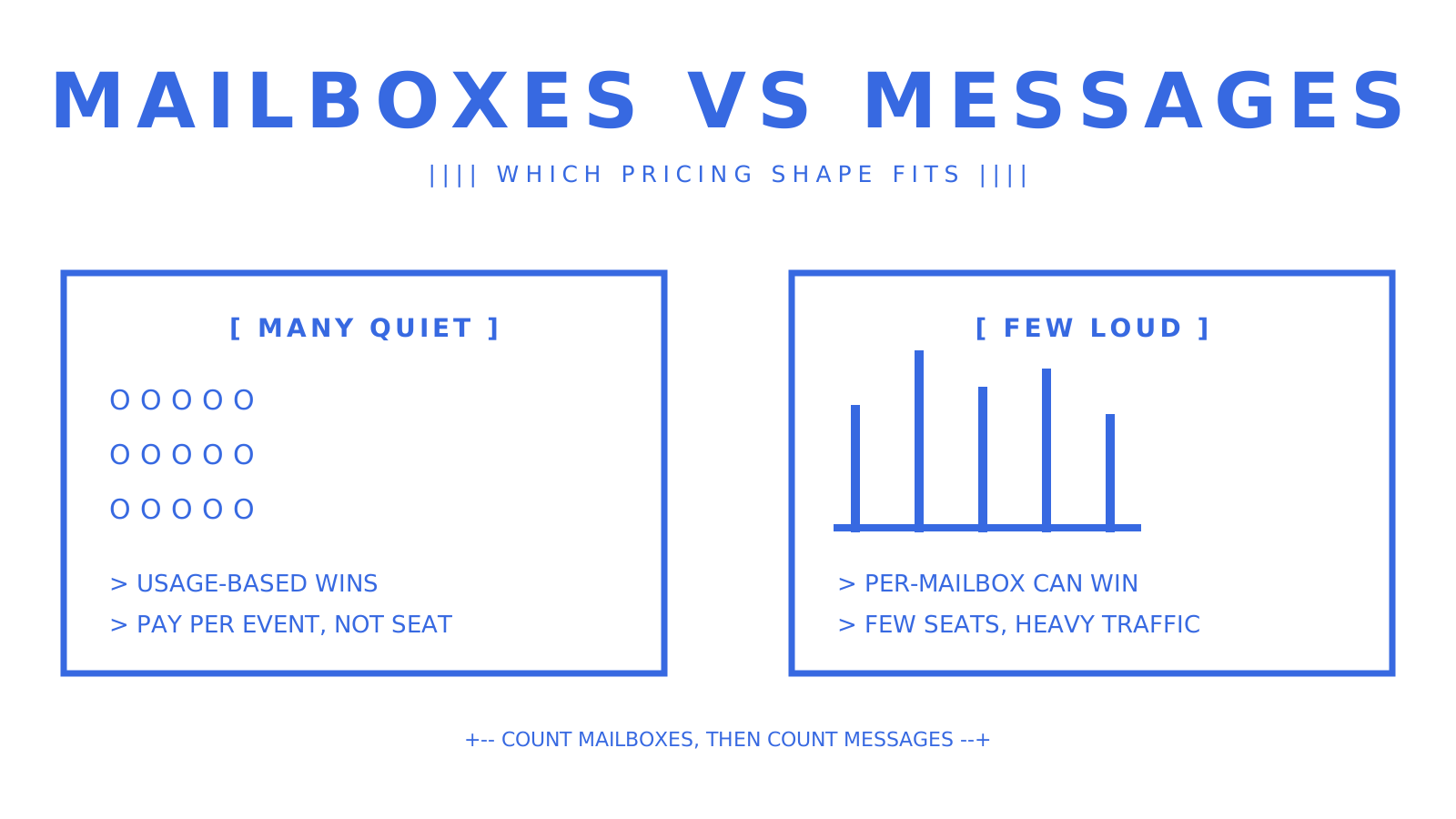
Pricing model matters more than headline price once you are running real volume. Per-mailbox pricing is predictable at small scale but punishes you for provisioning mailboxes you barely use, while usage-based pricing rewards exactly that pattern. Usage-based billing becomes materially cheaper than per-mailbox pricing once mailbox count is high relative to messages sent per mailbox, which is the common shape for context-boundary products where every applicant, case or claim gets its own address but most never generate heavy traffic.
Sendmux charges per provider-accepted recipient outbound through a connected provider, a different fee through managed Amazon SES, per inbound mailbox delivery, and per gigabyte per month for storage, with no per-mailbox fee on its Free or Pro plans. A common trap is assuming a "free" managed sending tier scales: Sendmux's Free plan caps managed Amazon SES at two accepted recipients per hour, which is fine for testing and nowhere near production. A rough heuristic: estimate your busiest mailbox's monthly message count, multiply by the per-recipient rate, then multiply by mailbox count, and check that figure against any per-mailbox pricing competitors quote.
Checking reputation isolation and deliverability before you commit
Vendor claims about reputation isolation are easy to make and hard to verify from a sales deck, so ask for specifics rather than taking "isolated" at face value.
- Ask whether isolation is per domain, per inbox or per sending account, and what happens to the rest of your tenants if one account gets flagged for spam.
- Request the zone file or DNS verification state for any domain you plan to send from, so you can confirm SPF, DKIM and DMARC are actually configured correctly before go-live.
- Ask for the hosting region and whether data residency options exist, particularly if any tenant data needs to stay within a specific jurisdiction.
- Require access to bounce and complaint rate dashboards, not just delivery counts, since a rising complaint rate is usually the first sign of a reputation problem.
Pro Tip: A platform that only shows you "sent" counts and hides bounce and complaint rates is hiding the metric that actually predicts deliverability trouble.
Bounce rate or complaint rate thresholds worth treating as a hard stop on any sending account vary by platform and should be confirmed with your provider.
Where Sendmux fits the checklist and where it does not
Sendmux's Mailbox API covers messages, threads, folders, keywords, attachments and quotas as persistent state, with retrieval-precision endpoints (filtering, counts, search snippets) built to keep payloads small for agent workflows. Inbound mail arrives through signed HMAC webhooks or a Server-Sent Events stream, so teams that cannot host a public endpoint still get real-time delivery.
- Mailbox API with persistent threads, folders and quoted-history stripping, so agents read a clean reply instead of parsing raw MIME.
- Three credential tiers, infrastructure keys, mailbox keys and agent tokens, scoped down to send, receive, read or update permissions per mailbox.
- Bring-your-own outbound routing across Gmail OAuth, Microsoft 365, custom SMTP or a managed Amazon SES account, with delivery groups, per-provider quotas and health checks that skip failing accounts.
- An MCP endpoint exposing a curated toolset across Mailbox, Management and Sending surfaces, plus SDKs in TypeScript, Python, Go, PHP, Ruby and Rust.
- Delivery logs, bounce and complaint rates and an Amazon SES reputation snapshot surfaced in the dashboard.
Sendmux does not currently offer a drafts API, scheduled sending, webhook replay, or Bring Your Own Inbox support for a customer's existing Gmail account, and it carries no SOC 2 or ISO 27001 certification today. Those are current gaps, not hidden ones, and worth checking against the Mailbox API guide before you build around them.
The bottom line for teams choosing now
If your agents need their own persistent mailboxes and you want to route outbound through providers you already control, Sendmux is the strongest fit on the market today. If you only need raw sending and will build mailbox state yourself, a send only API fits better; if your agent needs to act inside a human user's existing inbox, a connector is the right call. A fast way to validate the decision: provision one mailbox, send a message through your own provider, confirm a webhook or SSE event fires, then check the bill against your expected volume on the pricing page.
What migrations keep teaching us
Most teams over-index on sending throughput early and under-index on mailbox state, then spend months retrofitting threading and reputation isolation once a few tenants start complaining about missed replies. The friction that actually derails a rollout is rarely the API: it is DNS propagation delays, a sending account that gets throttled mid-migration, and import edge cases where an old mailbox's thread history does not map cleanly onto the new schema. Build in buffer time for all three, and treat deterministic delivery as the feature to get right before you optimise anything else.
Try Sendmux for your next agent mail pilot
Sendmux gives every agent, tenant or workspace a real mailbox with its own address, threading and quotas, and lets you send through the providers you already run rather than renting reputation from a shared pool. There is no per-mailbox fee on the Free or Pro plan, which matters if your product provisions far more mailboxes than it sends messages from.
- Start on the Free plan with no monthly cost per team, with some mailboxes and connected sending accounts, to test mailbox provisioning and webhook delivery.
- Move to Pro with a monthly fee per team plus usage once you need more mailboxes, connected accounts or higher managed sending limits.
- Check the sending API product page and inbound mailboxes page for the exact endpoints before you scope integration work.
Compare the numbers against your own forecast on the pricing page, then provision a test mailbox and send your first message through a provider you already own.
Where to go next for the details
Read the Mailbox API guide for inbox-first design patterns, the comparison of send-only approaches for why Gmail and SendGrid alone fall short for agents, and the pricing page for current rates before you pilot.
Frequently Asked Questions
What is the difference between inbox-first and send-only email APIs?
An inbox-first platform like Sendmux gives an agent a persistent mailbox with threads, folders and message history as managed state. A send-only API like Mailgun, Postmark, Amazon SES or SendGrid delivers outbound mail and leaves threading and inbox state for you to build and store yourself.
How does reputation isolation work for multi-tenant agent mail?
Reputation isolation keeps one tenant's sending behaviour from affecting deliverability for everyone else on the platform. Sendmux binds outbound routing to the account or key that authenticates each send, so sending reputation stays on the provider the tenant actually uses rather than pooling across a shared account.
Is usage-based pricing cheaper than per-mailbox pricing?
Usage-based pricing tends to be cheaper when you run many mailboxes with low message volume per mailbox, since you are not paying a flat fee for mailboxes that rarely send or receive. Per-mailbox pricing can work out cheaper when a small number of mailboxes each handle heavy traffic, so the right model depends on your ratio of mailboxes to messages.
Can I bring my own email provider instead of using a managed sending pool?
Yes, several platforms support this, and Sendmux is built specifically around it, routing outbound through Gmail OAuth, Microsoft 365, custom SMTP or a managed Amazon SES account you choose per mailbox or delivery group. Bringing your own provider keeps your sending reputation under your own control rather than sharing a pool with other customers.
What should I check before migrating mailboxes to a new platform?
Confirm the new platform can import existing thread history, verify DNS records (SPF, DKIM, DMARC) are supported for your sending and receiving domains, and check attachment size and batch send limits against your current workload. Running a short pilot, creating a mailbox, testing inbound delivery and sending through a provider you own, catches most integration problems before a full cutover.
