Amazon SES Routing: Options Compared for Agent Email

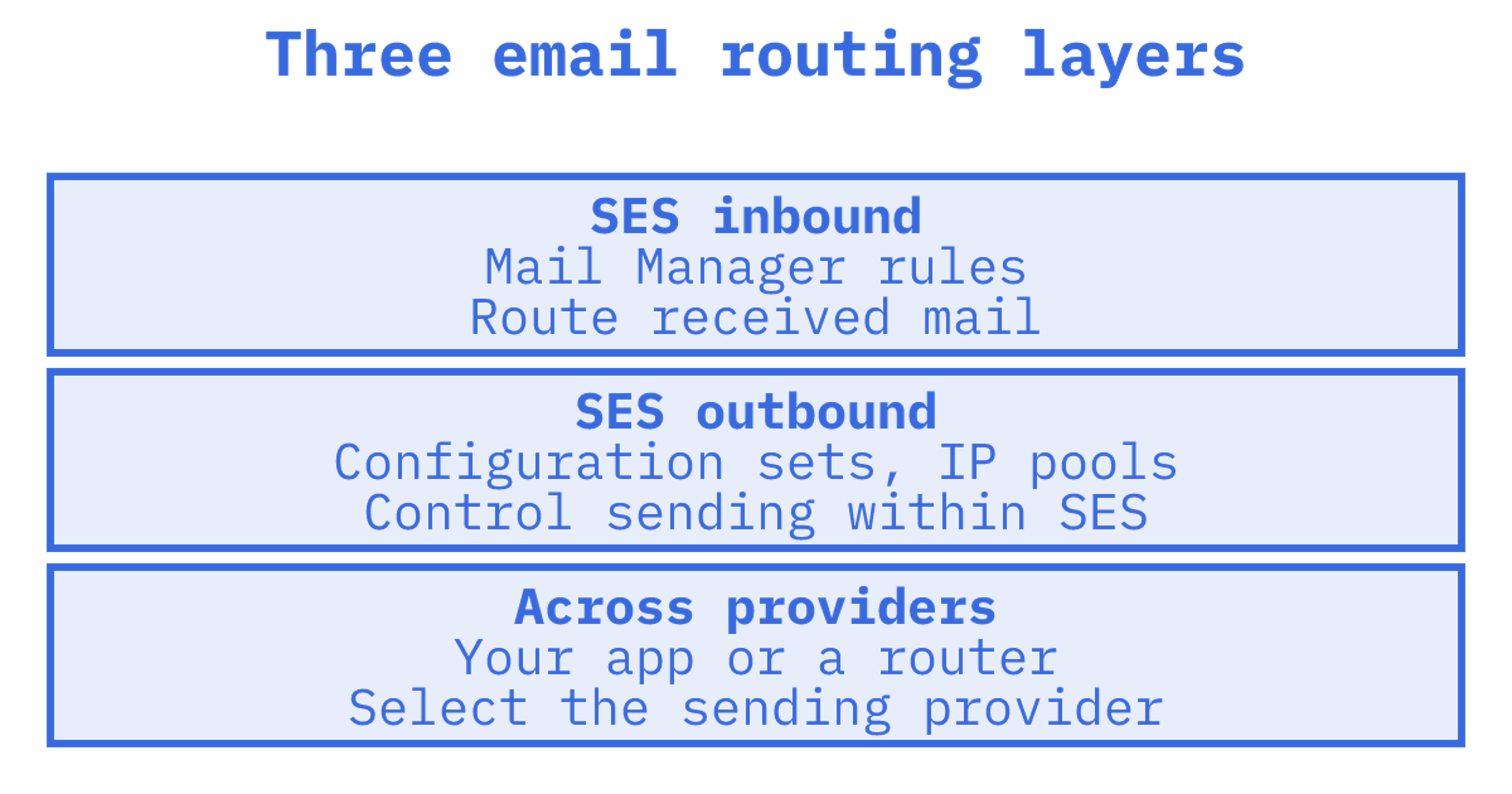
Amazon SES routing means two different jobs. Inbound, you use Mail Manager's ingress endpoints, traffic policies and rule sets to decide where received mail goes. Outbound, you use configuration sets and IP pools to decide how mail is sent and tracked. SES does both well inside AWS. It does not route between email providers, and it does not give an agent a mailbox. This guide compares SES with the other ways to route email, and shows where each fits.
TL;DR
- SES inbound routing is Mail Manager: ingress endpoints, traffic policies, rule sets, and actions such as SMTP relay, S3, Lambda, SNS and archive.
- SES outbound routing is per configuration set (event destinations, IP pools, validation). It is routing inside one provider, not across providers.
- Choose SES alone if you are AWS-native, send transactional mail and are happy to build mailbox state yourself.
- Choose a multi-provider router if you need failover, weighted delivery or per-provider quotas across Gmail, Outlook, SMTP and SES.
- Choose Sendmux if agents need persistent mailboxes and BYO-provider outbound routing in one API.
Table of Contents
What "routing" means in Amazon SES
For an agent, "amazon ses routing" might mean receiving a reply or choosing a sending configuration. Provider selection is another possibility. Each decision sits in a different layer.
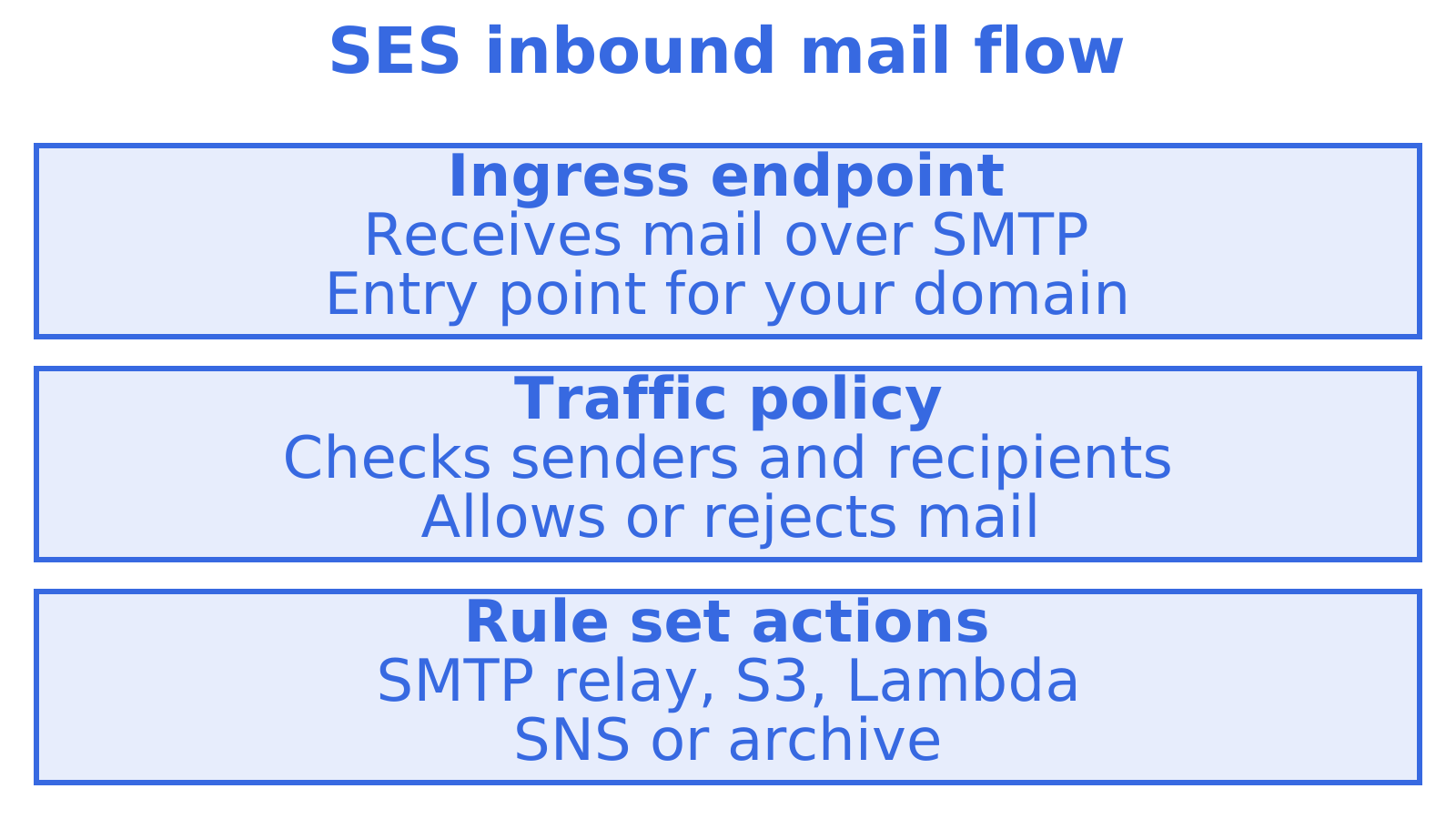
Inbound routing determines where received mail goes. In SES, that's Mail Manager. Mail arrives at an ingress endpoint. A traffic policy decides what's allowed in, then a rule set decides what happens to it. Actions include SMTP relay, S3 (up to 40 MB), archive, Lambda, SNS and adding custom headers.
Outbound routing controls how sent mail is handled. SES configuration sets hold delivery options and event destinations, including SNS, Firehose and CloudWatch. Separate configurations let you track sending activity for each tenant or stream.
Provider routing chooses who sends the message. Your application might use Gmail, for example, then fall back to SES if Gmail is unavailable. SES won't choose between providers for you. That decision sits in your application or a routing layer above SES.
The rest of this guide follows that split.
Inbound routing with SES Mail Manager
Mail Manager checks incoming mail against your rules before passing it to your mail environment.
The building blocks:
- Ingress endpoint. Mail for your domain enters here over SMTP.
- Traffic policy. This decides which senders and recipients get through and which are rejected.
- Rule set. Assigned to an endpoint, this groups rules and their conditions and actions.
- Actions. Archive, S3, Lambda, SNS or an SMTP relay.
SMTP relay for multi-destination routing
To forward mail to another server, use SMTP relay. Set up relay destinations and rules that match recipient addresses or headers. AWS shows an example of routing email to multiple Amazon Connect instances from one domain. Check the destination first. It must be a publicly reachable SMTP server.
Programmatic setup
Platform teams can automate customer provisioning with the Mail Manager API, including ingress endpoints and SMTP credentials.
Where it stops for agents
Mail Manager routes mail. An agent still needs somewhere to query threads, folder state and unread messages. If a rule sends mail to S3, SNS or Lambda, your application has to turn those messages into searchable mailbox state, including parsing MIME and grouping replies into threads. Deduplication and retries need handling too.
Before choosing routing rules, we'd decide who maintains the inbox once messages start arriving.
Outbound routing with configuration sets and IP pools
Within SES, you control sending configurations, IP pools and recipient validation.
- Configuration sets hold event destinations and delivery options. The quotas page lists support for up to 10,000 configuration sets and up to 10 event destinations each, with a limit of 50 recipients per message.
- IP pools let you send a configuration set through a dedicated pool or the shared pool, which is useful for separating streams by reputation.
- Auto Validation checks recipient addresses before sending and delivers only to those meeting your chosen threshold, which protects sender reputation.
Include sending cost in the decision. A third-party breakdown lists base sending at $0.10 per 1,000 emails, with dedicated IPs and data transfer billed separately. Check AWS's current pricing before you budget.
If SES throttles your account, pauses sending or hits a quota, these controls won't switch to another provider. Your application has to detect the failure and choose a different sending path.
Routing across providers
Provider routing matters most to cold email teams, agencies and anyone sending from client-owned accounts. Typical needs:
- Weighted delivery spreads messages across several accounts or providers.
- Per-provider daily quotas cap how much each Gmail or Outlook account sends.
- Failover when a provider rejects or rate-limits.
- Provider matching uses an account associated with the recipient's provider, such as sending Gmail to Gmail. Instantly calls this ESP matching.
You could start a custom router with a queue, provider-health records and a weighted selection function. Include per-tenant quotas in the scope before you commit. Suppression synchronisation and delivery logs need building and maintaining too.
The options side by side
| Option | Inbound routing | Outbound routing | Agent mailboxes | Cross-provider failover | Best for |
|---|---|---|---|---|---|
| SES alone (receipt rules) | S3, Lambda, SNS actions | Configuration sets, IP pools | No | No | Simple AWS-native pipelines |
| SES with Mail Manager | Ingress, traffic policies, rule sets, relays | Same as above | No, you build state | No | Teams with AWS engineers and complex inbound rules |
| SES plus your own router | As above | Custom weighting and failover | No | Yes, you build and run it | Teams with a platform group to maintain it |
| Mailbox-first API (for example AgentMail, Nylas) | Hosted inboxes | Mostly their own sending or connected accounts | Yes | Varies | Agent inboxes without infrastructure work |
| Sendmux | Hosted mailboxes, routing, webhooks | Connected Gmail, Outlook and custom SMTP accounts, plus managed SES | Yes | Agents and multi-tenant products needing both |
We'd compare the work your team would own for each option, including inbound rules, mailbox state and provider selection. The sending rate covers only part of the decision.
When SES on its own is the right call
Pick plain SES, with Mail Manager where you need inbound, when:
- You run on AWS already and want to keep IAM, CloudWatch and S3 as your control plane.
- You mostly send transactional mail from your own domains.
- Your engineers will own parsing, threading and storage.
- You send from your own accounts, with no need to rotate client-owned Gmail or Outlook accounts.
For that setup, we'd use SES directly to start. Provision through Mail Manager's API and separate sending streams with configuration sets. Design around the SES quotas.
Where a mailbox layer earns its place
An agent finds an unread customer reply, retrieves the thread and sends an answer with the right threading headers. To do that, it needs searchable state, read status and access scoped to the right tenant. Getting the incoming message into storage only starts the job.
Building on SES could mean running Mail Manager, S3 and Lambda alongside a parser, database and thread model. Add a webhook relay, outbound sender and billing meter. Each does a job, and your team owns how they fit together.
For a multi-tenant product, decide how each workspace gets its identity and how suppressions stay separate. Work out how you'll inspect delivery per tenant too. The tenant isolation and workspace provisioning walkthrough covers the product architecture. Our multi-tenant suppression and isolation checks help frame the email questions before launch.
Where Sendmux fits
Sendmux is the email API for AI agents. It combines persistent mailboxes with outbound routing across providers you already own, so you are not choosing between an inbox product and a sending router.
What that means in practice:
- Mailboxes with state. Each agent, customer or tenant gets a real mailbox on the included @myagent.mx domain or a custom domain verified for receiving. The Mailbox API covers messages, threads, folders, keywords and attachments.
- Cleaned reads. Agents get message text with quoted history stripped, so they act on the new reply instead of parsing a MIME thread. Raw body endpoints remain for the exact original.
- Precise retrieval. Filter by folder, thread, sender, recipient, subject, headers, size, keywords, date, attachments and unread. Count endpoints and search snippets keep payloads small, and sync tokens let an agent poll for changes instead of re-listing the inbox.
- Provider routing. Outbound supports connected Gmail, Outlook and custom SMTP accounts, plus a managed Amazon SES account. Delivery groups select the providers available to a sending key or mailbox. Our email provider routing guide goes deeper on the patterns.
- Logs and events. Delivery logs show the provider and attempts. Webhooks report delivery and inbound mailbox events, while the Mailbox API streams live mailbox events over Server-Sent Events.
- Interfaces. REST, SDK and CLI access, plus SMTP submission.
Our Amazon SES alternatives for AI agents compares an SES build with a mailbox service. For mailbox-first options, read the AgentMail comparison.
What it costs
Pricing is usage-based and published on the Sendmux pricing page:
Budget for the whole system. Alongside sending charges, include mailbox storage, parsing, threading and cross-provider logs, plus the engineering time to maintain them.
Our perspective
We talk to a lot of teams who start with SES because it's the obvious, cheap answer. They're right to. You can specify routing rules quickly, but operating them takes more work. A Mail Manager rule that sends mail for one address to one relay takes an afternoon. Keeping an agent's thread view consistent through inbound mail, outbound sends, retries and provider failures takes much longer.
Our view is that the mailbox should be persistent state the agent can query, and the sending path should be a routing decision the platform makes, not something the agent knows about. That is why we built mailboxes and multi-provider outbound as one API. An agent should not need to know whether a reply left through Gmail OAuth or SES, and it should not lose a thread because a token expired.
SES remains a strong provider underneath, and we treat it as one. If your needs are purely AWS-native and transactional, build on it directly. If agents need inboxes, or you are routing outbound across accounts your customers own, that is the gap we fill.
How to choose
Work through these questions in order:
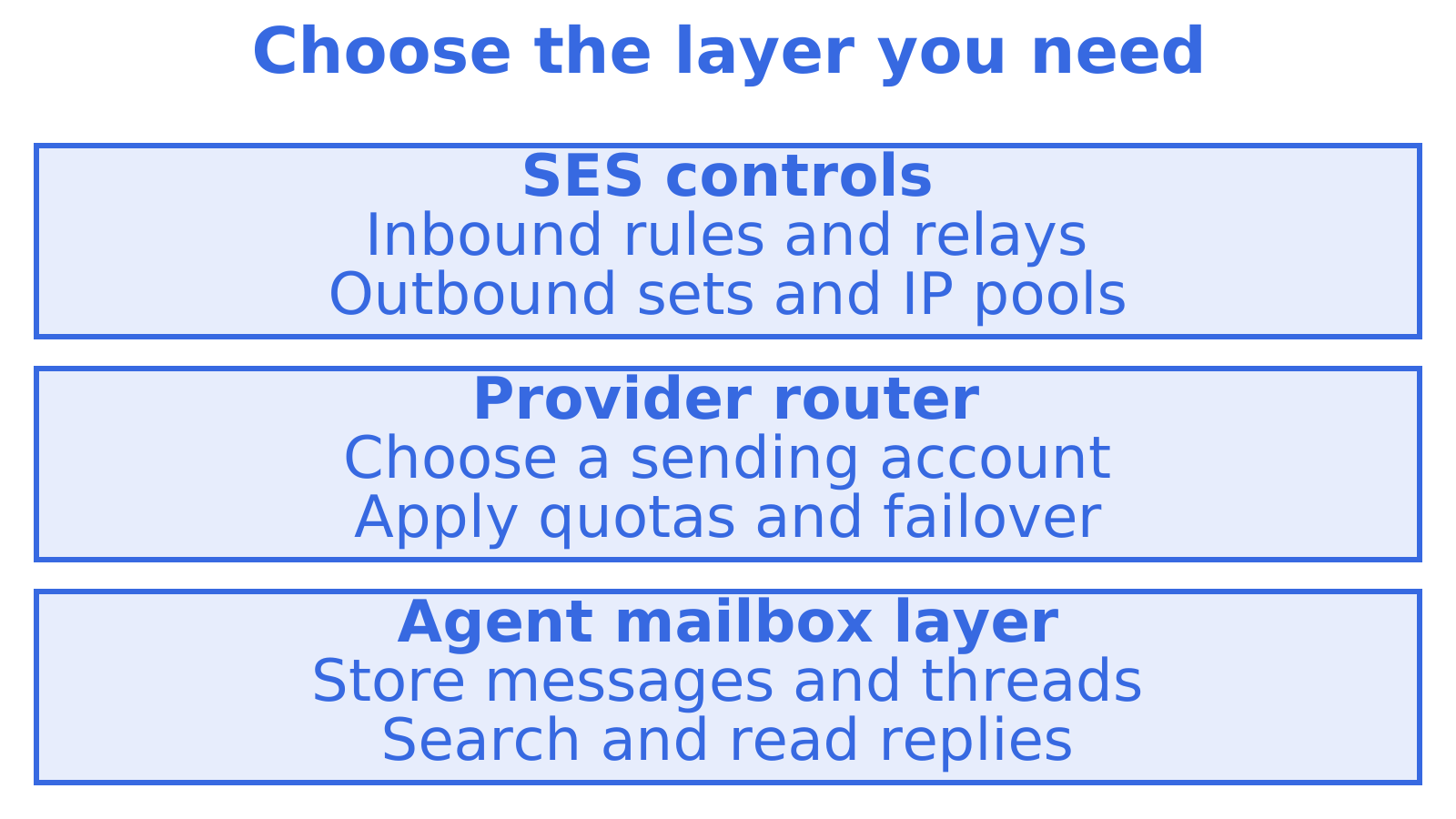
- Who reads the mail? For an agent that needs search and threads, you need a mailbox layer. If a person or pipeline reads it, check whether your existing mail system supplies that state.
- How many providers send? Configuration sets control sending within SES. With several providers or client-owned accounts, you need a separate provider-selection layer. Add quotas and weighting where needed.
- Who maintains the glue? Work out who owns parsing, storage and logs. If your team can't maintain that layer, include a managed mailbox service in the comparison.
- How many tenants? Before adding customer workspaces, decide how to keep keys, logs and suppressions separate.
- What is your failure plan? If your provider throttles you, should messages wait, retry or go through another provider? Write that behaviour down.
Try it before you commit
Start with the email sending API, or see inbound mailboxes for the receiving side.
Sources
Recommended
Frequently Asked Questions
Can Amazon SES route email between different providers?
No. SES routes within its own service using configuration sets, IP pools and Mail Manager rules. Switching between Gmail, Outlook, SMTP and SES needs routing code or a layer above the providers. We'd first decide what happens if the chosen provider can't send. Should messages wait, retry or use another provider?
What is the difference between SES receipt rules and Mail Manager?
Receipt rules are the older receiving mechanism, with actions such as S3 and Lambda. Mail Manager adds ingress endpoints, traffic policies, richer rule sets, archiving and SMTP relays. For a new inbound setup, we'd start with Mail Manager and map each receiving rule to its destination.
Does SES give each customer or agent a mailbox?
An agent needs somewhere to search messages and retrieve thread state. SES doesn't provide that persistent mailbox. You can build it with services such as S3, Lambda and a database, or use a mailbox API. At Sendmux, our view is that agents should query persistent mailbox state and let the platform handle the sending route.
Can I keep using SES if I move to Sendmux?
Yes. Keep SES for your AWS email pipeline if you need it. Sendmux includes a managed Amazon SES sending account alongside persistent mailboxes, and you can connect Gmail, Outlook and custom SMTP accounts. We'd choose according to whether the agent needs mailbox state and routing across providers in one API.
