Python Email: 3 Ways to Send, With Code and Mailbox First Workflows


For Python developers sending email in 2026, the options are the standard library (smtplib plus email), a provider HTTP API or SDK, and libraries such as python-emails or Red Mail. We lean towards a provider API or mailbox platform in production for deliverability, webhooks and attachment handling. smtplib suits local testing and tight control. With FastAPI or another async framework, use an async SDK or background worker to keep sending from blocking the event loop.
TL;DR:
- For FastAPI handlers, use an asynchronous SDK or move synchronous sends to a background worker; blocking calls stall the event loop.
- Store each provider acceptance ID and reconcile it with delivery, bounce, and complaint webhooks; an accepted request does not confirm inbox delivery.
- For ongoing conversations, retain message IDs and set reply and reference headers, or choose a mailbox service that tracks thread state for you.
- For multiple sender identities, verify SPF, DKIM, and DMARC for each domain, then check verification status before sending production traffic.
- When an API returns a rate limit response, back off exponentially and split large recipient lists into batches that fit the provider’s cap.
Table of Contents
1. Compare the three approaches and choose by project need
We'd ask what comes after the send. Do you need delivery tracking, reply processing or a one-off message?
- smtplib + email (standard library): you control MIME structure and the SMTP handshake without an external SDK or API key. You also own the relay, retries and deliverability monitoring.
- Provider HTTP API or SDK: look for acceptance IDs, templating and delivery webhooks. You'll manage API credentials and depend on the service. Inbox placement still depends on your sending setup.
- Higher-level libraries: these help with templating and CSS inlining. Check DKIM support and access to the provider-specific options you need.
smtplib works for prototypes and one-off scripts on a server you control. For a product sending transactional mail to customers, an API or SDK exposes acceptance IDs, bounce events and rate-limit headers that smtplib doesn't provide. Read the SMTP vs email API comparison before choosing a path, especially when migrating an existing script.
For template rendering or CSS inlining in HTML email, consider a higher-level library. Check custom headers, click tracking and dedicated IP pools separately. Access depends on the library and provider.
Pro Tip: Choose around the failures you'll face in production. Retrofitting deliverability fixes is far more painful than writing a slightly longer sending call today.
2. How to assemble a MIME message and attach files with the Python standard library
The email module's documentation covers building MIME messages and attaching files with EmailMessage.add_attachment, and smtplib handles the actual SMTP conversation. Here's a working pattern for sending a message with an attachment:
import mimetypes
import os
import smtplib
from email.message import EmailMessage

msg = EmailMessage()
msg["Subject"] = "Invoice attached"
msg["From"] = os.environ["SMTP_FROM"]
msg["To"] = "customer@example.com"
msg.set_content("Please find your invoice attached.")

file_path = "invoice.pdf"
ctype, encoding = mimetypes.guess_type(file_path)
maintype, subtype = ctype.split("/", 1) if ctype else ("application", "octet-stream")

with open(file_path, "rb") as f:
    msg.add_attachment(f.read(), maintype=maintype, subtype=subtype, filename=os.path.basename(file_path))

with smtplib.SMTP(os.environ["SMTP_HOST"], 587) as server:
    server.starttls()
    server.login(os.environ["SMTP_USER"], os.environ["SMTP_PASS"])
    server.send_message(msg)
A few practical notes for getting this running cleanly:
- Load credentials with
os.environor a.envloader instead of putting them in source code. Keep that environment file out of version control.
- When formatting or attachments look wrong, write the composed message to a
.emlfile withmsg.as_bytes(). Inspect the raw MIME structure there.
- During controlled debugging, inspect the SMTP conversation with
smtplib'sserver.set_debuglevel(1). Handle that output as sensitive data. It can include credentials and message content.
- If
send_messagesucceeds but the recipient can't find the email, inspect your SMTP relay's logs. Acceptance confirms the relay handoff. Inbox delivery needs separate checking.
3. Sending email with an attachment via a provider's HTTP API
Most provider /mail/send endpoints accept attachments either as base64-encoded content in the JSON body or as a multipart form upload, and SDKs typically wrap both patterns into a single helper method. A generic, vendor-neutral example using requests:
import base64
import requests

with open("invoice.pdf", "rb") as f:
    encoded = base64.b64encode(f.read()).decode()

payload = {
    "from": "billing@yourapp.com",
    "to": ["customer@example.com"],
    "subject": "Invoice attached",
    "text": "Please find your invoice attached.",
    "attachments": [
        {"filename": "invoice.pdf", "content": encoded, "type": "application/pdf"}
    ],
}

response = requests.post(
    "https://api.example-provider.com/v1/mail/send",
    headers={"Authorization": "Bearer YOUR_API_KEY"},
    json=payload,
    timeout=10,
)
response.raise_for_status()
message_id = response.json().get("id")
A few things worth knowing before you build on this pattern:
- SDKs add validation, automatic retries on transient errors, and sometimes an async client, which raw
requestscalls don't give you for free.
- Use an async SDK in a FastAPI async handler where one exists, or put blocking sends in a background worker. Synchronous sending blocks the handler's event loop until the call finishes.
- Save the returned
message_idor acceptance ID. Use it to connect later delivery, bounce and complaint events with the original send.
- Subscribe to your provider's delivery, bounce and complaint webhooks. A 200 response alone can't establish inbox delivery. For an async application, examine the
AsyncClientdocumented by Mailgun's SDK.
Read the send email in 4 lines walkthrough for another Python sending example, alongside your provider's API reference.
4. When higher-level libraries like python-emails and Red Mail make sense
Consider python-emails or Red Mail to reduce MIME assembly work. Verify the features below in your chosen library before building around them.
- Check template rendering and Jinja-style variable substitution for personalised sends.
- For email clients that strip
<style>blocks, check CSS inlining and test the rendered output in those clients.
- Find out how the library handles inline images and file attachments without manual MIME assembly.
- Check DKIM signing support and configuration for your SMTP provider.
- Before putting the library in an async service, check its async adapters.
Usually, you build a message object with the library, hand it to your configured SMTP or HTTP transport, then send it. For logs and failed attachments, look in the library's exception objects. Those are usually available in place of raw SMTP responses.
Templating and formatting take less work, but a higher-level library can restrict direct access to provider-specific headers, click tracking or advanced delivery options available through a native SDK.
5. Developer takeaways: attachments, routing and mailbox-first design
An agent or multi-tenant product needs a different assessment. Combining a sending provider, a Gmail OAuth hack, a separate parser and a webhook relay adds failure points. A mailbox-first API avoids those connections by giving each agent, customer or workspace a persistent mailbox with inbound parsing and event streaming built in, as described in Sendmux's mailbox-first approach.
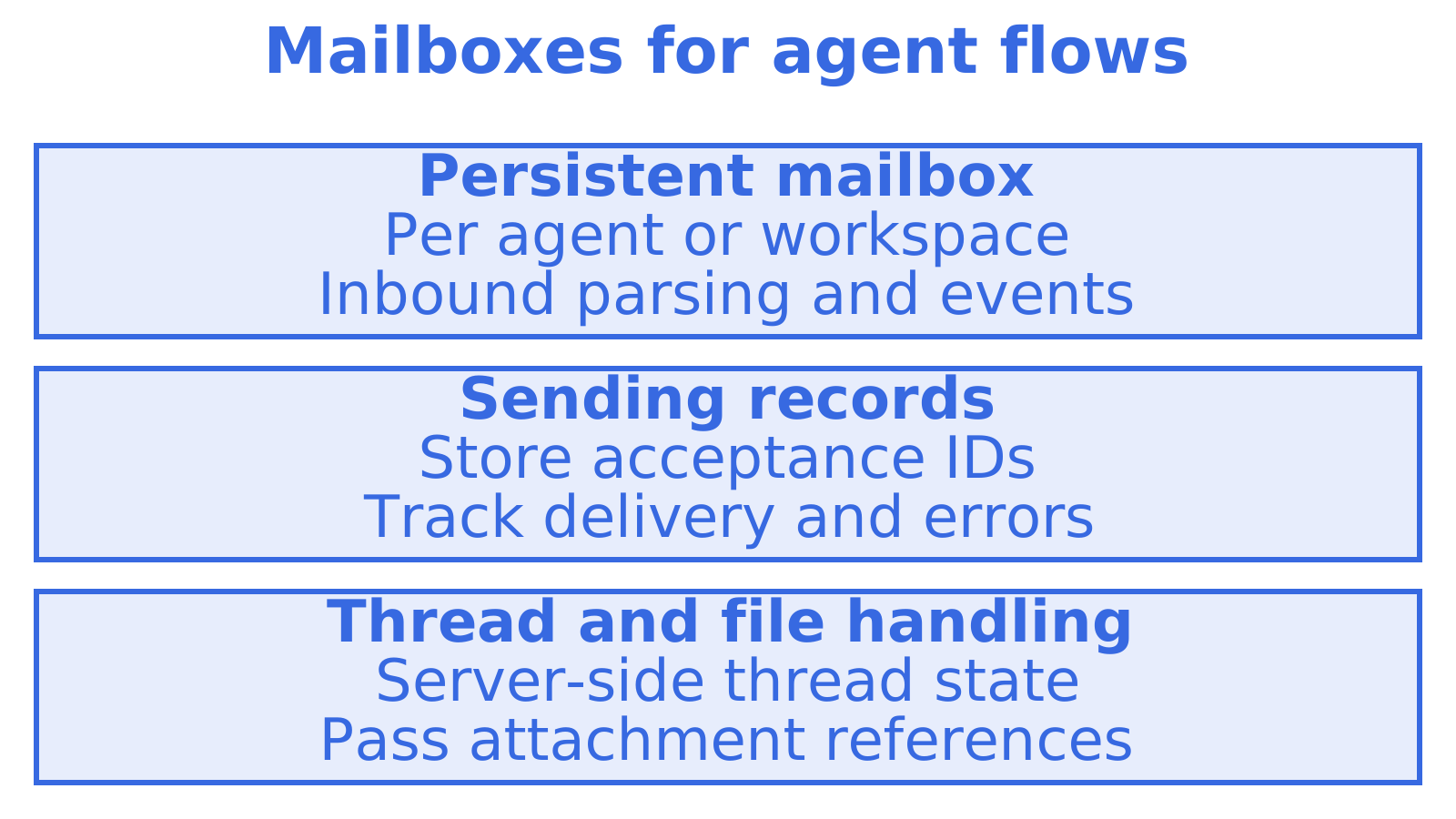
Pass attachment references where possible. Keep large file bytes out of model prompts, and download the content when an agent needs to process it.
Store acceptance IDs alongside provider errors and delivery events. That record should let you explain a message's state and decide whether to retry.
Pro Tip: Model "accepted by the provider" and "delivered to the inbox" as separate states. Combining them is the most common source of "we sent it but they never got it" support tickets.
6. Handling inbound email and connecting it to your Python client
Decide where raw inbound MIME becomes structured data when receiving email programmatically. Parse it yourself, or choose a service that delivers parsed payloads through a webhook, polling endpoint or stream. Your application needs to receive and retry that route reliably.
A Python webhook handler could validate a payload, extract its sender, subject, body and attachment references, then queue a support-ticket update. Return quickly. Processing work shouldn't hold up the handler's response.
If your script can't expose a public endpoint, look for polling or Server-Sent Events support. A stream uses an outbound client connection to read events as they arrive. Plan for disconnects and missed events too.
Retain the original MIME separately when extracting new reply text. Quoted history and signatures can obscure that text, but removing them should preserve the original record.
7. Threading emails and managing conversation state programmatically
Threading uses In-Reply-To and References. To send a reply, put the original message's Message-ID in In-Reply-To and append that same ID to References, allowing mail clients and APIs to reconstruct the conversation chain.
msg["In-Reply-To"] = original_message_id
msg["References"] = f"{existing_references} {original_message_id}".strip()
Store Message-ID values against conversation records when using smtplib, then build the reply headers yourself. Go beyond the simplest two-message example. Test multiple participants and a forwarded message before relying on it.
A platform-level approach manages threading directly. Replies, forwards and reply-all are single actions, saving manual MIME assembly, while server-side thread state tracks participants and read or unread messages without reconstructing everything from headers on each read. That matters when several people or agents share a mailbox.
8. Secure authentication beyond basic API keys
Keep static API keys out of logs and committed .env files. If scoped keys are supported, give the sending process only its required permissions. Keep billing and mailbox-reading access separate.
With OAuth 2.0, users authorise access to their Gmail or Microsoft 365 mailbox. Your application uses access tokens instead of storing passwords. Handle token expiry and refresh, along with revoked access.
Give an agent credentials scoped to its mailbox and required actions. Separate send, receive, read and update permissions where supported, and leave account administration credentials outside the agent's runtime.
9. Managing multiple sender identities and custom domains
Select the right sender and credentials for each message when a Python application sends for several brands. Set up SPF, DKIM and DMARC per sending domain. Use a received message to test authentication and alignment.
Pass a sender identity into your sending function instead of hardcoding an address. Before building the message, look up that identity's permitted domain and credentials. Reject any identity the caller lacks authorisation to use.
def send_as(identity, to, subject, body):
    sender_config = get_sender_config(identity)
    msg["From"] = sender_config["from_address"]
    # route through the matching provider account or mailbox
Decide whether customers in your multi-tenant product use custom domains, subdomains or a shared platform domain. Verify provider status before sending. Monitor SPF, DKIM and DMARC results as DNS and sending configuration change.
10. Rate limits and quota management when sending from Python
Providers impose limits on requests per minute, recipients per hour or messages per day. A limit hit mid-batch can cause silent failures or a flood of retries if your code doesn't handle it. Read the rate-limit headers or error responses, then back off before calling the API again.
A simple retry pattern with exponential backoff covers most cases:
import time

def send_with_backoff(send_fn, max_attempts=5):
    for attempt in range(max_attempts):
        response = send_fn()
        if response.status_code != 429:
            return response
        time.sleep(2 ** attempt)
    raise RuntimeError("rate limit exceeded after retries")
Set batch size from the provider's documented recipient cap. A hypothetical cap of 100 recipients would require multiple requests for a larger list. If you use several sending accounts, check each account's quota and health before assigning a batch.
11. What actually matters once you've picked an approach
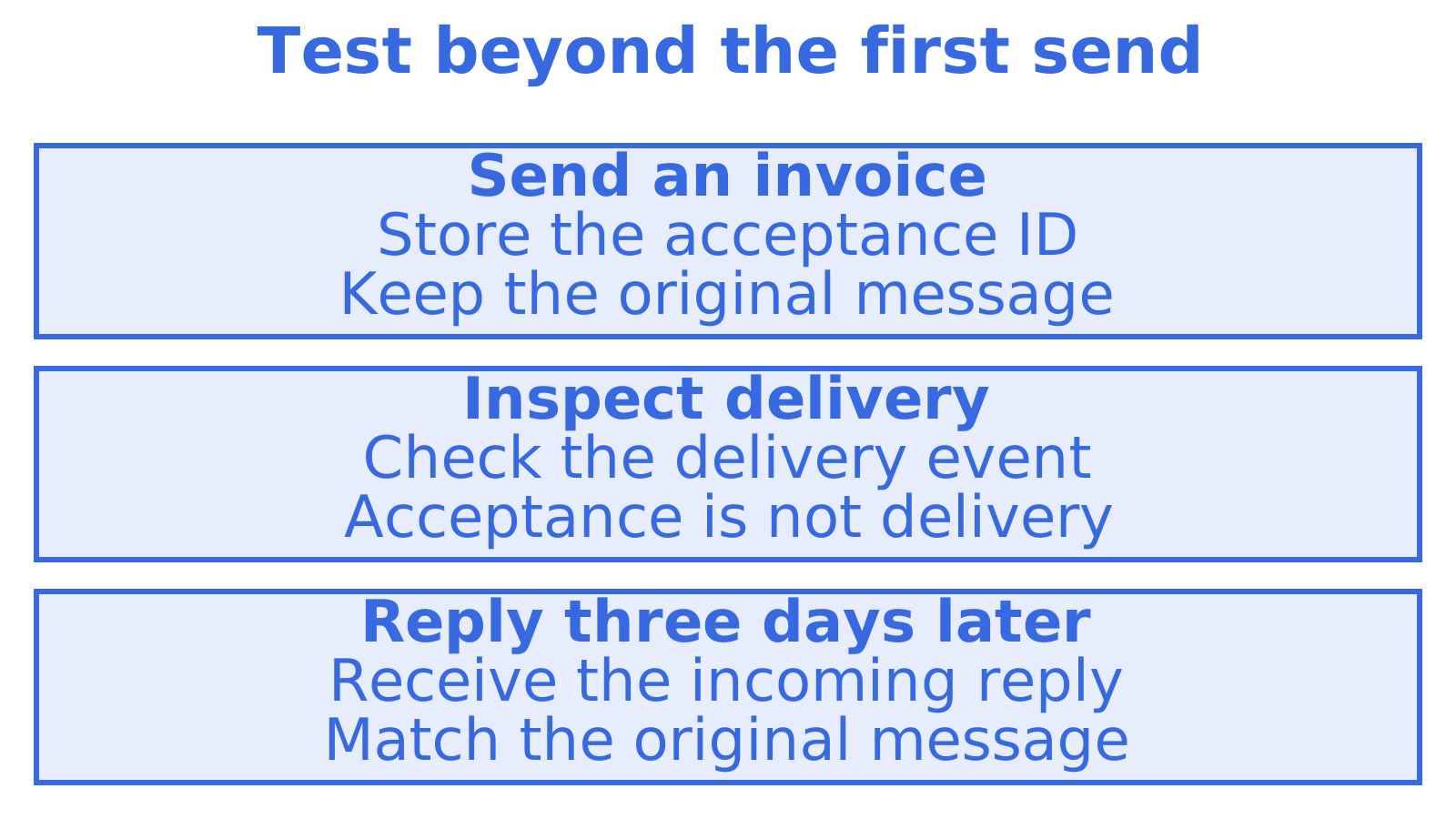
Before choosing a library, we'd test beyond the first successful send. Send an invoice and inspect its delivery event. Reply three days later, then check whether your application connects that reply to the original message.
Most copy-paste examples for Python email cover outbound sending alone. That suits a one-off script. For a support flow, agent or multi-tenant SaaS feature that expects replies, assess receiving and threading before optimising the sending call, because a fast send() function still leaves you to associate the eventual reply with its original message. Leaving that work downstream makes it harder to fix.
Learn message assembly or debug a relay with smtplib. Consider a provider API for delivery events and provider integrations. If your app holds ongoing conversations, test incoming replies and stored thread state before committing to a sending approach.
Try Sendmux for unified sending and mailboxes
If you're starting from scratch, sign up on the Free plan, check the Python SDK against your own sending code, and see how attachments and inbound threading work without the extra services. The pricing page covers Free, Pro and Enterprise details if you want the numbers before you commit.
Sources
Recommended
Frequently Asked Questions
What's the best way to send email with an attachment in Python?
We'd choose based on tracking after the send. In production, check attachment-size support and required delivery events in the provider HTTP API or SDK. For local tests or direct MIME control, use EmailMessage.add_attachment with smtplib and a suitable SMTP relay.
Is smtplib good enough for production email sending?
For low-volume or internal sending with a relay you control, smtplib works. You handle deliverability monitoring, retries and bounces yourself. Most teams sending to customers adopt a provider API as volume or deliverability stakes rise.
Do I need an async SDK if I'm using FastAPI?
Use an async client inside a FastAPI async handler, or put the blocking send in a background worker. A synchronous SDK or HTTP call blocks that handler's event loop until it finishes, delaying other work sharing the loop.
How do I know if an email was actually delivered, not just accepted?
Save the API acceptance ID to match delivery and bounce events later. Acceptance confirms receipt for processing. Check the meaning of the delivery event, since a recipient server accepting email proves neither inbox placement nor that someone read it. Complaints are a separate outcome.
What does Sendmux cost for a Python project?
Check Sendmux's Free, Pro and Enterprise plans on the pricing page. If your Python project has a hypothetical monthly budget of $0 or $7, review current terms and usage charges. We recommend comparing them against your expected sending, incoming mail and storage needs.
