Email API Pricing: Pay As You Go vs Tiers at Real Volumes

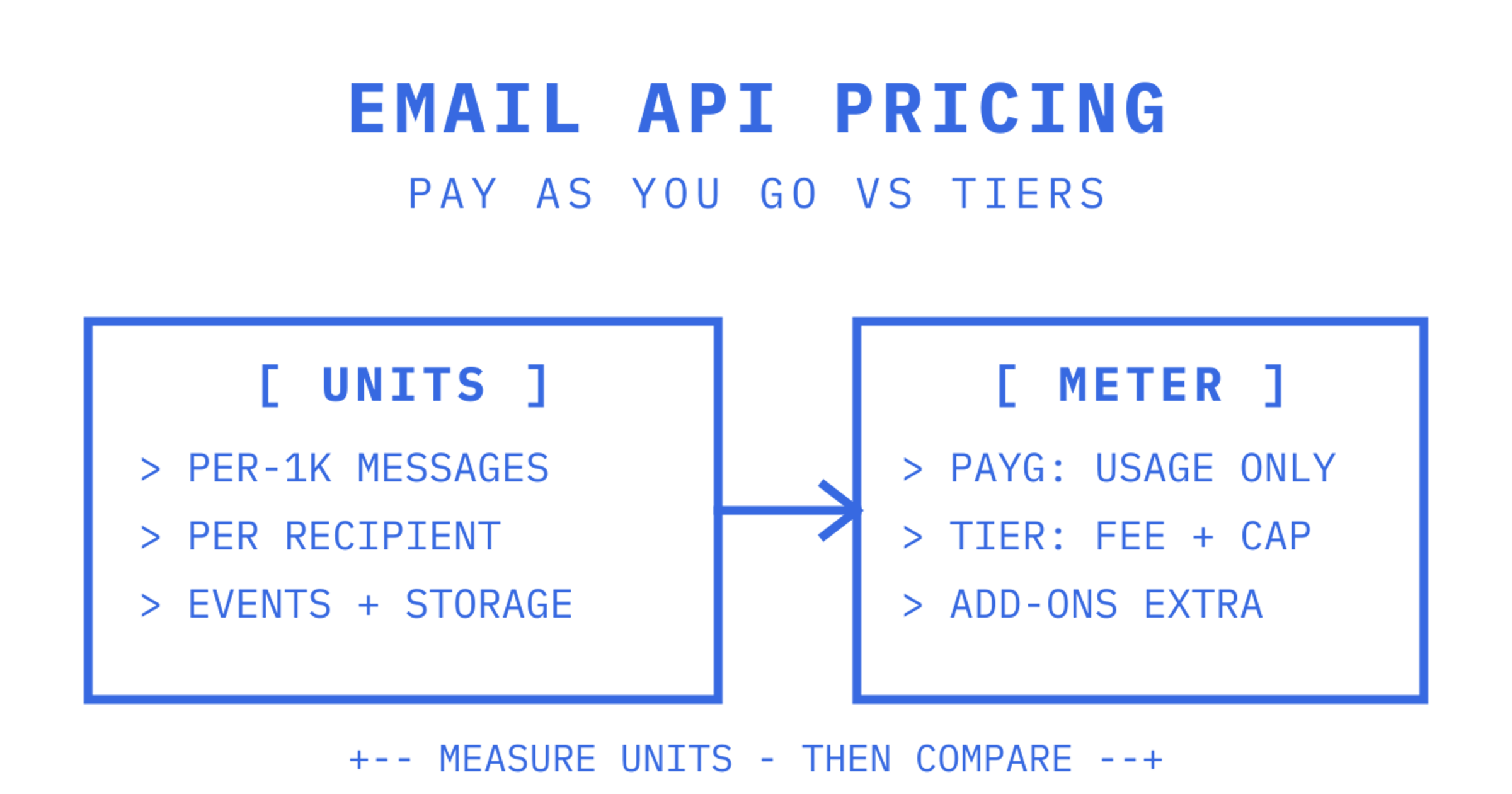
Pay-as-you-go pricing wins for most developer workloads because it scales with what you actually send, not with a plan tier you have to guess ahead of time. Tiered plans only beat it when your volume is stable and high enough to hit a real discount. The catch is that deliverability add-ons, attachments and inbound processing can quietly double a "cheap" per-1K rate, so the real next step is measuring your monthly messages, average recipients per message and payload size before comparing anyone's pricing page.
Email API pricing models explained: per-1K, per-recipient, and tiers
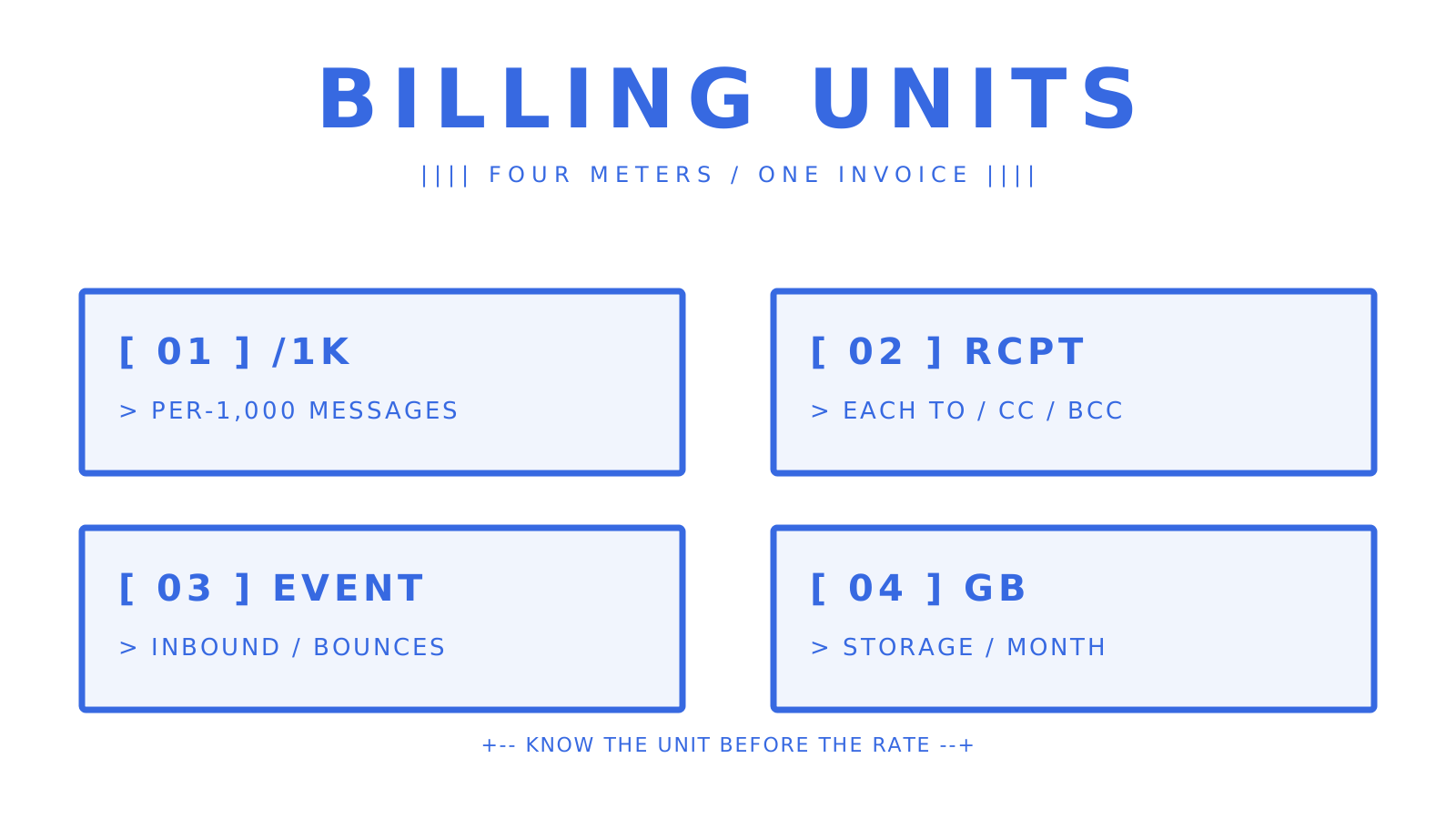
Every provider bills on one of a handful of units, and the label on the pricing page rarely matches how the meter actually runs. Get the unit wrong and your cost estimate is wrong by a multiple, not a rounding error.
- Per-1,000 messages: the classic unit, usually meaning per-1,000 accepted sends, not per-1,000 API calls.
- Per-recipient occurrence: each To, Cc and Bcc address on a message bills separately, so a single email to five people can bill as five units.
- Per-event: inbound deliveries, bounces, or webhook events each carry their own charge, common on mailbox-first platforms.
- Per-storage GB: attachments and mailbox history bill monthly by gigabyte held, separate from send volume.
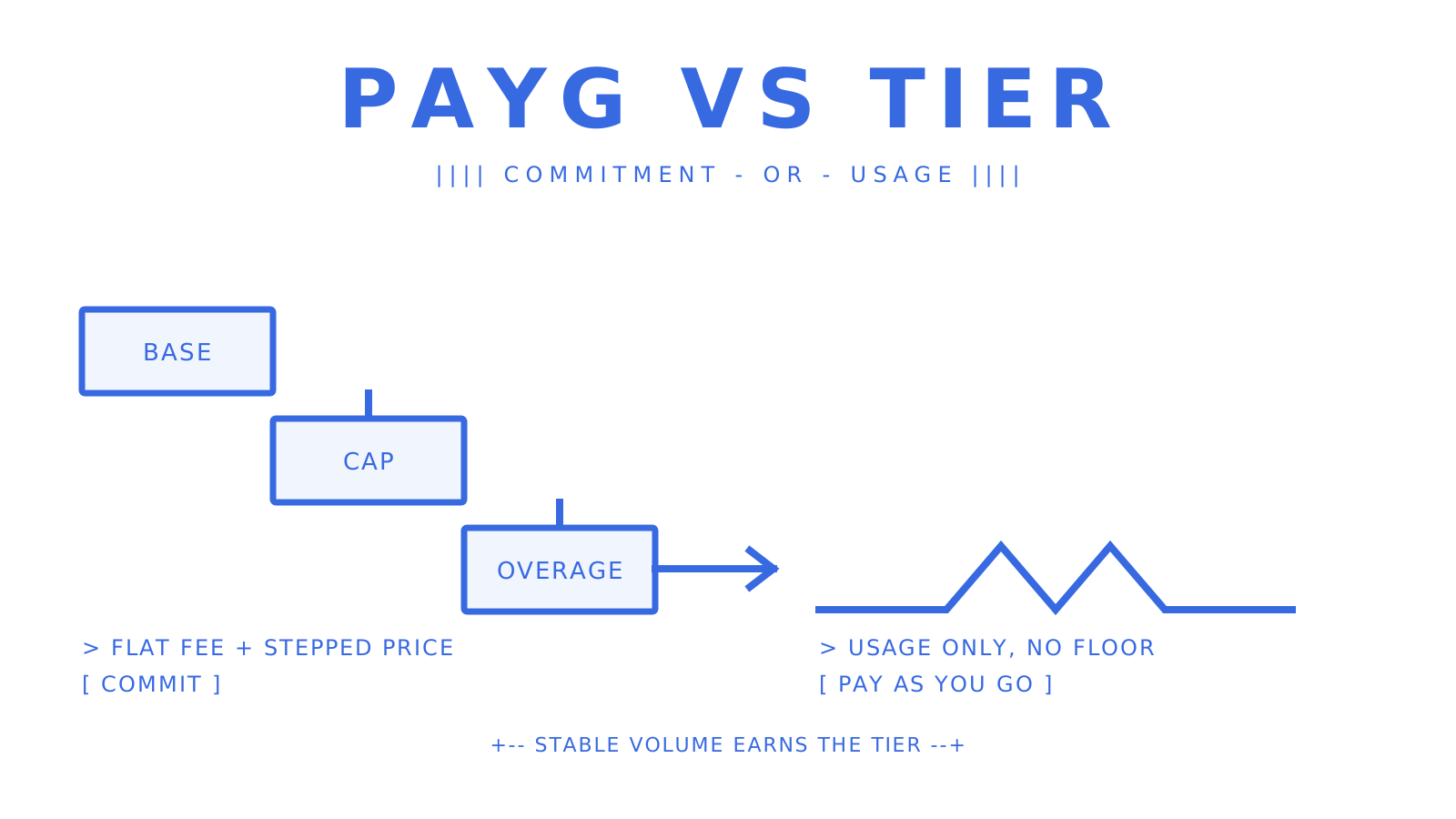
Tiered plans bundle a monthly block of sends into a flat fee, then charge overage once you exceed it, and it helps to compare those plan shapes side by side with a tool like APICostCalc's email cost calculator before committing. Pay-as-you-go skips the base fee entirely and charges only for what clears the provider. Amazon SES's pricing is the textbook pay-as-you-go example, with per-1,000 rates as low as $0.10 in its à la carte tier, plus separate line items for everything else.
That "everything else" is where budgets blow out: dedicated IPs, email validation, attachment or egress handling and inbound processing are almost always sold as add-ons on top of the headline rate, never folded into it.
What are the hidden costs in email API pricing?
The advertised per-1K rate is rarely the number that lands on your invoice. Engineer-focused comparisons of managed providers show per-1,000 rates ranging from roughly $0.25 to $1.50 once tooling and deliverability features are included, well above SES's raw infrastructure price, and that gap is the cost of not having to build deliverability tooling yourself.
Five line items catch most teams off guard:
- Dedicated IPs: often needed once you're sending tens of thousands a month, priced as a flat monthly add-on regardless of volume.
- Attachment and storage billing: charged per GB/month held, plus sometimes a per-message surcharge when a send includes a file.
- Validation and deliverability tooling: list-cleaning, bounce classification and premium support are frequently separate SKUs.
- Overage and stepped tiers: cross a plan's monthly cap and you're billed at a rate that can be markedly worse than the base tier's effective rate.
- Rate limits and quotas: a hard cap on requests per second forces batching or retries, and every retry that succeeds is a billed unit you didn't plan for.
Reviews tracking Mailgun's pricing structure specifically flag overage charges and stacked add-on fees as the items that most often turn a competitive quote into an expensive one. The pattern holds across vendors: the sticker price sells the plan, the add-ons pay the bills.
What does email API pricing look like at real volumes?
Here's the arithmetic developers actually need, using three volume bands with stated assumptions: average message size under 200KB, no attachments unless noted, one recipient per message unless noted.
- 1,000 emails/month: this sits inside most free tiers outright. Comparisons of managed providers note permanent free allowances around 3,000 messages a month on some platforms, which comfortably covers early-stage development and staging traffic at zero cost. Paying anything here usually means you've picked the wrong plan.
- 50,000 emails/month: pay-as-you-go and tiered plans start diverging here. A raw SES-style rate near $0.10/1,000 puts pure sending around $5, but add a dedicated IP for deliverability (typically a flat monthly fee) and the real cost jumps well past the raw send cost alone.
- 100,000 emails/month with attachments: assume 10% of messages carry a 1MB attachment and you run validation on new addresses. Storage and per-GB attachment charges, plus a validation add-on, can add 20 to 40% on top of base sending costs, depending on the provider's add-on pricing.
How to estimate your monthly email API bill
Step 1: record your real numbers. Monthly messages, average recipients per message, average attachment size, and whether you need inbound processing for replies.
Step 2: compute billed units. A workable formula is: (messages × average recipients) + inbound deliveries + storage GB. This single number is what you should be plugging into every vendor's calculator, not raw message count.
Step 3: compare totals, not headline rates. Run the same billed-unit number through pay-as-you-go and tiered pricing, add every relevant add-on, then compare final dollar figures. Tools like APICostCalc's email cost calculator are built for exactly this, since it normalises volume, message size and add-ons across providers so hidden costs surface before you commit.
Before picking a vendor, ask directly: what's the exact billing unit, how does rounding work, what's the overage rate, what are the rate limits, and what's the credit or refund policy on unused prepaid balance?
- Ambiguous billed units ("per email" without saying per-recipient or per-message) are a red flag.
- Hidden minimums and unclear storage or attachment charges are the second most common surprise.
Ask for the vendor's overage rate in writing before you sign up, not just the base tier price. A cheap entry tier with an aggressive overage rate is often more expensive than a simpler flat per-1K plan once you cross the cap.
How Sendmux prices email for agent and developer workloads
A provider bills per event, not per plan tier, with separate charges for outbound recipient occurrences, managed sending, inbound deliveries, and storage. Typical plans include Free, Pro with a monthly fee plus usage, and Enterprise available on contract. This matters for agent-scale platforms because you're billing on the same mailbox that receives replies, not stitching a separate inbound parser and webhook relay onto an outbound-only API. Details are on Sendmux's product page.
Do cancellation policies affect what you actually pay?
Pay-as-you-go providers generally have no contract to cancel: you stop sending, and your bill drops to whatever prepaid credit you have left. That's the model's biggest cost advantage over tiered commitments, and it's why most developers testing a new provider start there.
Tiered plans are a different story. Monthly plans typically let you downgrade or cancel at the next billing cycle with no penalty, but annual tiered contracts, common once you're negotiating custom volume discounts, often lock in a minimum monthly spend for the contract term regardless of actual usage. Read the fine print on auto-renewal specifically: some annual plans renew automatically at the same tier unless you cancel a set number of days ahead, which can trap a team that scaled down mid-year into paying for volume it no longer sends.
Enterprise contracts add another layer: minimum commitments, notice periods for downgrades, and sometimes early-termination fees tied to negotiated discount rates. If a vendor won't put its cancellation terms in writing before you sign, treat that as a pricing red flag on par with an ambiguous billing unit.
The practical rule for developer teams: stay on pay-as-you-go or a monthly self-serve tier until your volume is genuinely stable for several consecutive months. Locking into an annual commitment before you know your growth curve is how teams end up paying for headroom they never use.
How do enterprise deals and custom pricing actually work?
Published per-1K or per-recipient rates are the starting point, not the final number, once you're negotiating at volume. Every major provider, including Amazon SES, offers custom enterprise pricing that isn't listed publicly, and the discount usually scales with committed monthly volume plus contract length.
What typically gets negotiated beyond the base rate:
- Volume discounts stepping down the effective per-unit rate once you commit to a monthly floor.
- Dedicated infrastructure like dedicated IPs or dedicated sending pools, sometimes bundled into the enterprise rate rather than billed separately.
- Custom SLAs covering uptime and support response times, which self-serve tiers rarely offer at any price.
- Premium support, often a named account contact rather than a ticket queue.
The Enterprise tier runs on contract with custom pricing and usage rates in the same shape as Pro, plus options like dedicated IPs, custom SLAs, and premium support. This structure matters for teams provisioning large numbers of agent mailboxes, because the negotiated rate applies to the same per-event units rather than introducing a per-mailbox line item.
The honest advice for developers: don't ask "what's your enterprise price" in the abstract. Bring your actual billed-unit estimate from your own calculation, and ask the vendor to quote against that number specifically. Vague enterprise inquiries get vague quotes.
Does data centre region change your email API bill?
Region choice affects email API pricing less than it affects other cloud infrastructure, but it isn't neutral. Amazon SES, for instance, publishes regional pricing that varies slightly by AWS region, and cross-region data transfer for attachments or logs can add a small but real line item if your application and your email provider sit in different regions.
The bigger regional cost driver isn't the per-1K rate. It's compliance and residency requirements: if your business needs mail data to stay within the EU or a specific jurisdiction, you may be forced into a specific data centre or a provider that supports regional isolation, and that requirement can rule out the cheapest option entirely regardless of its headline rate.
Latency is the other underrated factor. If your application servers and your email API's SMTP or REST endpoints sit on opposite sides of the world, retries and timeouts under load can quietly inflate your billed units, since a slow round trip makes your own retry logic fire more often. Check where a provider's rate limits actually apply, region by region, before assuming a single global number tells the whole story.
For most developer teams sending from a single primary region, this is a secondary consideration behind billing unit and add-on costs. For multi-tenant platforms serving customers across regions, it deserves its own line in the estimate.
Practical trade-offs: cost, deliverability, and developer time
Cheapest infrastructure and best deliverability rarely arrive in the same box, and pretending otherwise wastes engineering time. Accepting a higher per-1K rate is worth it the moment your team would otherwise spend weeks building IP warmup, bounce handling and retry logic that a managed provider already ships.
Predictable per-unit pricing matters more for multi-tenant agent platforms than raw cost, because forecasting ten tenants' bills from one formula beats reconciling ten different plan tiers.
Before cutting over fully, test inbox placement on a small slice of real traffic. A provider that looks cheaper on paper can land in spam at a rate that costs you far more than the savings.
Sendmux pricing snapshot: what you'd actually pay
The service runs on three plans: Free, Pro, and Enterprise, with usage-based billing across all: charges per outbound recipient, managed sending, inbound mailbox delivery, and storage. No plan carries per-seat or per-mailbox fees, which is significant for those provisioning multiple mailboxes.
That shape fits three situations especially well: agent platforms giving every AI agent its own persistent inbox, multi-tenant SaaS products issuing a mailbox per customer, and any team tired of stitching a sending API, a Gmail OAuth workaround, a separate parser and a webhook relay into one fragile pipeline. Check the full pricing breakdown, start free to test real send and receive volume against your own numbers, or look at the Sending API and Inbound Mailboxes product pages if you want the technical detail before you commit. Enterprise pricing is custom and runs on contract, so reach out for a quote once your mailbox count is real rather than estimated.
Where to check the numbers yourself
Don't take any single article's arithmetic as final. Run Amazon SES's published rates as your pay-as-you-go floor, plug your own billed-unit estimate into APICostCalc's calculator, and cross-check developer-facing feature trade-offs against MailSlurp's platform comparison guide. Then check Sendmux's pricing page directly for current rates.
Sources
Frequently Asked Questions
Is email API pricing free to start with?
Most providers offer a free tier, though the size varies widely, from small trial allowances to permanent allowances around 3,000 messages a month on some platforms. Sendmux's Free plan gives one team $1 of starting credit and caps sending at 50 provider-accepted recipients per UTC day, which suits early testing rather than production traffic.
How much does it cost to send 1,000 emails?
At pay-as-you-go rates like Amazon SES's, raw sending can cost around $0.10 for 1,000 messages before any add-ons. Managed providers with built-in deliverability tooling typically charge more, in the range of $0.25 to $1.50 per 1,000, depending on the plan and features included.
Which email API is best for free usage?
It depends on volume: providers with larger permanent free allowances suit steady low-volume senders, while providers with small but flexible free tiers suit early testing. Sendmux's Free plan works well for developers testing agent mailboxes, since it includes two mailboxes and one connected sending account at no cost before you need to scale.
How can I send 1,000 emails for free?
Most transactional providers' free tiers cover 1,000 emails a month without charge, since that volume sits comfortably under typical free allowances. The practical limit to watch isn't the message count, it's the recipient-occurrence count, since CC and BCC on a message can push you over the free cap faster than message count alone suggests.
Why do email API prices vary so much between providers?
The spread comes down to what's bundled into the rate: raw infrastructure like SES sells sending capacity alone, while managed APIs price in deliverability tooling, dedicated IP options, and support. Comparing headline per-1K rates without accounting for these bundled features is the single biggest reason pricing comparisons mislead developers.
