Ship LangChain Email Agents Safely: 5 Decision Axes for Engineers

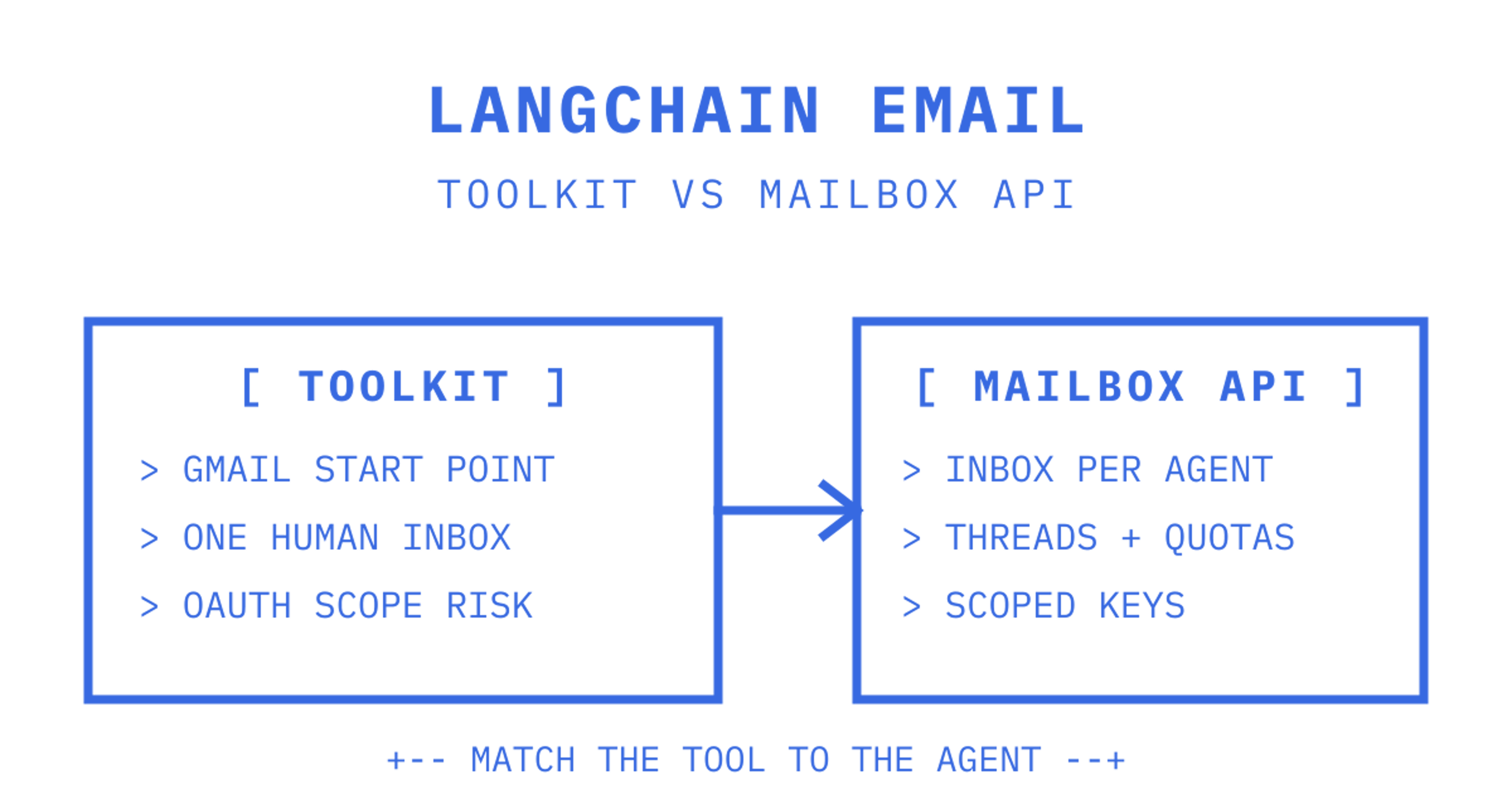
For Gmail specific agents, the LangChain GmailToolkit is a supported starting point. For anything outside Gmail, an IMAP retriever covers arbitrary mailboxes, and once you're running agents at scale across tenants, a dedicated mailbox API earns its keep through scoped credentials and structured inbound events. Which one you pick depends on how much control and isolation your workflow actually needs.
TL;DR:
- GmailToolkit is ideal for single-tenant Gmail agents that draft, search, and send emails, with per-account OAuth management required when used across tenants.
- Gmail push notifications can trigger history-ID reconciliation; polling can provide a fallback, with careful synchronisation to avoid duplicates or missed emails.
- For hundreds of mailboxes across tenants, evaluate a mailbox API's credential scoping, tenant isolation and structured inbound events.
- Implementing a full production setup involves secure credential management, idempotent message sending, detailed logging, and careful testing of edge cases.
- Restrict send privileges before testing drafts, and check webhook reconciliation and long-thread trimming.
Table of Contents
Choosing between GmailToolkit, IMAP and a mailbox API
The decision comes down to five axes: which provider you're on, whether you need to send or just read, how real-time the workflow must be, whether you need tenant isolation, and how many mailboxes you're eventually running.
- GmailToolkit fits single-tenant Gmail agents that draft, search and send through one Google Workspace or personal account.
- IMAP retriever fits generic or self-hosted mailboxes where you control the mail server but don't want a provider-specific SDK.
- Mailbox API fits multi-tenant products where every customer, workspace or agent needs its own inbox with scoped keys and webhook events rather than shared OAuth credentials.
A support bot reading one company inbox is a GmailToolkit job. A researcher agent scraping a legacy on-prem mailbox is an IMAP job. An AI SDR platform provisioning a reply address per customer is a mailbox API job, because per-account OAuth and IMAP polling add maintenance work; a mailbox API can provide scoped credentials and inbound events.
Wiring GmailToolkit into a LangChain agent
Getting a Gmail agent running takes a handful of steps, most of them one-time setup around credentials rather than code.
- Install the integration with
pip install langchain-google-community[gmail]and downloadcredentials.jsonfrom the Google Cloud console for your Workspace or personal project.
- Pick OAuth scopes deliberately:
gmail.readonlypermits search and retrieval, whilegmail.composepermits both managing drafts and sending emails.gmail.modifyalso permits sending. OAuth scopes alone don't enforce human supervision: leave the send tool out of the agent's toolset or require human approval before it runs.
- Build the API resource, instantiate GmailToolkit, then call
toolkit.get_tools()to retrieve the five bound tools: create draft, send message, search, get message and get thread.
- Pass those tools into
create_agent, then stream a request such as "draft a reply to the last message from this sender" to watch the tool calls execute step by step.
The GmailToolkit reference carries an explicit security note: these tools can read and modify account state, so scope minimisation matters more than convenience. Treat send as a privilege, not a default.
Pro Tip: Wire GmailCreateDraft first and leave GmailSendMessage out of the agent's toolset entirely until a human has reviewed at least a few dozen drafts.
Handling inbound mail without missing messages
Gmail doesn't push email content to you directly. Instead, users.watch registers a watch that returns a historyId and an expiry, and your job is to treat that notification as a trigger, then call history.list with the stored historyId to fetch what actually changed.
- Call
users.watchwith label filters to cut noise, since you rarely want every promotional email waking the agent.
- Renew the watch before it expires, since Gmail watches have a fixed lifetime rather than running indefinitely.
- If
history.listreturns a 404 because the storedhistoryIdis out of range, fall back to a full sync and persist the new basehistoryIdbefore resuming partial syncs.
- Deduplicate by persisting processed message IDs alongside your sync cursor, since retried webhooks and overlapping history windows will otherwise trigger the same draft twice.
Gmail's own sync guidance is explicit on this point: synchronisation should start with a full sync, then move to partial syncs via history.list with startHistoryId, only falling back to full sync when the stored cursor is no longer valid. Getting this reconciliation loop right is what separates a demo from something that survives a dropped webhook at 2am.
Building an interruptible email workflow with LangGraph
Once an agent does more than draft on request, a single tool-calling loop stops being the right shape. LangGraph lets you break the workflow into durable, testable nodes that can pause for a human and resume later.
- Read the inbound message and normalise it, stripping quoted history and signatures before anything touches a prompt.
- Classify intent and urgency as a structured object rather than free text, so downstream nodes route deterministically.
- Enrich with context from a CRM, ticketing system or your own retrieval layer, as a graph node rather than inside the LLM call.
- Draft a response, then hit a human review interrupt before the send node ever fires.
- Send only after approval, with retries on transient provider errors handled separately from retries on a bad draft.
The Agents-from-Scratch materials model exactly this shape: triage, retrieval, drafting, human-in-the-loop review and send as separate stages, with evaluation and memory layered on top. Storing only structured state at each node, rather than the full email thread, keeps prompts small and keeps each node independently testable.
Production checklist before you turn on automated sends.
Before an email agent touches a real inbox in production, run through a short list of operational controls.
- Keep OAuth secrets and API keys server-side, and issue scoped mailbox credentials or service accounts rather than one shared login for every agent.
- Normalise MIME content and strip quoted history before prompting, which cuts token usage and removes stale context the model shouldn't be reasoning over.
- Make every send idempotent and log each tool call, since a retried request should never produce a duplicate email.
- Handle bounces and complaints as events rather than errors to swallow, and add approval gates plus rate limits on anything that sends unsupervised.
Pro Tip: Log tool-call metadata and, when needed for diagnosis, redacted prompts and provider responses separately. Remove credentials and unnecessary personal email content, restrict access and set retention limits.
The linked beginner tutorial covers general LangChain agents, rather than this email-specific split. For workflow design, separate the mailbox action tools an agent calls for retrieval and send, and the inbound event path that wakes the workflow and drives sync. Architect them as two separate concerns and both get easier to test.
Testing and rolling out safely from dev to production
Local development should run against replayable fixtures and a limited test mailbox, so you can verify idempotency without touching a real inbox. Feed the same webhook payload twice and confirm the agent doesn't send twice.
Staging is where you exercise the human-in-the-loop path deliberately, along with edge cases like attachments, unusual encodings and long quoted threads that break your stripping logic. This is also where you deliberately trigger a 404 on history.list to confirm the full sync fallback actually works.
In production, enable tracing so you can see the full path from inbound event to sent message, and watch provider health alongside delivery logs. Alert on bounce and complaint spikes rather than discovering them a week later in a deliverability report. Teams building out this kind of operational maturity around automation more broadly will recognise the pattern from broader marketing automation checklists, where staged rollout and alerting matter as much as the automation itself.
What most teams get wrong with email agents
Giving a model unrestricted send access before testing wrong drafts creates a risk. Gate every send, and deliberately test the unsafe cases, not just the happy path.
Trusting push notifications as if they carry the actual message creates another risk. They don't. Reconcile through history cursors every time, and trim quoted history aggressively, because token cost creeps up fast on long threads.
An agent-native mailbox as an alternative to stitching Gmail and IMAP
GmailToolkit and IMAP both work well until you're running dozens or hundreds of mailboxes across tenants, at which point OAuth-per-account and polling-per-inbox turn into their own maintenance project. That's the gap a mailbox API is built to close.
- Every agent, customer or workspace gets a persistent mailbox with a real address, rather than a shared inbox parsed by keyword.
- Scoped mailbox keys replace one shared OAuth login, so a compromised key exposes one mailbox, not the whole account.
- Threaded messages and signed webhooks mean you're reconciling structured events instead of rebuilding a Gmail-style history sync yourself.
- Outbound routing across Gmail OAuth, Microsoft 365, custom SMTP or a managed Amazon SES account gives failover without picking one provider forever.
Some providers offer mailbox and sending covered through a single API rather than a provider plus a parser plus a webhook relay stitched together by hand. It's worth evaluating once mailbox count starts to matter more than message volume, so compare usage-based pricing on the Sendmux pricing page with per-inbox billing against your expected usage. Teams wanting the inbox side specifically can start with the inbound mailboxes product page.
Sources
The Gmail toolkit reference documents every bound tool and their expected inputs. Google's users.watch reference covers push notification setup, and the accompanying sync guide explains the full versus partial sync pattern in detail. For workflow structure, the Agents-from-Scratch repository provides a worked example of triage, drafting, review and send as a LangGraph pipeline.
Frequently Asked Questions
What is the LangChain GmailToolkit used for?
GmailToolkit is a set of five bound tools, create draft, send message, search, get message and get thread, that let a LangChain agent operate a Gmail account through the official Gmail toolkit integration. It's the standard starting point for a Gmail-specific email agent rather than a generic mailbox solution.
How do I get real-time email notifications in a LangChain agent?
Register a Gmail push subscription with `users.watch`, which returns a `historyId` and expiry, then call `history.list` with that `historyId` whenever a notification arrives, as described in Google's watch reference. Treat the notification as a wake-up trigger only, never as the message content itself.
What happens if my stored Gmail historyId expires?
`history.list` returns a 404 error once the stored `historyId` falls outside Gmail's retained range, and the official sync guide recommends falling back to a full sync in that case. After the full sync completes, persist the new base `historyId` so partial syncs can resume.
Should I use GmailToolkit or an IMAP retriever?
Use GmailToolkit when you're integrating specifically with Gmail or Google Workspace and want draft, search and send tools out of the box. Use an IMAP retriever when your mailbox isn't on Gmail, or when you want a provider-agnostic connection instead of a Google-specific SDK.
Is a mailbox API better than GmailToolkit for multi-tenant agents?
For a single Gmail account, GmailToolkit is a documented option. When every customer or tenant needs a separate mailbox with scoped credentials, evaluate a mailbox API such as [Sendmux](https://sendmux.ai). Managed mailboxes can avoid per-tenant provider OAuth, while connected Gmail or Microsoft 365 accounts still need their own authorisation. Structured inbound events can replace a Gmail-specific history-sync implementation.
