Per-Tenant Email Identity for SaaS and AI Agents

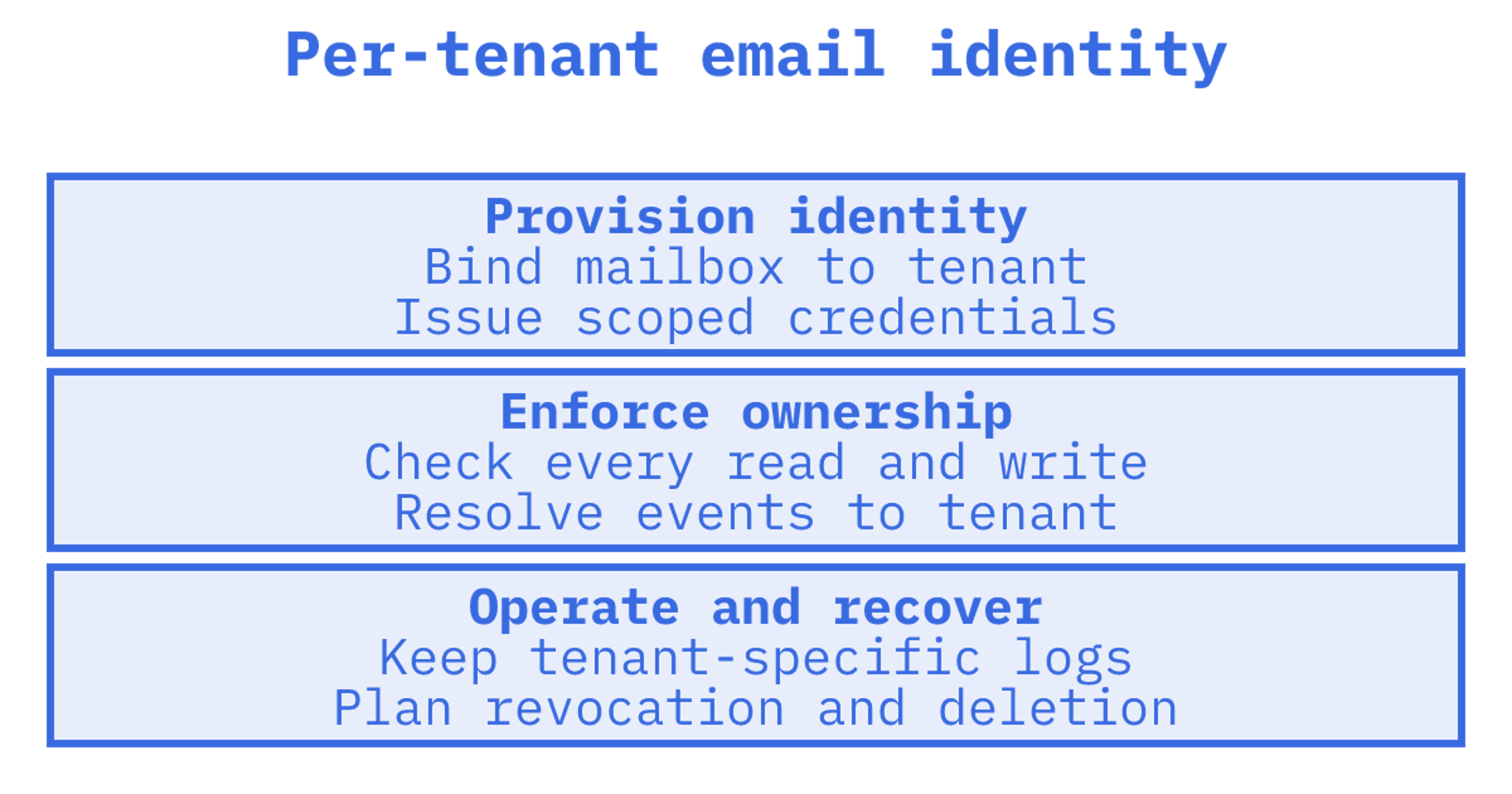
A per-tenant email identity is a distinct sending and receiving identity for each customer, workspace, agent or environment in your product: its own address, its own credentials, its own authenticated domain, its own logs and its own limits. The reason to build it is blast radius. When one tenant bounces mail, trips a provider limit or loses a token, the other tenants should never notice. This guide covers how to choose a model, provision the identity, isolate it, authenticate it and keep it running.
TL;DR
- Give every tenant a real, persistent mailbox bound to a tenant ID, not a shared sender address with a tag in the subject line.
- Isolate four things separately: credentials, message storage, permissions and audit logs. Isolating only one leaves gaps.
- Authenticate each custom sending domain with SPF, DKIM and DMARC, and track quotas per tenant, because providers track volume by domain and IP.
- Plan the unhappy paths early: token revocation, tenant deletion, bounces, rate limits and provider failover.
- Prefer one API for send, receive, threading and logs, so tenant context travels with every request.
Table of Contents
What a per-tenant email identity actually means
In a single-company setup, "the email identity" is one domain and one set of senders. In a multi-tenant product that stops working. Your customers each expect mail to come from, and replies to return to, an address that belongs to them. If your AI agents handle email, each agent needs a place where its conversations live, and that place must not be visible to any other agent or customer.
A complete identity has five parts:
- An address. A real mailbox such as
support@example.com, or an address on a platform-provided domain while the customer is getting started.
- Credentials. The keys, tokens or SMTP logins that let your system act as that mailbox, scoped to that tenant only.
- A sending reputation. The domain and IP history that receiving providers attach to that tenant's mail.
- A message store. The threads, folders, attachments and keywords the tenant or agent reads and writes.
- A log trail. Delivery events, bounces, suppressions and access records that can be filtered by tenant.
The problems this solves are practical. A noisy tenant cannot burn the reputation of a quiet one. A support agent for one customer cannot read another customer's replies. An auditor can ask what happened to a single tenant's mail and get an answer without exposing anyone else's.
The idea is not unique to email. Microsoft's own admin tooling has moved towards tenant-level controls on outbound mail: Exchange Online now applies a tenant-wide limit on external recipients, known as TERRL. That is a reminder that providers already reason about mail at the tenant level, so your product should too.
Choose your model: dedicated mailbox, shared mailbox or connected account
There are three common ways to represent a tenant's identity. The right one depends on who owns the address and who needs to read it.
| Model | Best for | Isolation | Main risk |
|---|---|---|---|
| Dedicated mailbox per tenant (or per agent) | Support agents, per-customer inboxes, scheduling and research agents | Strongest: separate store, keys and logs | Provisioning volume, so it must be automated |
| Shared mailbox with tenant-specific routing | A small team monitoring one common address | Weaker: isolation depends on routing rules and permissions | A routing bug exposes one tenant's mail to another |
| Customer's connected Gmail or Outlook account | Tenants who insist on sending from their own existing mailbox | Depends on the customer's account and token health | Token expiry, revocation and provider rate limits you do not control |
When a shared mailbox is the right call
Shared mailboxes have a legitimate job. Microsoft Learn describes an Exchange shared mailbox as suited to a group that monitors and sends from one common address. It also notes that Full Access allows mailbox actions, while Send As or Send on Behalf is additionally required to send as that mailbox. That is a human-team pattern. It works because the people share a purpose. Tenants in a SaaS product do not share a purpose, so using a shared mailbox for them turns a permissions model into your only barrier.
When to connect a customer's own account
Some tenants want mail to leave from the Gmail or Outlook account they already use, especially in outbound sales. That is a valid choice, but treat it as a delivery route attached to a tenant identity, not as the identity itself. The tenant still gets its own mailbox and logs in your system, and the connected account becomes one provider among several. That way a revoked token degrades one route rather than erasing the tenant's history.
Gmail OAuth adds complexity here. Google documents that OAuth scopes are defined at the user level, and that managing mail across different users in a domain requires domain-wide delegation through service accounts. In practice, that means each connected account is its own authorisation to manage, and a product with thousands of tenants ends up managing thousands of grants.
For most multi-tenant products and agent fleets, our default advice is a dedicated mailbox per tenant, with connected accounts added as optional outbound routes.
Provision the identity and bind it to a tenant
The key design rule: the tenant ID is attached to the identity at creation and never inferred afterwards. AWS Prescriptive Guidance on multi-tenant agentic systems says a tenant must be bound to an identity that spans collaborating agents, so each agent can resolve identity and authorise access consistently. For email, that translates into a simple provisioning sequence.
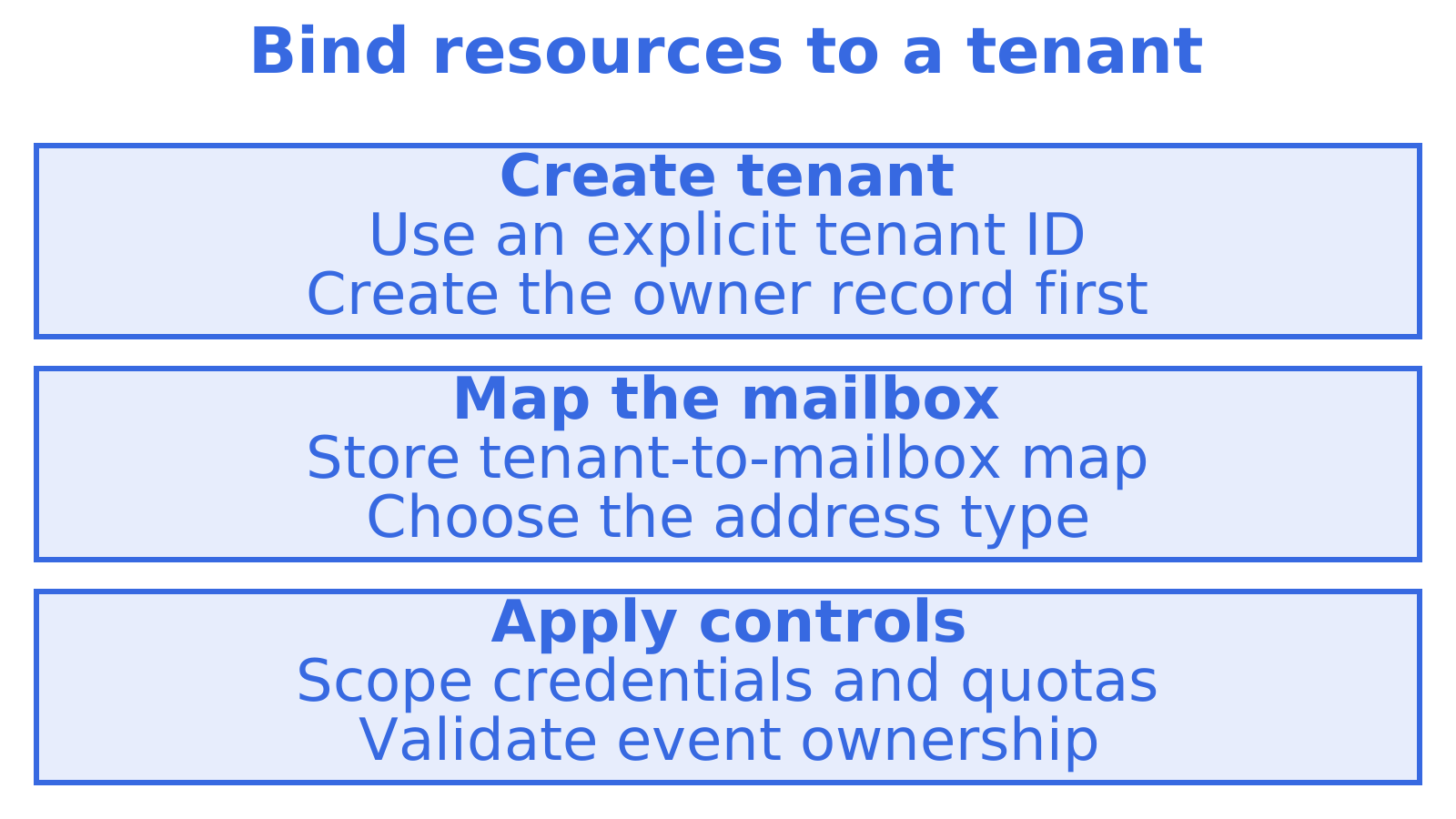
- Create the tenant record first. The tenant ID is the parent of everything that follows.
- Create the mailbox with the tenant ID as metadata. Store the mapping in your own database as well, so you can reconcile it later.
- Choose the address type. Start on a platform domain so the tenant can send and receive in minutes, then move to a verified custom domain when they are ready.
- Issue a tenant-scoped key. Never reuse a master key in tenant-facing code paths.
- Set quotas at creation. A per-mailbox sending cap and storage cap prevent a runaway agent loop from becoming an incident.
- Register webhooks or an event stream per tenant. Events should arrive carrying the tenant and mailbox identifiers.
For agent products there is a seventh consideration: onboarding without a human. If an agent needs a mailbox the moment it is created, DNS setup by a person is a bottleneck. Platform-provided addresses that work immediately, with custom-domain verification layered on afterwards, remove that wait.
With Sendmux's multi-tenant email infrastructure, you can create a mailbox for an agent, customer, workspace or tenant on the included @myagent.mx domain or a custom domain verified for sending and receiving. Self-registered agents can read and receive mail immediately, while sending requires owner acceptance and explicit approval.
Isolate credentials, messages, permissions and logs
Isolation is four separate problems that people often treat as one.
Credentials
The AWS guidance defines tenant isolation as ensuring one tenant cannot access another tenant's resources, and says tenant context should flow with each request and be used to obtain tenant-scoped credentials. Apply that directly: the code path that sends a message for tenant A should be unable to fetch a credential for tenant B, even by mistake. Pass the tenant context in, derive the credential from it, and fail closed when the context is missing.
Messages
Store each tenant's mail in a separate mailbox, not in a shared table filtered by a column that one forgotten WHERE clause can bypass. Retrieval should be precise too. An agent that lists an entire inbox to find one reply wastes tokens and widens exposure. Filtering by folder, thread, sender, subject, date range or keyword, counting without returning rows, and using change tokens to sync only what is new keeps each call small and each agent focused on its own data.
Permissions
Give agents the narrowest scope that lets them work. A research agent that only reads inbound mail should hold a key that cannot send. A sending agent for one workspace should not be able to list another workspace's mailboxes. Microsoft's isolation-key guidance for hosted agents illustrates why platform-enforced partitioning beats application-level discipline: a single deployed agent can serve many users while different keys keep sessions, conversations and files invisible across tenants. The same principle applies to mail. Let the platform enforce the partition rather than hoping each prompt or query remembers it.
Audit logs
Every event, whether a send, a delivery, a bounce, a suppression or a read, should carry tenant and mailbox identifiers, so you can export one tenant's trail without touching another's. This matters most when a customer disputes whether a message was delivered, or when a security review asks who accessed what. If you are moving an existing shared setup to this model, our seven-step tenant email isolation guide walks through the migration, and the suppression and isolation checks give you a test list to run before cutover.
There is also a design question about how the identity is represented inside your own product. Teams piloting AI mail handling often start with AI email triage pilots, and the same lesson holds there as here: decide how each tenant's identity is modelled and separated before the automation goes live, not after.
Authenticate each tenant's domain
When tenants send from their own domains, each domain needs its own authentication. Google's sender guidelines say to set SPF and DKIM for each sending domain, and to set DMARC, valid forward and reverse DNS and TLS. They also say that senders above 5,000 messages per day to Gmail should keep spam rates below 0.30%, and that the From domain should align with SPF or DKIM for direct mail.
That has direct consequences for a per-tenant design:
- One domain per tenant means one reputation per tenant. A tenant with poor list hygiene harms only their own domain.
- Alignment must be checked per domain. If you send on behalf of tenants through a shared infrastructure, confirm the visible From domain aligns with the DKIM signing domain or the SPF domain.
- DMARC rollout should be gradual. Start in monitoring mode, read the reports, then tighten. Our DMARC for SaaS rollout guide covers the sequence, and the SPF, DKIM and DMARC setup guide covers the records themselves.
At scale, the work is not understanding the records. It is applying them across many sender domains without a human copying values into a DNS panel hundreds of times. Automate the verification check and surface the status per tenant, so support can see in one place which domains are verified and which are still pending.
Sending, threading and inbound routing
A mailbox that can only send is half an identity. Replies must come back to the right tenant and the right conversation.
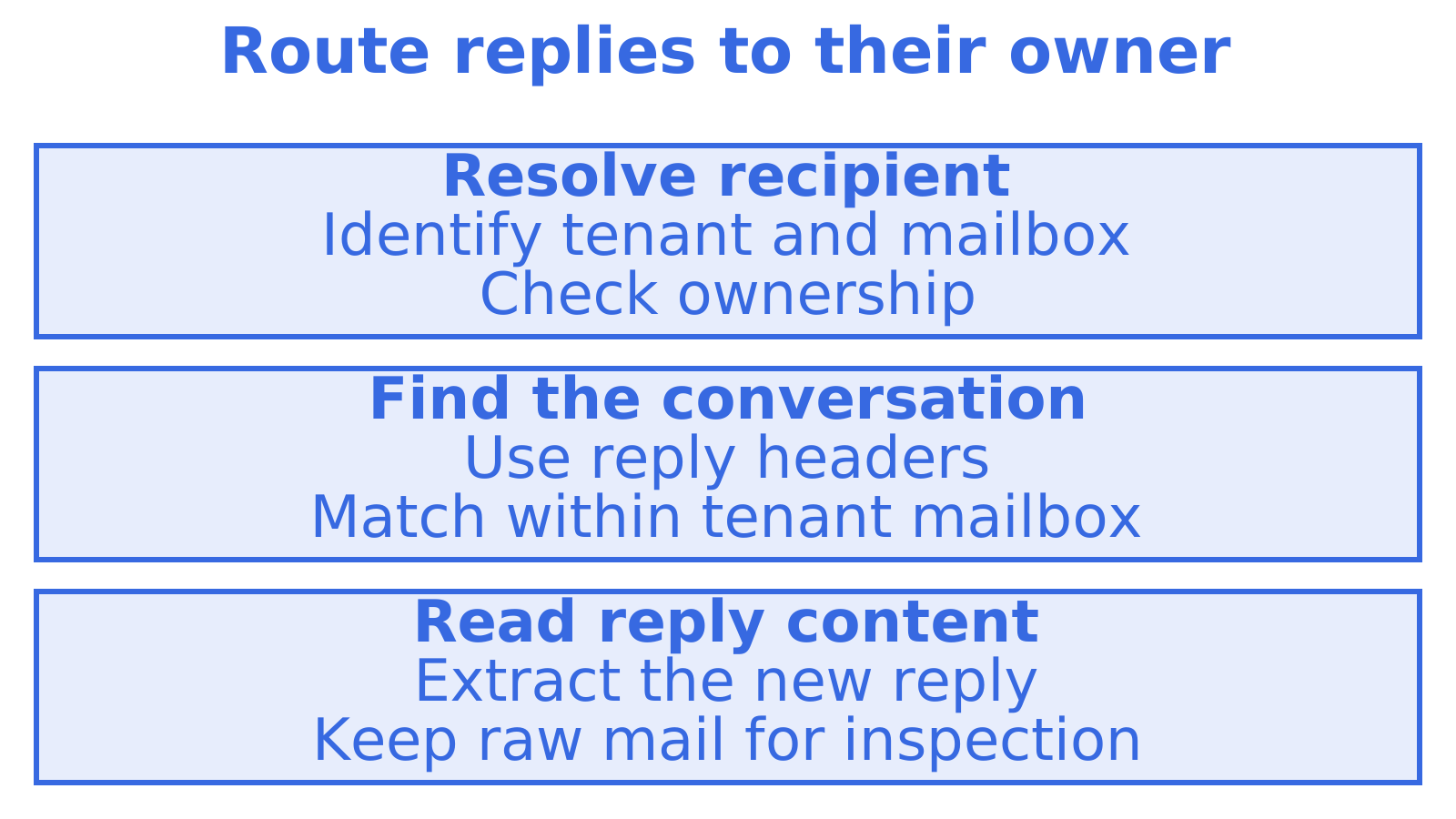
Threading. Replies are matched using the standard In-Reply-To and References headers. Ever Works documents this approach for agent email, matching a reply against the same agent's own mail and thread participants. Your sending call should set these headers when answering a message, so the recipient's mail client and your own thread view both group the conversation correctly. Our email reply threading guide explains the headers and thread IDs in more detail.
Inbound routing. Decide the routing key before mail arrives. The cleanest option is that the recipient address itself resolves to a tenant, because each tenant has its own mailbox. If you must route by rule, for example on a shared inbound address, treat the rule set as security-critical code with tests.
Transport. REST is the natural interface for new builds. Many teams also need SMTP relay for legacy senders and IMAP for tools that expect it. Webhooks or an event stream beat polling loops, because the tenant learns about a reply when it happens and your system does not hammer an inbox on a timer.
Clean content for agents. Agents work better on the new reply than on a raw MIME thread. Receiving cleaned text with quoted history stripped, while keeping the raw original available, cuts token cost and parsing errors.
Handle revocation, deletion, bounces, limits and failures
The happy path takes a week to build. The failure paths decide whether you can trust the system in production.
Token revocation and expiry
When a tenant's connected Gmail or Outlook token is revoked or expires, mark that route unhealthy, stop sending through it, alert the tenant and fail over to another route if one is configured. Do not retry in a tight loop. Keep the tenant's mailbox, history and logs intact, so reconnecting restores service without losing anything.
Tenant deletion
Decide up front what deletion means. A sensible sequence is: disable sending first, revoke the tenant's keys, stop webhooks, export or retain data according to your contract and legal obligations, then delete the mailbox and its storage. Keep the suppression list for the domain if the same tenant may return, so previously unsubscribed recipients stay unsubscribed.
Bounces and suppressions
Hard bounces should add the recipient to a per-tenant suppression list automatically. Suppressions should be scoped to the tenant, because one tenant's unsubscribed contact is not necessarily another tenant's.
Rate limits and provider failures
Providers limit volume, and they do so at several levels. Google says sending quotas are tracked by domain and IP, that IP quotas are shared by every sender on that IP, and that sudden volume increases can bring rate limiting or reputation problems. Its advice is steady volume, monitoring, and reducing volume when bounces or delays appear. Microsoft applies its own tenant-level external recipient limit in Exchange Online. Our Gmail sending limits explainer covers the daily caps in detail.
The design response is per-tenant and per-provider quotas, weighted distribution across providers, and failover when one returns errors. A single provider connection is a single point of failure for every tenant behind it.
Our perspective
We talk to a lot of founders building agent products, and the same story repeats. They start with a sending provider, add a Gmail OAuth integration when a customer asks to send from their own account, bolt on a parser for replies, add a webhook relay, and end up with five vendors and five bills. Then a token expires on a Friday evening and nobody can say which tenant's mail was affected.
Our view is that the identity should be the foundation, not an afterthought. A tenant, a workspace or an agent should get a real mailbox with a real address. Sendmux provides sending, receiving, threading, routing and logs through its Sending, Mailbox and Management APIs. Connected Gmail OAuth, Outlook and SMTP accounts provide outbound routes with configurable quotas and weights. The managed Amazon SES account has a fixed routing weight.
We also think pricing should not punish you for doing the right thing. Per-inbox pricing makes a mailbox per tenant expensive precisely when you scale, so we use a flat team plan plus usage fees. The teams that move fastest in this space are the ones that stop stitching and start provisioning.
Try it on a real tenant
If you want to test this design rather than read about it, Sendmux has a Free plan at US$0 per month per team and a Pro plan at US$7 per month per team. Usage is billed separately: connected outbound at US$0.0005 per provider-accepted recipient occurrence, managed sending at US$0.00075 per provider-accepted recipient occurrence, inbound at US$0.0005 per distinct mailbox delivery, and storage at US$0.02 per decimal GB-month. Enterprise pricing follows custom contract terms. See the Sendmux pricing page for current figures, or look at the inbound mailboxes and sending API to see how the two halves fit together.
Sources
Recommended
Frequently Asked Questions
Do I need a separate domain for every tenant?
No. You can start tenants on a shared platform domain and move them to their own verified domain when they need it. A custom domain gives the tenant its own reputation and branding, which matters most for outbound volume. For tenants who only receive or send low volume, a platform address is often enough.
Is a shared mailbox with routing rules good enough for tenants?
It can work for a small, trusted group, and Microsoft describes shared mailboxes as suited to teams monitoring one common address. For separate customers, the isolation then rests entirely on your routing and permission rules. A mailbox per tenant gives you a hard boundary instead of a rule-based one.
How should an AI agent get its own email identity?
Provision a mailbox bound to the agent's tenant or workspace, issue a key scoped to that mailbox, and let the agent read only its own messages. Give it the narrowest permissions the task needs, for example read-only for a monitoring agent. Log every action against the mailbox so you can audit it later.
What happens to a tenant's email when a connected Gmail token expires?
The route should be marked unhealthy, sending should move to another configured provider if there is one, and the tenant should be told to reconnect. Because the mailbox and logs live in your system and not in the connected account, the history is intact when they do.
How do I stop one tenant's bounces from hurting others?
Use separate sending domains where possible, per-tenant suppression lists and per-tenant quotas. Providers track reputation and volume by domain and IP, so separating tenants at the domain level contains the damage. Monitor bounce and complaint rates per tenant and pause a tenant before the provider does it for you.
