Gmail Sending Limits: Daily Caps for Admins and Developers

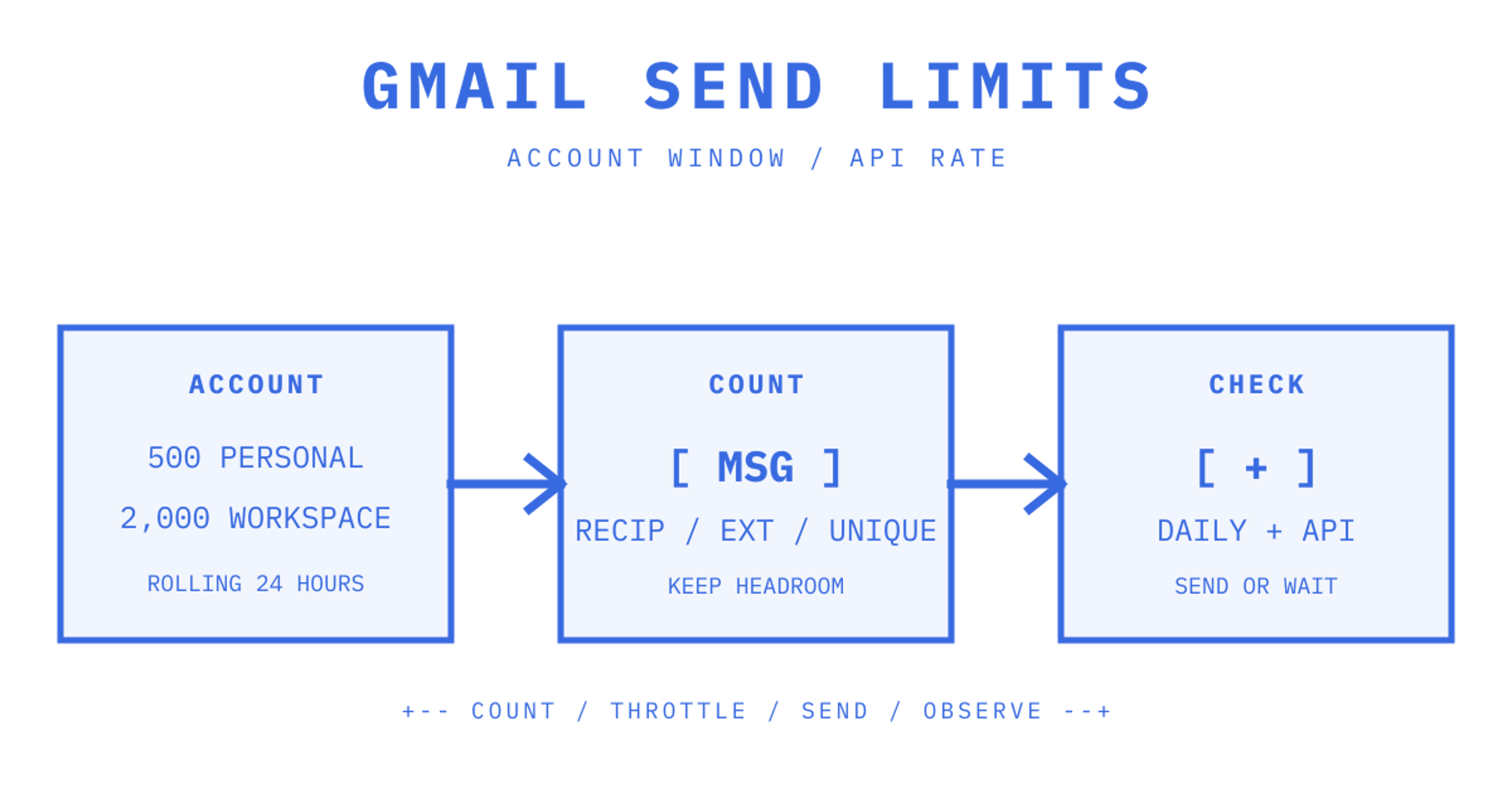
Gmail sending limits do not have one consistent number. The cap relies on the specific account, the sending methods used, and the way Google calculates recipients. A personal Gmail account is allowed to send 500 emails in a single day. Meanwhile, paid Google Workspace users are allowed to send 2,000 messages in one rolling 24-hour period, Workspace mail merge users are allowed to send 1,500, and trial users are allowed to send 500.
These Gmail email limits should be seen as the maximum amount and not the goal amount to be sent. Google is able to limit sending for policy reasons or due to abuse even if the quota is not fully used. Also, sending under the limit does not mean that the message will be placed in the recipient's inbox. If a specific application or agent is getting close to these limits often, that traffic should be routed to a service designed for application email.
How many emails can I send from Gmail in 2026?
The main Gmail daily sending cap is 500 emails for a personal Gmail account, 2,000 messages for a paid Google Workspace user, 1,500 messages for Workspace mail merge, and 500 messages for a Workspace trial account. Google applies Workspace daily limits over a rolling 24-hour window, as opposed to resetting them at midnight.
| Account or method | Published limit | What the limit covers |
|---|---|---|
| Personal Gmail | 500 emails per day | Messages sent from a consumer Gmail account |
| Paid Google Workspace | 2,000 messages per user | Messages sent during a rolling 24-hour period |
| Workspace mail merge | 1,500 messages per user | Messages sent with Gmail mail merge |
| Workspace trial | 500 messages per user | Trial-account Gmail sending |
| Gmail API | 500 recipients per message | Recipient ceiling for one API-sent message |
| SMTP through POP or IMAP | 100 recipients per message | SMTP envelope recipients for one message |
Google says these limits can change without notice. Review the current Google Workspace Gmail sending limits before implementing a hardcoded fixed quota in the production code.
How does Gmail count recipients?
Gmail records message count, total recipient occurrences, external recipients and unique recipients separately. Five messages directed to ten addresses use up 50 total-recipient slots, but would still be recorded as ten unique recipients.
Message count alone cannot be used to plan Gmail mass email limits. One message sent to a big distribution list can use up hundreds of recipient slots at once.
For a paid Workspace user, the published daily recipient limits are:
- 10,000 total recipients: every address is counted each time a message is sent
- 3,000 external recipients: addresses outside the primary domain, including domain aliases and alternate domains
- 3,000 unique recipients: each address is counted once during the daily window
- 2,000 unique external recipients: reduced to 500 for trial accounts
One message sent from the Gmail web interface can include up to 2,000 recipients and no more than 500 external recipients. The transport may impose a lower limit: SMTP through POP or IMAP is limited to 100 recipients per message, whereas the Gmail API allows 500.
Are Gmail API quotas the same as Gmail sending limits?
Gmail API quotas manage the call rate of API methods. Gmail account limits manage the amount of mail sent by an account. An integration must comply with both sets of limits.
Google currently publishes these Gmail API rate quotas:
| Gmail API quota | Current published value |
|---|---|
| Per minute, per project | 1,200,000 quota units |
| Per minute, per user, per project | 6,000 quota units |
messages.send cost | 100 quota units per request |
| Recipients per API-sent message | 500 |
At 100 quota units for each messages.send request, the 6,000-unit user quota allows for at most 60 send calls per minute if that user makes no other Gmail API calls. This calculation is only a rate calculation. It does not raise the account's daily Gmail sending cap.
Google adjusted Gmail API quotas on 1 May 2026. Projects that used the API between November 2025 and April 2026 keep their previous quotas, whereas newer projects use the current model. Check out the live Gmail API usage limits for your project.
There isn't a single method for increasing Gmail sending limits. A different sending method can use a different quota model, but it does not silently raise the limits attached to the same Gmail account.
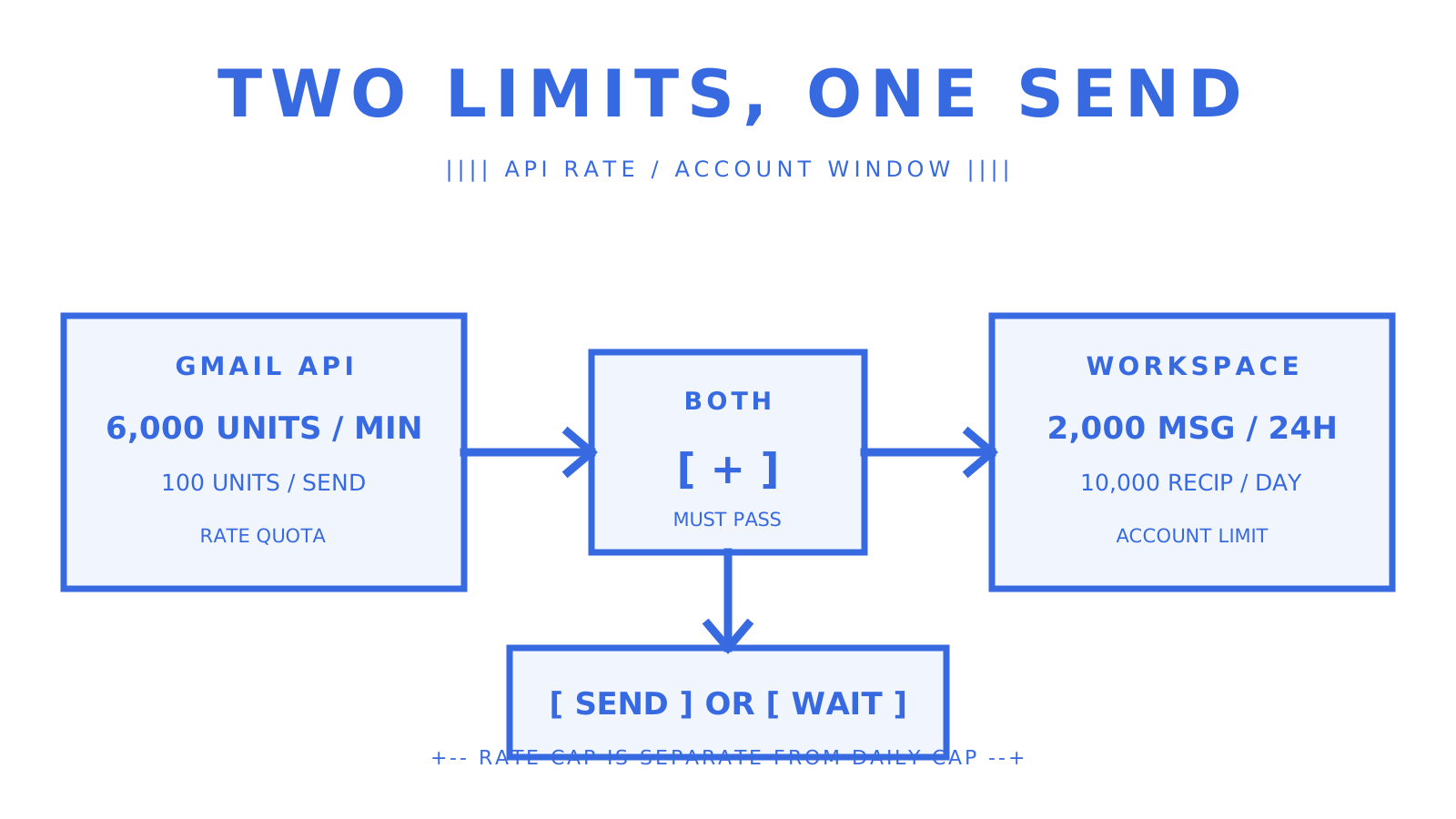
Original ASCII-style diagram showing why daily account limits and per-minute API quotas must both pass.
What happens when you hit a Gmail sending limit?
Once a Workspace user hits a sending limit, they may be unable to send more messages for up to 24 hours. They can still receive email and log in to their Workspace account and other Google services.
Personal Gmail has a similar recovery time, which is one to 24 hours according to Google. After multiple failed delivery attempts to invalid or bouncing addresses, this can also initiate a temporary sending limitation.
Not all Gmail sending restrictions indicate that the daily quota has been reached. The cause could be a per-message recipient ceiling, repeated delivery failures, or a policy action. Be sure to analyse the error and sending path before determining and taking the recovery step.
How should an application handle Gmail quota errors?
Treat a daily sending block differently from a short API rate error. Retrying a daily sending block every few seconds generates noise and will not reopen the account, while a time-based API error should get delayed retries.
- Classify the error: distinguish daily sending limits, per-message recipient limits, API rate quotas, authentication failures, and policy restrictions.
- Stop on a daily block: pause new sends for that account and wait for capacity to return within the rolling window.
- Back off on rate errors: use truncated exponential backoff with jitter, following Google's Gmail API guidance.
- Preserve idempotency: make sure a retry cannot send the same message twice.
- Record the account and window: log which sender, method, and quota caused the pause.
- Keep bad addresses suppressed: repeated invalid recipients and bounces can lead to a separate temporary restriction.
A queue should understand both message state and provider capacity. A blind retry cycle can make one quota error into duplicates, causing noise in the logs and making the recovery job longer.
Does Google's SMTP relay have separate limits?
User relay limits
Yes, but Google Workspace SMTP relay restrictions are different from Gmail user sending limits. A registered Workspace user is able to relay up to 10,000 messages and reach up to 10,000 unique recipients in a 24-hour period. Each SMTP transaction is limited to 100 recipients.
Organisation relay limits
The relay has two types of organisation-wide recipient ceilings based on a given window. The first is 4.6 million over 24 hours. The second is 319,444 over a ten-minute window. Google may reduce them based on sending practices. Plan below those values as they are published maximums and not reserved capacity.
Setup and policy
SMTP relay is typically used for devices, ticketing systems, and application servers that need to send through Google. It does not circumvent Google's authentication, anti-abuse, or sender-policy requirements. Google's official SMTP relay guide is for setup and the current limits.
How can admins avoid Gmail quota incidents?
Cleaning up quota incidents will take more effort than preventing them. Make sure to monitor recipient usage for each sender. Keep automated traffic apart from normal user mail, and send a warning before the rolling quota window runs out.
- Track total and external recipients: message count alone can hide the limit that is actually filling
- Reserve headroom for people: do not let an automated job consume the full quota of a user who still needs to send normal mail
- Separate application traffic: use SMTP relay or a dedicated email API for system-generated mail
- Audit aliases and delegates: their messages count towards the underlying user's limits
- Suppress invalid recipients: clean lists before a batch and retain bounce suppression
- Throttle each sender: apply per-minute and per-day controls before calling Gmail
- Review delivery logs: use Google Workspace email log search to identify the sender and workflow consuming quota
- Follow sender requirements: authentication, low spam rates, and unsubscribe controls still matter even below the account cap
The picture isn’t complete with just the Gmail daily send limit. Gmail bulk sending rules also include recipients per message, external-recipient caps, API rate quotas, and delivery failures. Google's current email sender guidelines add requirements as well.
When should you use Gmail, SMTP relay, or a dedicated email API?
When we select these options, we maintain normal human communication in Gmail while each user remains comfortably under the rolling limits. We use the Gmail API when software has to deal with a Gmail mailbox, and it is still acceptable for those account-level limits to apply. For eligible application or device traffic that still has to go through Google, we use SMTP relay and prepare for its separate quota model.
We reach for a dedicated email API when a SaaS platform or AI agent needs isolated sending identities, predictable provider controls, inbound mailboxes, or routing across several delivery accounts. Provider limits still apply. Every provider has their own acceptable-use rules which means a different API surface does not give you permission to break their acceptable-use rules.
| Sending path | Best fit | Limit model |
|---|---|---|
| Gmail web or app | Human correspondence | Gmail user and recipient limits |
| Gmail API | Software acting on a Gmail mailbox | Gmail user limits plus API quotas |
| Google SMTP relay | Workspace devices and application servers | Separate relay limits |
| Dedicated email API | Transactional, multi-tenant, or agent workflows | Provider and platform quotas |
How does Sendmux handle provider limits?
Sendmux is our product for AI agents and SaaS platforms that require outbound sending and inbound mailboxes in one workspace. Teams can connect custom SMTP, the Gmail API, the Outlook API or managed Amazon SES sending accounts. They can then implement per-second, per-minute, per-hour, and per-day quota windows with routing weights.
Connecting Gmail to Sendmux does not increase a Google account's Gmail sending limits. It provides an application with one control plane for configured sending accounts, mailbox send scopes, and delivery logs. Google still enforces the Gmail account and API quotas described above.
- Read the Sendmux sending account guide
- Review delivery groups and routing
- Use the Mailbox API for mailbox-scoped messages, threads, and events
- Check the Sending API for provider-routed application mail
Gmail sending limits checklist
Before a Gmail-backed workflow goes live:
- Confirm whether the account is personal Gmail, paid Workspace, or a trial.
- Identify whether sends use the Gmail interface, Gmail API, SMTP, or SMTP relay.
- Budget messages, total recipients, external recipients, and unique recipients.
- Apply per-minute and rolling 24-hour controls before Google does.
- Add idempotency and truncated exponential backoff for API retries.
- Keep automated traffic from consuming a person's entire sending allowance.
- Monitor bounces, invalid addresses, spam complaints, and sender-policy compliance.
- Recheck Google's official limits when the integration or Workspace edition changes.
Sources
Frequently Asked Questions
What are the daily sending limits for different types of Gmail accounts?
Personal Gmail accounts can send up to 500 emails per day. Paid Google Workspace users can send 2,000 messages in a rolling 24-hour period, Workspace mail merge users can send 1,500, and Workspace trial users are limited to 500 messages.
How does Gmail count recipients for its sending limits?
Gmail counts message count, total recipient occurrences, external recipients, and unique recipients separately. For paid Workspace users, there's a limit of 10,000 total recipients, 3,000 external recipients, and 3,000 unique recipients daily. One message to a large distribution list can quickly consume many recipient slots.
Are Gmail API quotas the same as Gmail sending limits?
No, Gmail API quotas manage the call rate of API methods (e.g., 6,000 quota units per user per minute), while Gmail account limits manage the total amount of mail sent by an account. Integrations must comply with both sets of limits.
What happens when a Gmail sending limit is reached?
Once a user hits a sending limit, they may be unable to send more messages for up to 24 hours. They can still receive emails and access other Google services. Repeated delivery failures or policy violations can also trigger temporary sending restrictions.
How should applications handle Gmail quota errors?
Applications should differentiate between daily sending blocks and short API rate errors. Daily blocks require pausing new sends for that account, while API rate errors should use truncated exponential backoff with jitter for retries. It's crucial to preserve idempotency to avoid sending duplicate messages.
Does Google's SMTP relay have separate sending limits?
Yes, Google Workspace SMTP relay has different limits. A registered Workspace user can relay up to 10,000 messages and reach up to 10,000 unique recipients in a 24-hour period. There are also organization-wide recipient ceilings, such as 4.6 million over 24 hours.
When should I use Gmail, SMTP relay, or a dedicated email API?
Use the Gmail web interface for normal human communication. The Gmail API is suitable for software interacting with a Gmail mailbox. For eligible application or device traffic through Google, use SMTP relay. A dedicated email API is best for SaaS platforms or AI agents needing isolated sending identities, predictable controls, or routing across multiple delivery accounts.
