Best Mailbox Migration Tools for Developers: Keep Metadata and Delta Syncs

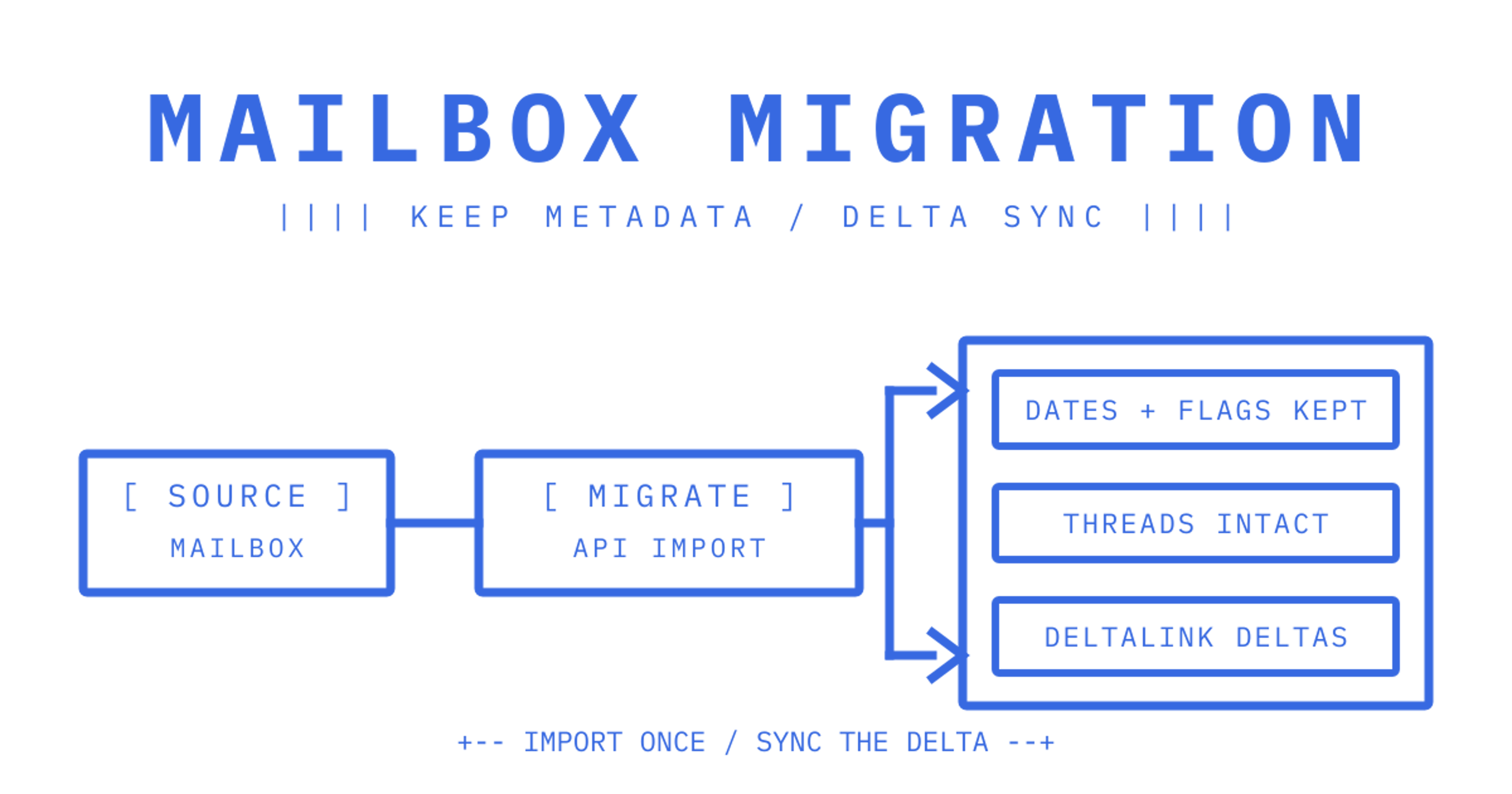
For agent mailboxes, the best migration approach is an API-native import when the source platform supports one: Gmail's messages.import or Microsoft Graph's import sessions, both built for bulk transfer rather than live delivery. IMAP with APPEND, ideally backed by MULTIAPPEND, is the fallback for everything else. The deciding factor is scale: how many tenants, how many messages per mailbox, and whether an import API exists for the source.
TL;DR:
- Choose API-native import methods like Gmail's messages.import or Microsoft Graph's import sessions whenever source platforms support them, especially for high-volume transfers.
- Use IMAP with APPEND or MULTIAPPEND as a fallback, but verify server support for batch commands and consider the impact on metadata fidelity.
- Conduct a small proof of concept with real tenant data to benchmark throughput, metadata retention, and content quality before full migration.
- Prioritise proper verification, including message count comparisons, sample checks, and telemetry, to avoid failures linked to duplicate messages or missing headers.
- Identify source platform constraints such as API availability, quota limits, attachment sizes, and metadata preservation needs to inform the optimal migration approach.
Table of Contents
A shortlist of migration approaches and where each fits
Engineering teams importing customer mail into agent mailboxes generally choose from five patterns. Each trades throughput against compatibility, and the right pick depends on what the source system exposes.
- Gmail messages.import: migration-optimised, supports parallel calls and
labelIdsso messages land in the correct folder on arrival, which is the strongest fit when Gmail is the source and volume is high.
- Microsoft Graph import + delta query: import sessions handle the bulk initial load and
deltaLinktokens handle everything after, making this the natural choice for Microsoft 365 or Exchange tenants where admin consent is available.
- IMAP with APPEND or MULTIAPPEND: the universal fallback for any host that speaks IMAP but exposes no dedicated import API; worth checking for MULTIAPPEND support before committing to it at scale.
- Custom ETL pipelines: extract over IMAP, POP or an exporter, transform headers and attachments, then insert through an API or APPEND, which suits migrations that need content changes such as PII stripping.
- Hybrid pipelines: run API-native imports for the big providers and IMAP for everything else, coordinated as one pipeline rather than five separate scripts.
Gmail's import method differs from a plain insert: it performs delivery scanning but does not perform SPF checks, and imported messages default to appearing only in All Mail unless INBOX or UNREAD labels are specified, so a batch of imported messages can go quietly invisible if labelling is an afterthought rather than part of the call itself, a distinction Google's Gmail API release notes spell out directly.
A short proof of concept against a handful of real tenant mailboxes, covering each of the source types you expect to encounter, tells you more about true throughput and metadata loss than any vendor claim does. Run it before locking in a single pipeline shape for the whole migration.
Comparing the axes that actually change the engineering decision
Picking a migration path is less about picking a "winner" and more about matching the approach to constraints you already have: source API availability, metadata requirements and how much custom handling attachments need.
- Throughput and parallelism: Gmail's
messages.importtakes parallel calls at the documented per-method quota cost, while plain IMAP APPEND is serial unless the server supports MULTIAPPEND, which bundles multiple messages into one atomic command.
- Metadata fidelity: both Gmail import and Microsoft Graph import sessions are built to preserve internal date, flags, thread headers and folder placement; generic IMAP APPEND preserves less unless your client sets these explicitly on each call.
- Incremental sync: Microsoft Graph's delta query returns
@odata.nextLinkor@odata.deltaLinktokens per folder, so a second sync only pulls what changed instead of rescanning everything; IMAP has no equivalent, so you build UID tracking yourself.
- Auth complexity: Gmail import runs on OAuth scopes with user consent, Graph import sessions need the
MailboxItem.ImportExportdelegated permission, orMailboxItem.ImportExport.Allfor application access, documented in Microsoft's import guide, and IMAP typically runs on stored credentials with none of the scoped consent model either gives you.
- Attachments: Gmail caps an imported message at 150 MB and Graph import sessions hand back a preauthenticated upload URL for binary content, while IMAP generally means base64-encoding attachments inline unless the server offers an extension for binary transfer.
- Developer ergonomics: API-native paths come with SDKs, idempotency keys and documented retry semantics; IMAP leaves most of that to you, which is the real cost of its universality.
A decision checklist for picking an approach and estimating effort
Before writing a single line of migration code, size the problem. The numbers you gather here decide which of the five approaches above is worth building.
- Inventory the source. Count tenants, average messages per mailbox, attachment volume and which metadata fields (threads, labels, flags) your agents actually need preserved.
- Map cost drivers. Factor in API quotas, any per-event billing on the destination platform, storage tiers for attachments and network egress from the source provider.
- Choose API import over IMAP when you can. If the source exposes a documented import API, has consent available and you need labels or folders preserved on arrival, API-native wins on every axis that matters.
- Scope permissions narrowly. Request only the OAuth scopes or application permissions the import actually needs, never a broader grant for convenience.
- Plan for verification. Decide upfront how you will confirm a successful import, whether that is event streams, webhooks or a sampled message count check, before you run it against real tenant data.
Pro Tip: Run your POC against a mailbox with nested folders, large attachments and non-English subject lines before trusting any pipeline with a full tenant fleet.
What engineering teams consistently underestimate
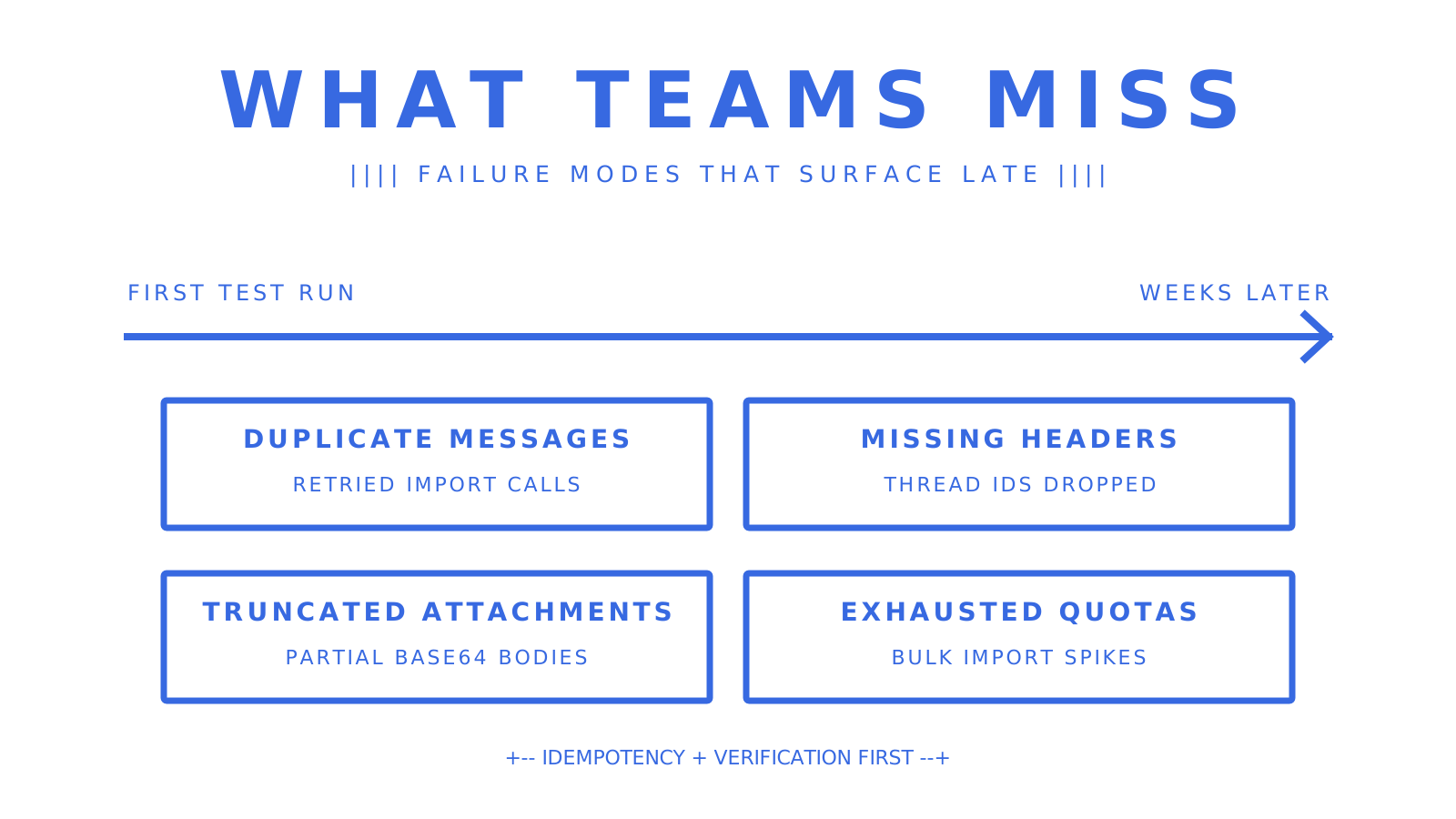
Raw throughput gets all the attention in migration planning, but idempotency and verification are what actually determine whether a migration succeeds. Duplicate messages from retried calls, missing thread headers, truncated attachments and exhausted quotas are the failure modes that surface weeks later, not during the first test run.
Treat state tokens and sample verification as first-class requirements, not afterthoughts bolted on once something breaks. A small, repeatable proof of concept with proper telemetry beats a confident full rollout every time.
Where to put migrated mail once it lands
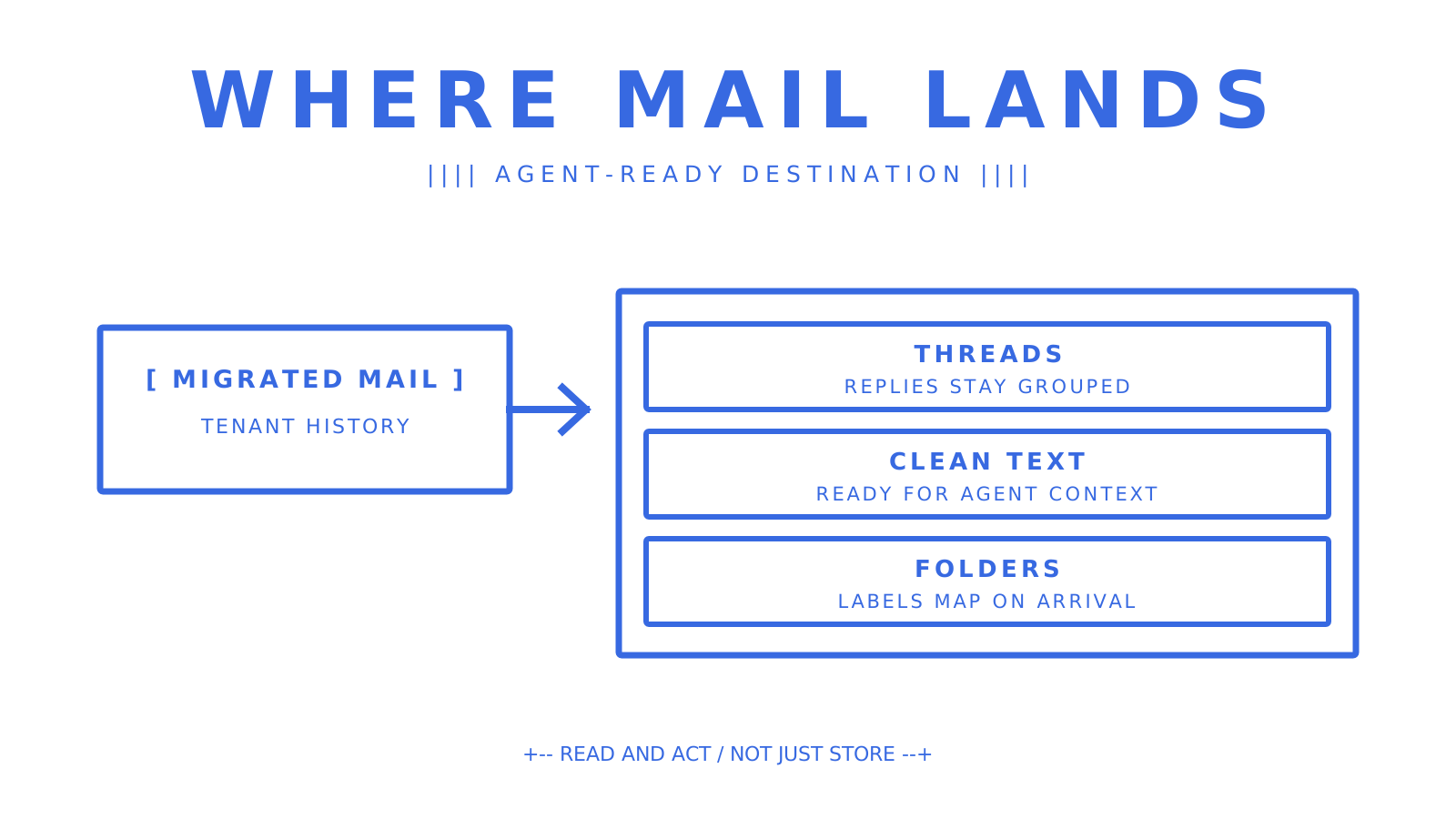
Once mail is imported, it needs somewhere built for agents to read and act on it, not just store it. Our Mailbox API gives every tenant a persistent mailbox with cleaned message text, threading and folder support, so mail that lands there behaves like it was always there. Pricing starts on the Free plan with no per-mailbox fee, scaling to Pro at $7 per team per month plus usage.
Sources
Frequently Asked Questions
What's the best way to migrate Gmail mailboxes into agent mailboxes?
Use Gmail's messages.import method rather than a plain insert, since it's built for migration, supports parallel calls and lets you set `labelIds` at import time so mail lands in the right folder immediately.
How do I keep metadata intact during migration?
Gmail's import and Microsoft Graph's import sessions both preserve internal date, flags, thread headers and folder mapping by design, so use those API-native paths whenever the source supports them. Generic IMAP APPEND preserves less unless your client sets each field explicitly on every call.
What's the difference between IMAP APPEND and MULTIAPPEND?
APPEND adds one message per command, while [MULTIAPPEND](https://www.rfc-editor.org/info/rfc3502/) is an IMAP extension that uploads several messages in a single atomic command, cutting round-trips substantially. Check server support before relying on it for a large migration, since not every IMAP host implements it.
Does Sendmux support importing existing mailboxes?
Sendmux does not currently offer a built-in mailbox import from IMAP, Gmail, Outlook or other provider APIs. Teams building agent mailboxes now can provision fresh mailboxes through the Mailbox API and read inbound mail as it arrives.
How do I verify a migration succeeded?
Compare message counts per folder between source and destination, sample a subset of messages for intact headers and attachments, and watch for duplicate UIDs if you used IMAP. Event streams or webhooks on the destination mailbox let you confirm delivery without re-scanning the whole import afterwards.
